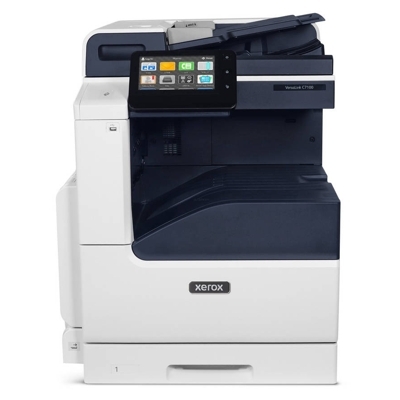
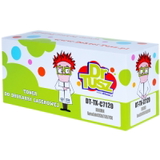
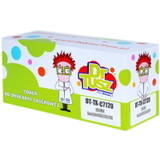
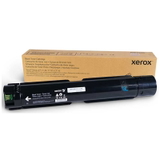
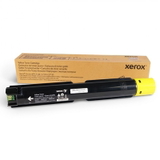
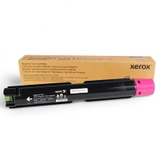
Xerox VersaLink C7130 – a reliable color MFP for busy offices The Xerox VersaLink C7130 (also searched as Xerox C7130 or Xerox VersaLink C) is a powerful A3 color multifunction printer designed for teams that expect sharp text, vivid graphics, and dependable performance every day. To keep this device running smoothly, it’s worth choosing the right toner for printer Xerox VersaLink C7130 as well as the key service components that support print quality and reliability over time. What you’ll find in this category: toner, drum, waste tank, transfer unit This category is built for customers who want everything in one place: Original OEM and Compatible laser supplies for the C7130 platform. Depending on your needs, you can choose a classic toner for Xerox VersaLink C7130 for everyday printing, or replace maintenance parts that directly affect image quality and error-free operation. Available product types include: - Toners – cyan, magenta, yellow, and black for crisp documents and consistent color output.
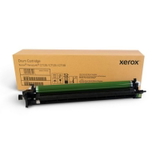
- Drum Units – responsible for transferring the image onto paper; crucial when prints become faded or uneven.
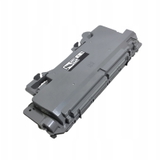
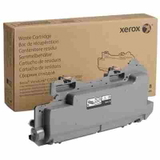
- Waste Toner Tanks – collect excess toner; replacing them prevents mess and common “waste container full” messages.
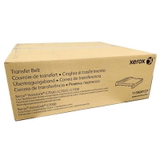
- Transfer Units – help move toner onto the page accurately; important for stable color registration and clean backgrounds.
If you’re looking up codes such as 097S05197 or searching directly for C7130, you’re in the right place to match the correct supply to your machine. Popular Xerox VersaLink C7130 toners and service parts in our offer We keep the selection clear and practical, highlighting the most frequently chosen items for this series. Here are some of the best-known options from this category: - Original OEM Toner Xerox C7120/C7125/C7130 (006R01828) (Black)
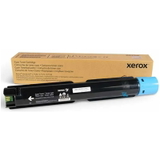
- Original OEM Toner Xerox C7120/C7125/C7130 (006R01829) (Cyan)
- Original OEM Toner Xerox C7120/C7125/C7130 (006R01830) (Magenta)
- Original OEM Toner Xerox C7120/C7125/C7130 (006R01831) (Yellow)
- Compatible Toner C7120/C7125/C7130 for Xerox (006R01828) (Black)
- Compatible Toner C7120/C7125/C7130 for Xerox (006R01829) (Cyan)
- Compatible Toner C7120/C7125/C7130 for Xerox (006R01830) (Magenta)
- Compatible Toner C7120/C7125/C7130 for Xerox (006R01831) (Yellow)
- Original OEM Drum Unit Xerox C7120/C7125/C7130 (013R00688)
- Original OEM Waste Toner Tank Xerox 115R00128 (115R00128)
- Compatible Waste Toner Tank 115R00128 for Xerox (115R00128)
- Original OEM Transfer Unit Xerox (115R00127)
Thanks to this mix, you can easily build a complete set: black toner for everyday text, full color toners for graphics, plus the maintenance parts that keep your ink for Xerox C7130 (in practice: toner system) working cleanly and predictably. How to choose: Original OEM vs Compatible for Xerox C7130 When you select toner for printer Xerox C7130, first decide what matters most: maximum manufacturer consistency, or a cost-effective solution without sacrificing print quality. - Original OEM cartridges are made by Xerox for the VersaLink series. They’re a great pick if you prefer staying strictly within OEM specifications, especially in environments where internal procedures require OEM consumables.
- Compatible cartridges from our DrTusz.pl offer are a smart alternative when you want excellent results and better cost control. We focus on compatibility, stable performance, and reliable everyday printing—so you can print with confidence and keep your budget in check.
Tip: if your office prints a lot of color charts, presentations, or marketing drafts, choosing a full CMYK set at once often helps maintain consistent color balance and reduces downtime. Common user issues with VersaLink C7130 and what usually solves them Many printing problems aren’t caused by the printer itself, but by a worn service component or a full container. With the right parts, you can quickly restore proper operation: - Message about waste toner – typically solved by replacing the waste toner tank 115R00128.
- Faded prints, background haze, or uneven density – check if the drum unit 013R00688 is due for replacement and confirm each toner is seated correctly.
- Color misregistration or inconsistent transfer – the transfer unit 115R00127 may be the key part to refresh.
- Streaks or spots – often linked to a drum nearing end of life or toner that’s been stored improperly (always keep cartridges sealed until use).
If you’re unsure which part you need, we encourage you to contact us—tell us what the printer displays on-screen and which supplies you’ve already replaced, and we’ll help you choose the right toner for Xerox VersaLink C7130 or maintenance unit. Choose your Xerox VersaLink C7130 supplies and keep printing without interruptions We invite you to explore our selection of original OEM and compatible consumables for the Xerox VersaLink C7130. Add the right toner colors, and don’t forget about the drum unit, waste toner tank, and transfer unit—these parts often decide whether printing stays smooth and predictable. CTA: Check the available products in this category and choose the best toner for printer Xerox VersaLink C7130 for your needs. If you want quick confirmation of compatibility (e.g., codes like 006R01828–006R01831, 013R00688, 115R00128, 115R00127 or 097S05197), contact us—our team will gladly help. We also focus on fast, secure delivery so you can get back to printing as soon as possible. |