Haven't found what you were looking for? Click here! ▼
Describe below exactly what you are looking for and we will see how we can help. You will receive a reply to your e-mail address by 09:15 on monday (7 September 2026) at the latest
Toner cartridges for Xerox VersaLink C7125S - compatible and original OEM
Keep your Xerox VersaLink C7125S printing at its best with the right Laser cartridges—whether you prefer Original OEM reliability or cost-effective Compatible options. This category brings together everything you need for everyday office output and vivid colour documents, all designed for the Xerox VersaLink C series and matched to popular searches like “Xerox C7125S” and “C7125S.”
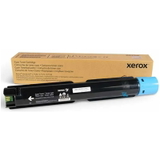
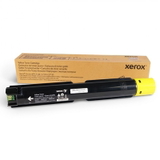
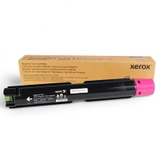
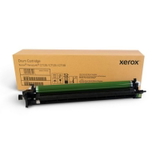
Choose from Original OEM toners for guaranteed manufacturer quality: Black (006R01828), Cyan (006R01829), Magenta (006R01830), and Yellow (006R01831), plus the Original OEM Drum Unit (013R00688) for consistent image quality. For smarter savings, Compatible toner cartridges are available in the same CMYK colours, offering dependable performance and clean, sharp results when you need a budget-friendly alternative. You’ll also find Waste Toner Tanks—Original OEM and Compatible (115R00128)—to keep maintenance simple and prevent downtime.
Stock up on toner cartridges for Xerox VersaLink C7125S and replace key consumables before they slow you down—pick your OEM or Compatible match and print with confidence. Explore the full selection now and find the exact cartridges that fit your Xerox C7125S setup.
Xerox VersaLink C7125S – a reliable A3 color workhorse for the office
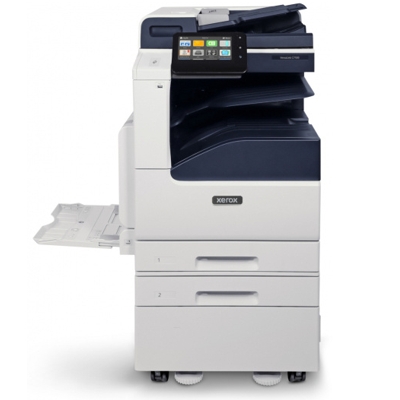
The Xerox VersaLink C7125S (also searched as Xerox C7125S, C7125S, C7125 S or Xerox VersaLink C) is a modern A3 color laser multifunction device designed for busy teams that expect sharp documents, consistent color and smooth workflow. To keep this printer performing at its best, it’s worth choosing the right toner for printer Xerox VersaLink C7125S and remembering about key service parts such as the drum unit and waste toner tank.
What matters in toner for Xerox C7125S: color consistency, efficiency and clean operation
In this category you will find toner for Xerox VersaLink C7125S in all four colors (CMYK), as well as components that directly affect print quality and reliability: drum units and waste toner tanks. A properly selected cartridge ensures crisp text, smooth gradients and predictable yields—especially important when printing presentations, invoices, offers or internal documentation.
When you use the right toner for C7125S, you reduce common day-to-day frustrations such as fading, uneven coverage or frequent prompts to replace supplies. Just as important: replacing the drum unit and emptying/replacing the waste toner tank on time helps prevent streaks, background haze and unexpected downtime.
Original OEM and Compatible – choose what fits your needs and budget
We offer both Original OEM and Compatible supplies for the Xerox VersaLink C7125S. OEM cartridges are the manufacturer’s originals—ideal for users who want to keep everything strictly in-brand. At the same time, our compatible toner for Xerox VersaLink C7125S is a smart alternative: it delivers print quality and reliability that are just as good as originals, while helping you optimize printing costs—especially in offices with higher monthly volumes.
Original OEM – factory cartridges and parts, consistent results, classic choice for corporate environments.
Compatible – excellent value, dependable performance, quality comparable to OEM, ideal for cost-conscious printing without compromises.
Popular products for Xerox VersaLink C7125S in our range
To make your choice easier, here are some of the most frequently selected items in this category—covering everyday printing and essential maintenance:
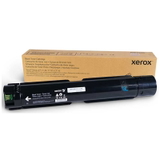
Original OEM Toner Xerox C7125 K (006R01828) (Black)
Original OEM Toner Xerox C7125 C (006R01829) (Cyan)
Original OEM Toner Xerox C7125 M (006R01830) (Magenta)
Original OEM Toner Xerox C7125 Y (006R01831) (Yellow)
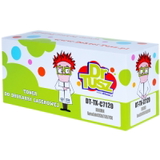
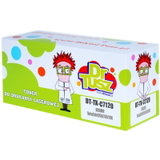
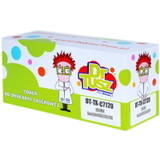
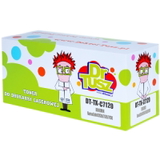
Compatible Toner C7125 K for Xerox (006R01828) (Black)
Compatible Toner C7125 C for Xerox (006R01829) (Cyan)
Compatible Toner C7125 M for Xerox (006R01830) (Magenta)
Compatible Toner C7125 Y for Xerox (006R01831) (Yellow)
Original OEM Drum Unit Xerox C7125 CMYK (013R00688)
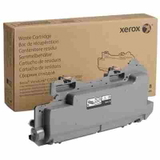
Original OEM Waste Toner Tank Xerox C7020 (115R00128)
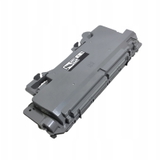
Compatible Waste Toner Tank C7020 for Xerox (115R00128)
Thanks to this selection, you can conveniently build a complete set: CMYK toners for daily printing, plus the drum unit and waste toner tank for maintenance—everything matched to the needs of the Xerox VersaLink C7125S.
How to choose the right cartridge and avoid common C7125S printing issues
If you want stress-free printing, start with a simple checklist. First, choose the color and the correct code (e.g., 006R01828 for black). Next, decide whether you prefer original toner for Xerox C7125S or a compatible toner for Xerox C7125S. If your printer is used intensively, we also recommend keeping a spare waste toner tank on hand.
Streaks, repeating marks, dull colors – often indicate the drum unit is nearing the end of its life; consider Drum Unit 013R00688.
Message about waste toner container full – replace the waste toner tank, e.g. 115R00128 (OEM or compatible).
Uneven coverage or light prints – check if the correct toner for printer Xerox VersaLink C7125S is installed and seated properly; replacing the cartridge usually resolves it.
Unexpected downtime in a busy office – keep at least one frequently used color (often black) and a waste toner tank in reserve.
Not sure whether OEM or compatible is better for you? If you value brand-original supplies, choose OEM. If you want to reduce cost per page while keeping excellent quality, our compatible supplies from DrTusz.pl are a dependable choice—and are as good as the originals in everyday business printing.
Order toner for Xerox VersaLink C7125S and print with confidence
We encourage you to browse the full selection in this category and choose the best toner for Xerox VersaLink C7125S for your workflow—OEM or compatible, single color or a complete CMYK set, plus a drum unit and waste toner tank for uninterrupted operation. If you have questions about matching supplies to your C7125S printer, contact us—we’ll help you choose quickly and accurately. Add your products to the cart and enjoy fast delivery and proven, office-ready printing performance.