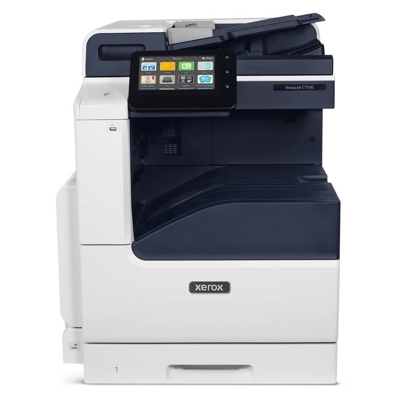
Xerox VersaLink C7125 – a reliable color MFP for busy offices Designed for teams that print a lot and expect consistent quality, the Xerox VersaLink C7125 is a modern A3 color multifunction printer built for everyday business documents, presentations, reports, and marketing materials. It combines speed, sharp detail, and strong color reproduction—provided you use the right toner for Xerox VersaLink C7125 and keep the key maintenance components in good shape. In this category we gathered everything you need: toners, a drum unit, and a waste toner tank—available as Original OEM and Compatible. Toners, Drum Units, and Waste Toner Tanks – what they do and why they matter To keep your printer working smoothly, it’s worth knowing the role of each consumable. A well-matched toner for Xerox C7125 ensures stable color, crisp text, and predictable page yields. The drum unit is responsible for transferring the image onto paper, while the waste toner tank collects excess toner from the printing process. When any of these parts is near the end of its life, you may notice print issues or device messages—so having the right supplies ready helps you avoid downtime. - Toner for Xerox VersaLink C7125 – affects color intensity, sharpness, and overall print consistency.
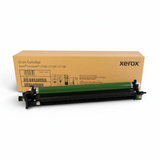
- Drum Unit Xerox C7125 – crucial for clean, even prints and reliable image transfer.
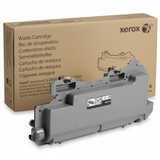
- Waste Toner Tank Xerox C7125 / C7020 series – prevents overflow and keeps the device operating correctly.
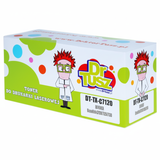
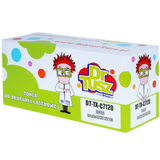
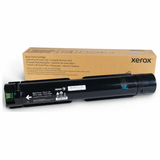
Original OEM and Compatible – we give you a real choice Every office has different priorities: some customers want the manufacturer’s solution, others prefer a smart way to reduce printing costs. That’s why we offer both Original OEM and Compatible options for Xerox VersaLink C7125 toner cartridges. OEM supplies come directly from the printer manufacturer and are the go-to choice for those who want to follow the original specification. Our compatible toner for Xerox VersaLink C7125 is a cost-effective alternative that delivers excellent quality and reliability—at DrTusz.pl we select compatible supplies so that they perform just as well in everyday office printing. Popular toner cartridges for Xerox C7125 (CMYK) – OEM and compatible options If you print in color, it’s best to think in a full CMYK set. In this category you’ll find the most frequently chosen items for the Xerox VersaLink C7125: - Original OEM Toner Xerox C7125 K (006R01828) (Black)
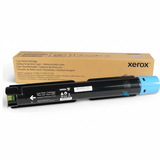
- Original OEM Toner Xerox C7125 C (006R01829) (Cyan)
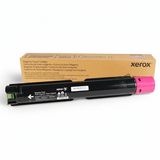
- Original OEM Toner Xerox C7125 M (006R01830) (Magenta)
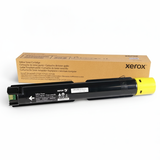
- Original OEM Toner Xerox C7125 Y (006R01831) (Yellow)
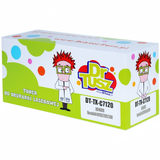
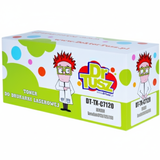
- Compatible Toner C7125 K for Xerox (006R01828) (Black)
- Compatible Toner C7125 C for Xerox (006R01829) (Cyan)
- Compatible Toner C7125 M for Xerox (006R01830) (Magenta)
- Compatible Toner C7125 Y for Xerox (006R01831) (Yellow)
Whether you search by Xerox VersaLink C7125, Xerox C7125, Xerox VersaLink C, or simply C7125, you’ll find a clear selection of matching supplies here—so you can quickly choose the right cartridge and get back to work. Maintenance essentials: Drum Unit and Waste Toner Tank High-volume devices like the VersaLink series work best when maintenance items are replaced on time. If you want to keep print quality stable across thousands of pages, don’t ignore the components that support your toner set: - Original OEM Drum Unit Xerox C7125 CMYK (013R00688) – a key choice when you want factory-grade consistency across all colors.
- Original OEM Waste Toner Tank Xerox C7020 (115R00128) – collects residual toner to keep the printing system clean and efficient.
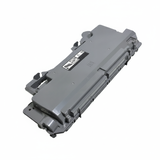
- Compatible Waste Toner Tank C7020 for Xerox (115R00128) – a budget-friendly alternative that fits and works reliably for everyday office use.
Replacing a full drum unit for Xerox VersaLink C7125 at the right time can prevent streaks, background shading, or uneven color patches. Likewise, a full waste toner tank can cause warnings and interruptions—having a spare on the shelf is simply convenient. How to choose the right toner for printer Xerox VersaLink C7125 When selecting toner for printer Xerox VersaLink C7125, we recommend focusing on a few practical points: - Match the exact code – for example 006R01828 (black) or 006R01829 (cyan). This is the quickest way to confirm compatibility.
- Consider your printing profile – heavy text printing usually consumes black faster, while presentations and graphics require balanced CMYK stock.
- Plan maintenance – if your device is approaching service alerts, consider ordering the drum unit or waste toner tank together with toner to avoid unexpected stops.
- Choose OEM vs compatible – OEM is the classic manufacturer solution; our compatible toner for Xerox C7125 is the smart option for customers who want great quality and lower cost per page.
Common issues with Xerox VersaLink C7125 – and how the right supplies help Many day-to-day “printer problems” are actually consumable-related. If you notice any of the following, the solution is often as simple as replacing the correct component: - Faded prints or weak colors – may indicate low toner or a cartridge near the end of life.
- Streaks, smudges, or uneven backgrounds – can be a sign that the drum unit Xerox C7125 needs replacement.
- Printer alerts about waste toner – typically solved by installing a new waste toner tank (OEM or compatible).
- Unexpected downtime in a busy office – prevented by keeping a spare toner for Xerox VersaLink C7125 and a waste toner tank on hand.
If you’re unsure which item will solve your issue, we’re here to help—tell us what message the printer shows or what you see on the page, and we’ll guide you to the right product. Order your Xerox VersaLink C7125 toners today We encourage you to explore our full selection of Xerox VersaLink C7125 toner cartridges, including Original OEM and carefully selected Compatible alternatives, plus the essential drum unit and waste toner tank. Add the right supplies to your cart and keep your office printing predictable, cost-effective, and high quality. If you have questions before ordering, contact us—we’ll help you choose the best toner for Xerox C7125 for your needs, and we’ll make sure your delivery is fast and hassle-free. CTA: Check the available toners, drum units, and waste toner tanks for Xerox VersaLink C7125 now—or message us for quick support with selecting the correct cartridge codes. |