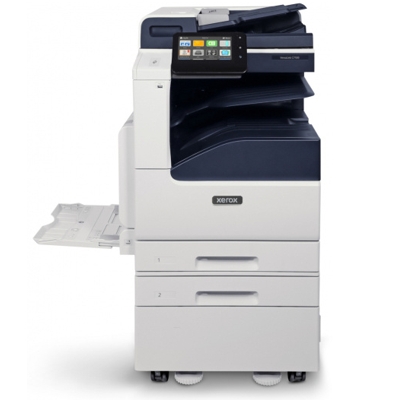
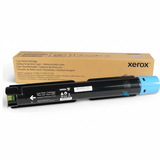
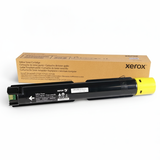
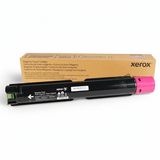
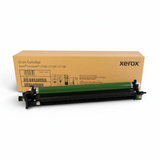
Xerox VersaLink C7120S – a workhorse for busy offices The Xerox VersaLink C7120S (also searched as Xerox C7120S, C7120 S or C7120s) is a fast, business-class colour laser multifunction device designed for teams that print a lot and expect consistent quality. It shines in everyday office tasks: sharp reports, colourful presentations, marketing materials and secure network printing. To keep this machine performing at its best, you need the right toner for printer Xerox VersaLink C7120S and the key maintenance parts that protect print quality over time. What matters most in toner and maintenance parts for Xerox C7120S Choosing the right toner for Xerox VersaLink C7120S is not just about colour. It’s also about reliability, predictable cost per page and trouble-free operation. In this category you’ll find both Original OEM and Compatible options for the Xerox VersaLink C series, covering the full set of consumables used by the device: - Toner cartridge (Black, Cyan, Magenta, Yellow) – responsible for colour intensity, sharp text and smooth gradients.
- Drum Unit – essential for accurate image transfer; worn drums can cause streaks, backgrounding or fading.
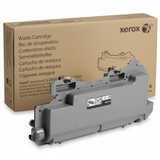
- Waste Toner Tank – collects excess toner; when full, the printer may stop to prevent spills and contamination.
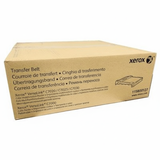
- Transfer Unit – supports clean, precise transfer of colour layers; important for consistent colour registration.
If you print frequently, proactively replacing a drum unit, waste toner tank or transfer unit can solve most recurring print quality issues before they become downtime. Original OEM and Compatible – one printer, two smart ways to print We know many customers compare Original OEM toner for printer Xerox VersaLink C7120S with a compatible toner for Xerox C7120S. OEM is the manufacturer’s cartridge, designed for maximum predictability and supported in corporate environments. Compatible cartridges are a budget-friendly alternative—and in our offer, they are built to deliver the same practical results for everyday business printing. Our compatible solutions from the DrTusz.pl offer are as good as the originals in terms of usability and print quality for typical office documents, while helping you optimise printing costs without sacrificing professionalism. Popular products in this category (toner, drum, waste tank, transfer unit) To make your choice quick and safe, we stock proven, frequently purchased items for the VersaLink C7120S family: - Original OEM Toner Xerox C7120/C7125/C7130 (006R01828) (Black)
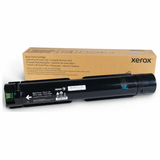
- Original OEM Toner Xerox C7120/C7125/C7130 (006R01829) (Cyan)
- Original OEM Toner Xerox C7120/C7125/C7130 (006R01830) (Magenta)
- Original OEM Toner Xerox C7120/C7125/C7130 (006R01831) (Yellow)
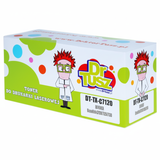
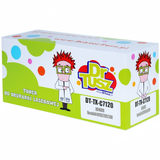
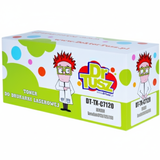
- Compatible Toner C7120/C7125/C7130 for Xerox (006R01828) (Black)
- Compatible Toner C7120/C7125/C7130 for Xerox (006R01829) (Cyan)
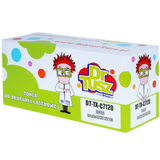
- Compatible Toner C7120/C7125/C7130 for Xerox (006R01830) (Magenta)
- Compatible Toner C7120/C7125/C7130 for Xerox (006R01831) (Yellow)
- Original OEM Drum Unit Xerox C7120/C7125/C7130 (013R00688)
- Original OEM Waste Toner Tank Xerox 115R00128 (115R00128) and Compatible Waste Toner Tank 115R00128 for Xerox (115R00128)
- Original OEM Transfer Unit Xerox (115R00127)
Thanks to this range, you can complete a full set in one order—toner for Xerox VersaLink C7120S plus the components that keep your device stable for months of heavy printing. How to choose the right toner for Xerox VersaLink C7120S (and avoid common problems) When selecting ink for Xerox VersaLink C7120S (in laser devices this means toner), focus on compatibility codes and your print habits. The safest approach is to match the cartridge symbol exactly (for example 006R01828 for Black). If you also search by service codes such as 097S05201 or printer family names like Xerox VersaLink C, you’ll still land in the right place—this page is built for those queries. Typical user issues with the Xerox C7120S series often have simple consumable-related solutions: - Faded prints or uneven colour – check toner levels, then consider drum condition (013R00688).
- Streaks, smudges or background shading – often caused by a worn drum unit or a full waste toner tank.
- Printer message: replace waste toner container – install 115R00128 (OEM or compatible).
- Colour misalignment or inconsistent colour layers – the transfer unit 115R00127 can be the key maintenance item.
If you print mainly text and internal documents, a compatible toner for printer Xerox VersaLink C7120S is usually the most cost-effective choice. If you need maximum standardisation (e.g., corporate procurement rules), Original OEM toner for Xerox C7120S is the classic option. Either way, we help you pick the best route for your workflow. Order with confidence – we’re here to help We encourage you to explore the full selection of toner cartridges for Xerox VersaLink C7120S, along with drum units, waste toner tanks and transfer units—everything you need for stable, high-quality printing. Add your chosen items to the cart and keep your Xerox VersaLink C7120S ready for every deadline. If you’re unsure which part you need, contact us—tell us your printer model (C7120S) and the code you see on the device or current cartridge (e.g., 006R01828, 115R00128, 115R00127, 013R00688), and we’ll help you choose the right toner for Xerox VersaLink C7120S. We offer fast order processing and convenient delivery options, so you can get back to printing without unnecessary downtime. |