Haven't found what you were looking for? Click here! ▼
Describe below exactly what you are looking for and we will see how we can help. You will receive a reply to your e-mail address by 12:29 at the latest
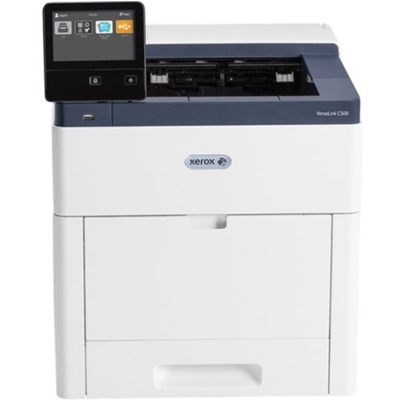
Toner cartridges for Xerox VersaLink C505S - compatible and original OEM
Keep your Xerox VersaLink C505S printing at its best with a complete range of laser cartridges designed for reliable performance and sharp, consistent color. In this category you’ll find both Original OEM and compatible supplies for the Xerox C505S—ideal whether you prioritize manufacturer-spec output or maximum cost efficiency.
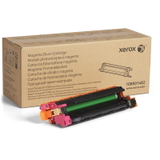
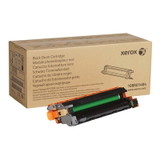
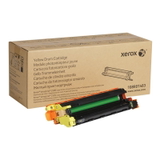
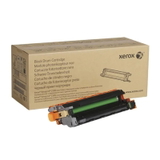
Choose from toner cartridges in Black, Cyan, Magenta, and Yellow (OEM 106R03887/106R03884/106R03885/106R03886 and matching compatible options), plus essential drum units (108R01481–108R01484) to keep image quality crisp and pages clean. You’ll also find waste toner tanks (108R01416) in OEM and compatible versions, helping your Xerox VersaLink C series printer run smoothly with fewer interruptions.
All items are selected to match the requirements of Xerox VersaLink C505S toner cartridges, delivering dependable compatibility and strong print results for everyday office work. Stock up now and keep your C505S ready for every job—explore the full selection and choose the best fit for your budget and printing needs.
Xerox VersaLink C505S – a fast, business-ready color laser printer
The Xerox VersaLink C505S (also searched as Xerox C505S, C505S, C505 s or C505 S) is a reliable color laser device designed for teams that expect sharp text, vivid graphics and smooth everyday printing. To keep this model working at full speed and quality, it’s essential to choose the right toner for printer Xerox VersaLink C505S and to remember about service components such as the drum unit and the waste toner tank.
Toner, drum unit and waste toner tank – what they do in the C505S
In the Xerox VersaLink C505S, consistent results depend on three key consumables categories: toners (CMYK), drum units (separate for each color) and the waste toner tank. A properly selected toner for Xerox VersaLink C505S ensures clean blacks, smooth gradients and stable coverage—important for invoices, offers, presentations and marketing materials.
Toner for printer Xerox C505S – the powder responsible for color and black printouts (Cyan, Magenta, Yellow, Black).
Drum unit for Xerox VersaLink C505S – transfers the image to paper; separate drums help maintain precise color reproduction.
Waste toner tank for Xerox C505S – collects excess toner during printing and cleaning cycles, helping the device run cleanly and reliably.
Compatible and Original OEM – choose what fits your priorities
We offer both Original OEM and Compatible supplies, so you can match your purchase to your printing style and budget. If you want manufacturer-branded consumables, Original OEM is a classic choice. If you print a lot and want to optimize costs, our compatible solutions are a strong alternative—our compatible toner for Xerox VersaLink C505S is designed to deliver results comparable to originals, with excellent everyday reliability.
Original OEM: manufacturer’s solution, perfect when you prefer OEM-labeled supplies and predictable performance.
Compatible: a cost-effective option—our compatible cartridges available at DrTusz.pl are as good as the originals for typical office and home-office printing, offering sharp text and strong color.
Popular cartridges and parts for Xerox VersaLink C505S (C500 series)
In this category you’ll find a complete CMYK set, plus the key maintenance components. Here are some of the most frequently chosen products for toner for printer Xerox VersaLink C505S:
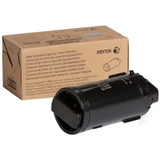
Original OEM Toner Xerox C500 K (106R03887) (Black)
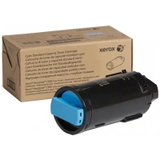
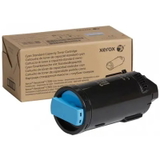
Original OEM Toner Xerox C500 C (106R03884) (Cyan)
Original OEM Toner Xerox C500 M (106R03885) (Magenta)
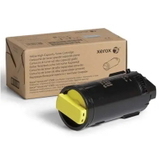
Original OEM Toner Xerox C500 Y (106R03886) (Yellow)
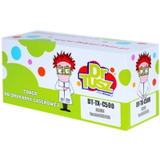
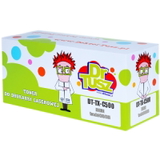
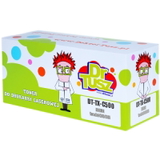
Compatible Toner C500 K for Xerox (106R03887) (Black)
Compatible Toner C500 C for Xerox (106R03884) (Cyan)
Compatible Toner C500 M for Xerox (106R03885) (Magenta)
Compatible Toner C500 Y for Xerox (106R03886) (Yellow)
For long-term print quality, we also stock original imaging components:
Original OEM Drum Unit Xerox C500 K (108R01484) (Black)
Original OEM Drum Unit Xerox C500 C (108R01481) (Cyan)
Original OEM Drum Unit Xerox C500 M (108R01482) (Magenta)
Original OEM Drum Unit Xerox C500 Y (108R01483) (Yellow)
And for uninterrupted work (especially in busy offices), don’t forget the waste container:
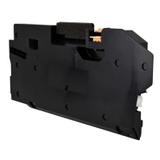
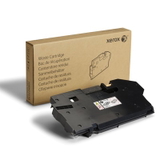
Original OEM Waste Toner Tank Xerox 6515 (108R01416)
Compatible Waste Toner Tank 6615 for Xerox (108R01416)
How to choose the right toner for Xerox VersaLink C505S – practical tips
When selecting toner for Xerox C505S, focus on the exact code and color. The same applies to the drum unit and waste toner tank—matching the part number is the safest way to ensure compatibility and smooth installation.
Check the symbol on the current cartridge (e.g., 106R03887 for black) and choose the same code.
If colors look faded or prints show repeating marks, consider whether a drum unit for Xerox VersaLink C505S needs replacement (not only the toner).
If your printer displays a “waste toner container full” message, replace the waste toner tank for Xerox C505S promptly to avoid interruptions.
Common user issues we help solve include: sudden loss of color intensity, streaks on prints, “replace drum” notifications, and printer downtime caused by a full waste toner tank. Choosing the correct consumable—toner, drum or waste tank—usually fixes the problem quickly and restores the print quality you expect from the VersaLink series.
Order easily and keep your C505S running without downtime
We encourage you to explore our full range of toner for printer Xerox VersaLink C505S—both Compatible and Original OEM—as well as drum units and waste toner tanks. Add the right products to your cart and keep printing without surprises. If you’re unsure which option is best for your exact needs, contact us—we’ll help you choose the best toner for Xerox VersaLink C505S and the right maintenance parts, so your printer stays efficient, clean and ready for work. Check the available cartridges now and order with fast, convenient delivery.