Xerox Phaser 6110 – compact colour laser you can rely on Dear Customer, the Xerox Phaser 6110 (also searched as Xerox 6110, P6110 or simply Xerox Phaser) is a popular colour laser printer valued for crisp text, vivid graphics and dependable everyday performance. It’s a great fit for home offices and small businesses that need professional-looking colour prints without complicated setup. To keep your device working at its best, choosing the right toner for printer Xerox Phaser 6110 is essential—both for print quality and trouble-free operation. What a toner for Xerox Phaser 6110 affects in daily printing A well-matched toner for Xerox Phaser 6110 determines much more than just colour. It influences page yield, sharpness, colour consistency and the overall comfort of printing—especially when you print documents with charts, presentations, offers or marketing materials. In this category you’ll find toner cartridges designed specifically for the Phaser 6110 series, in all four colours: black (K), cyan (C), magenta (M) and yellow (Y). When you choose toner for printer Xerox 6110 from our offer, you gain: - stable colour reproduction and clean, readable text,
- smooth gradients and strong contrast in graphics,
- predictable performance from the first to the last page,
- an easy way to restore print quality when colours fade or streaks appear.
Compatible or Original OEM – choose what suits your needs We offer both Original OEM and Compatible options, so you can match the purchase to your budget and printing style. Original Xerox cartridges are a classic choice for users who want manufacturer-branded supplies. At the same time, our compatible cartridges are made to deliver results that are just as good as the originals—clear prints, strong colour and dependable operation—while remaining a cost-effective alternative. Wondering which is better for you? It often depends on what you print most: - If you print client-facing materials and want the manufacturer’s solution, choose Original OEM toner for Xerox Phaser 6110.
- If you print frequently and want to reduce cost per page without sacrificing quality, choose a compatible toner for Xerox Phaser 6110 from our selection.
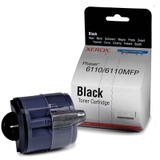
Popular toner cartridges in this category (K, C, M, Y) To make shopping easier, we stock the full set of colours used by this model. The products you’ll find here include: - Original OEM Toner Xerox 6110 K (106R01203) (Black) – for sharp text and deep blacks.
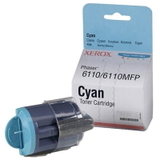
- Original OEM Toner Xerox 6110 C (106R01206) (Cyan) – for cool tones and clean blues.
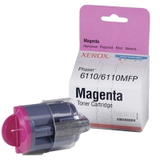
- Original OEM Toner Xerox 6110 M (106R01205) (Magenta) – for reds, purples and vibrant accents.
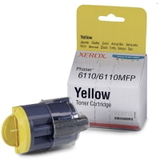
- Original OEM Toner Xerox 6110 Y (106R01204) (Yellow) – for warm highlights and natural colour balance.
- Compatible Toner 6110 K for Xerox (106R01203) (Black) – a budget-friendly way to keep everyday printing efficient.
- Compatible Toner 6110 C for Xerox (106R01206) (Cyan), Compatible Toner 6110 M for Xerox (106R01205) (Magenta), Compatible Toner 6110 Y for Xerox (106R01204) (Yellow) – complete colour coverage for consistent results.
Thanks to this range, you can buy exactly the colour you need or build a full set of toner cartridges for Xerox Phaser 6110 in one order. How to pick the right toner for printer Xerox Phaser 6110 To avoid mismatches, always verify the cartridge code and colour. The Phaser 6110 uses the following toner references: - Black: 106R01203
- Yellow: 106R01204
- Magenta: 106R01205
- Cyan: 106R01206
Common issues users report with this printer are usually simple supply-related situations: faded prints when a colour is running low, uneven colour areas, or messages indicating the cartridge needs replacement. Replacing the correct colour toner typically restores proper output immediately. If you print colour documents and one colour is empty, the printer may not deliver the expected colour balance—so keeping a spare toner for Xerox 6110 can prevent downtime. Why buy your Xerox Phaser 6110 toner cartridges from us We focus on giving you choice and confidence. You can select Original OEM for manufacturer-branded supplies or go with a compatible toner for Xerox Phaser 6110 that delivers results as good as the original—without overpaying. Our category is built around clarity: correct codes, clear colour marking and a complete set for the model, so you can order fast and print without stress. Ready to print? Choose your colour and order today We encourage you to explore the full range of toner cartridges for Xerox Phaser 6110 in this category—black, cyan, magenta and yellow, available as both compatible and Original OEM. Add the right toner for printer Xerox Phaser 6110 to your cart and keep your Xerox Phaser producing crisp text and vibrant colour. If you need help choosing between OEM and compatible options or matching the correct code, contact us—we’ll help you pick the perfect cartridge and arrange quick delivery. |