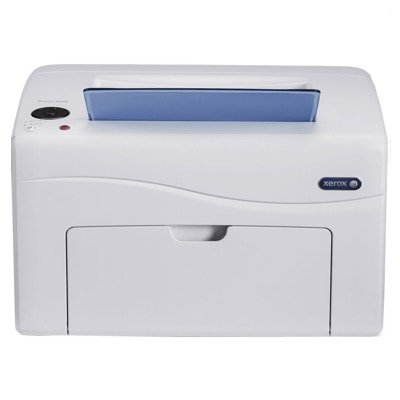
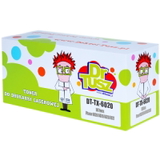
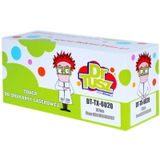
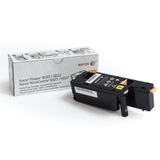
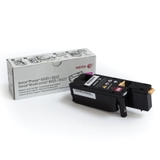
Xerox Phaser 6020 – compact color printing you can rely on Dear Customer, the Xerox Phaser 6020 (also searched as Xerox 6020, P6020 or simply Xerox Phaser) is a popular compact color laser printer designed for home offices and small businesses. It’s valued for sharp text, vivid color documents and a footprint that fits almost anywhere. To keep this model performing at its best, choosing the right toner for printer Xerox Phaser 6020 is key—both for print quality and predictable running costs. What a toner for Xerox Phaser 6020 affects: quality, efficiency and daily comfort Because the Phaser 6020 is a laser printer, it uses toner powder, not liquid ink. A good toner for Xerox 6020 ensures consistent coverage, crisp edges on letters and clean gradients in graphics. It also helps maintain stable performance over the life of the cartridge—important when you print invoices, offers, presentations or school materials. When you choose a properly matched toner cartridge for Xerox Phaser 6020, you gain: - clear black text for everyday office work,
- strong, repeatable colors (C/M/Y) for charts and marketing materials,
- fewer interruptions thanks to reliable page output,
- smooth printer operation without unnecessary alerts or misfeeds.
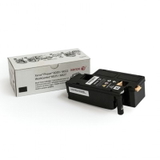
Original OEM and Compatible: one printer, two smart ways to print In this category you’ll find both Original OEM and Compatible options. Original cartridges are made to Xerox specifications and are a safe choice if you want to keep everything strictly manufacturer-branded. At the same time, our compatible cartridges from DrTusz.pl are designed to be just as practical in everyday printing—delivering very good quality and dependable performance while helping you control costs. So if you’re looking for an original toner for Xerox Phaser 6020 or a compatible toner for Xerox Phaser 6020, you can choose what fits your printing style and budget—without compromising your comfort. Popular toner cartridges in this category (Black and CMYK colors) We make it easy to match the correct cartridge to the exact color you need. The offer includes the full CMYK set, both OEM and compatible: - Original OEM Toner Xerox 6020 (106R02763) (Black)
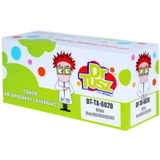
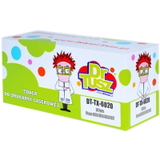
- Compatible Toner 6020 for Xerox (106R02763) (Black)
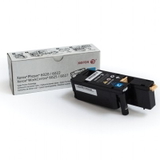
- Original OEM Toner Xerox 6020 (106R02760) (Cyan)
- Compatible Toner 6020 for Xerox (106R02760) (Cyan)
- Original OEM Toner Xerox 6020 (106R02761) (Magenta)
- Compatible Toner 6020 for Xerox (106R02761) (Magenta)
- Original OEM Toner Xerox 6020 (106R02762) (Yellow)
- Compatible Toner 6020 for Xerox (106R02762) (Yellow)
Whether you print mostly in black or need balanced color output, you can quickly complete your set and keep your toner for printer Xerox 6020 ready for any task. How to choose the right toner for printer Xerox Phaser 6020 The simplest and safest method is to match the cartridge code. If your printer uses the 106R0276x series, you’re in the right place. Here’s a quick guide: - Need black text documents? Choose 106R02763 (Black).
- Printing color charts and graphics? Add 106R02760 (Cyan), 106R02761 (Magenta) and 106R02762 (Yellow).
- If you print occasionally, consider ordering before the cartridge is fully empty to avoid workflow stops.
Still unsure which toner for Xerox Phaser 6020 to pick? Tell us what you print most often (text, graphics, mixed) and we’ll help you select the best option—OEM or compatible. Original vs compatible toner: what’s the difference in everyday use? Original OEM toner for Xerox Phaser 6020 is the manufacturer’s cartridge—ideal if you prefer sticking to the brand ecosystem. Compatible toner for Xerox Phaser 6020 is a cost-effective alternative that’s built to fit and work with the same printer model. In our offer, compatible cartridges are a strong choice for customers who want excellent value without giving up quality—our compatibles from DrTusz.pl are as good as the originals in daily office and home printing. What many customers appreciate when choosing compatible cartridges: - lower cost per page,
- very good text sharpness and color density,
- a convenient way to keep a full CMYK set on hand.
Common user issues with Xerox Phaser 6020 and how the right toner helps Xerox Phaser 6020 owners most often report challenges like faded prints, uneven color, or messages about low toner appearing sooner than expected. In many cases, these issues are solved by using the correct cartridge reference, replacing the empty color (not necessarily all of them), and ensuring the cartridge is seated properly. If you notice pale output, it can also help to check print settings (draft vs standard) and confirm you’re using the intended toner cartridge for Xerox 6020 color. If anything is unclear, we encourage you to contact us—our team will guide you to the right toner for printer Xerox Phaser 6020 and help you avoid unnecessary purchases. Choose your Xerox 6020 toner today We encourage you to browse the full selection of toner for Xerox Phaser 6020—both Original OEM and our proven Compatible options. Order the exact color you need and keep your printer ready for work, school and everyday tasks. Add the cartridge to your cart, and if you have questions about codes, colors or choosing between OEM and compatible, contact us—we’re here to help. We also focus on fast, convenient delivery so you can get back to printing without delay. |