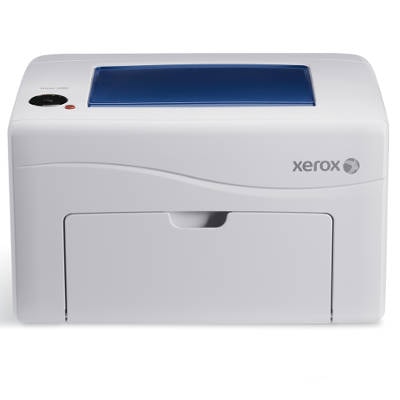
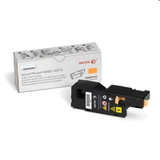
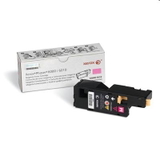
Xerox Phaser 6000 – compact color printing that still needs the right toner The Xerox Phaser 6000 (also searched as Xerox 6000, P6000 or simply Xerox Phaser) is a compact LED color printer designed for everyday office and home-office work. It’s valued for sharp text, vivid graphics and straightforward operation. To keep it printing at its best, choosing the right toner for printer Xerox Phaser 6000 is essential—especially if you want consistent colors, clean pages and trouble-free operation. Toner for Xerox Phaser 6000: what you can expect in daily use A good toner for Xerox Phaser 6000 is not only about color intensity. It also affects print clarity, smooth gradients, and the cleanliness of the inside of the printer over time. This model is often used for invoices, presentations, charts, labels and marketing handouts—so stable quality matters. When you select a reliable toner for printer Xerox 6000, you gain: - crisp black text and well-defined lines,
- consistent cyan, magenta and yellow for graphics,
- predictable results from the first to the last page,
- fewer interruptions thanks to correctly matched cartridges.
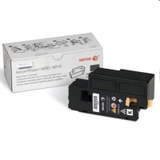
Original OEM and Compatible: one category, full freedom of choice In our store we make it easy to match your needs and budget. This category includes both Original OEM cartridges from Xerox and our carefully selected Compatible alternatives. Whether you print occasionally or you rely on the Phaser 6000 every day, you can choose the toner option that fits your workflow. Looking for a specific color? We offer the complete CMYK set, so you can replace only what’s empty and keep your printer ready at all times. Popular toner cartridges in this category (CMYK) Here are some of the most frequently chosen products for this printer series—covering both Original OEM and Compatible toners: - Original OEM Toner Xerox 6000/6015BK (106R01634) (Black) – dependable black for sharp documents.
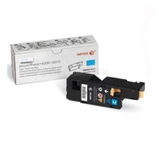
- Original OEM Toner Xerox 6000/6015C (106R01631) (Cyan) – clean blues and strong contrast in graphics.
- Original OEM Toner Xerox 6000/6015M (106R01632) (Magenta) – vibrant magenta for color accuracy.
- Original OEM Toner Xerox 6000/6015Y (106R01633) (Yellow) – bright yellow for lively visuals.
- Compatible Toner 6000/6015BK for Xerox (106R01634) (Black) – a cost-effective choice for everyday printing.
- Compatible Toner 6000/6015C for Xerox (106R01631) (Cyan) – great for regular color documents and charts.
- Compatible Toner 6000/6015M for Xerox (106R01632) (Magenta) – balanced color output for office graphics.
- Compatible Toner 6000/6015Y for Xerox (106R01633) (Yellow) – solid performance for frequent color use.
Thanks to this range, you can build a full set of toner for Xerox Phaser 6000 in Original OEM, in Compatible, or mix them to suit your printing habits. How to choose the right toner for printer Xerox Phaser 6000 When selecting toner for printer Xerox Phaser 6000, start with the cartridge code. This printer uses the 106R01631 (Cyan), 106R01632 (Magenta), 106R01633 (Yellow), and 106R01634 (Black) family. Matching the code is the simplest way to ensure compatibility. Then decide what matters most to you: - Original OEM toner – chosen by customers who want to stay strictly within the manufacturer’s supply line, often for corporate environments or standardized purchasing.
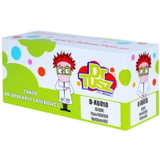
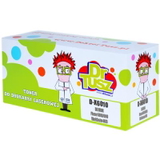
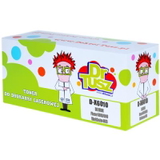
- Compatible toner – ideal when you want excellent print quality at a more attractive price. Our compatible cartridges from DrTusz.pl are designed to be just as good as the originals in everyday use: clear text, stable colors and reliable operation.
Common user issues with Phaser 6000 – and how the right toner helps Users of the Xerox Phaser 6000 most often report challenges that are easy to prevent with a well-matched cartridge and correct installation: - Faded prints or uneven color – usually a sign that one color is running low. Replacing the specific CMYK toner restores proper balance.
- Streaks or specks – can happen when a cartridge is nearing the end or has been improperly seated. A fresh, correctly installed toner for Xerox 6000 often resolves it quickly.
- Cartridge not recognized – most often caused by protective elements not being removed or the cartridge not clicking into place. We recommend a careful reinstallation and checking that the cartridge code matches the printer.
If you’re unsure which color to replace first or which option will be best for your printing volume, we’re here to help. Choose your toner and keep your Xerox 6000 ready to print We encourage you to explore our full selection of toner cartridges for Xerox Phaser 6000—both Original OEM and Compatible. Add the colors you need to your cart and enjoy a smooth purchasing process, clear product labeling and expert support when you want it. CTA: Check the available toner for printer Xerox Phaser 6000 in this category and order today—if you have any questions about choosing between Original OEM and Compatible, contact us and we’ll guide you to the best option for your needs. We deliver quickly and we’re ready to assist at every step. |