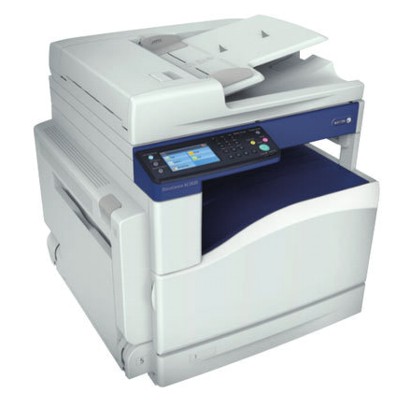
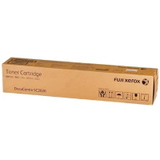
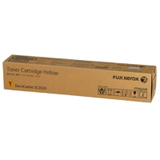
Xerox DocuCentre SC2020 – compact colour workhorse for everyday office printing The Xerox DocuCentre SC2020 (also searched as Xerox SC2020 or SC2020) is a popular multifunction colour laser device designed for busy offices, reception desks, schools and small businesses. It combines printing, copying and scanning in one reliable unit, and it does best when paired with high-quality consumables. In this category you’ll find carefully selected toner for Xerox DocuCentre SC2020 and the key maintenance parts that keep your device running smoothly: toners, a drum unit, and a waste toner tank. What you gain with the right toner for Xerox SC2020 Choosing the proper toner for printer Xerox DocuCentre SC2020 is not just about “having colour.” It’s about clean text, even fills, predictable yield and trouble-free operation. A good cartridge set helps you keep documents professional—whether you print invoices, internal reports, offers, training materials or customer-facing colour brochures. When you use dedicated ink for Xerox DocuCentre SC2020 (in practice: laser toner), you can expect: - sharp black text and clear small fonts for contracts and forms,
- stable colour reproduction for charts, logos and presentations,
- fewer interruptions thanks to reliable supply monitoring,
- proper cooperation with the imaging system and long device life.
Toners, drum unit and waste toner tank – how they work together The SC2020 uses separate consumables, and each has a specific role. Understanding the difference makes shopping easier and helps avoid the most common issues. - Toner cartridges for Xerox SC2020 – the colour powder responsible for the printed image. You replace them when a specific colour runs out.
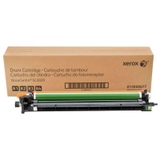
- Drum Unit Xerox SC2020 – the component that transfers the image to paper. It lasts longer than a toner but will eventually need replacement to maintain crisp print quality.
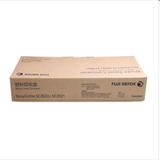
- Waste Toner Tank Xerox SC2020 – collects unused toner from the printing process. When it’s full, the printer may stop and ask for replacement to prevent spills and contamination inside the machine.
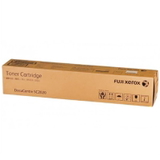
If you notice fading, streaks, uneven patches, or “background grey,” it may be time not only for a new toner for Xerox SC2020 but also to check the drum unit condition. If the device displays a “waste toner container full” message, replacing the waste toner tank is the quickest way to restore normal operation. Our range for Xerox DocuCentre SC2020 – proven Original OEM options In this category we focus on dependable, factory-grade consumables. We offer popular, frequently chosen products for the Xerox SC2020 series—ideal for customers who want maximum predictability and manufacturer-standard performance. - Original OEM Toner Xerox SC2020 (006R01693) (Black) – for crisp text and deep black graphics.
- Original OEM Toner Xerox SC2020 (006R01694) (Cyan) – for clean blues and smooth colour transitions.
- Original OEM Toner Xerox SC2020 (006R01696) (Yellow) – for vivid highlights and readable colour charts.
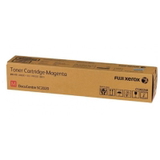
- Original OEM Toner Xerox SC2020 (006R01695) (Magenta) – for strong reds and balanced colour output.
- Original OEM Drum Unit Xerox SC2020 (013R00677) – a key maintenance item to keep print quality consistent over time.
- Original OEM Waste Toner Tank Xerox SC2020 (008R13215) – essential when the printer requests waste container replacement.
Thanks to this selection, you can comfortably build a complete set: black for everyday documents, colour toners for marketing materials, plus the maintenance parts that prevent downtime. How to choose: Original OEM vs compatible—what matters in practice When selecting toner for printer Xerox DocuCentre SC2020, start with your priorities: budget, colour intensity, print volume and how sensitive your documents are to colour accuracy. Original OEM cartridges are the safest pick for users who want manufacturer-standard results and the highest level of predictability. At the same time, many customers ask whether a compatible option can deliver comparable results. Our answer: yes—compatible cartridges from DrTusz.pl are as good as the originals in everyday use, offering excellent print quality and reliable performance when produced to high standards. If you’re looking for cost-efficient printing without compromising your documents, compatible toners can be a smart choice (depending on availability in the offer). Before adding products to your cart, we recommend: - matching the code (for example: 006R01693 for black) to avoid mistakes,
- checking which colour is actually low—often one colour stops printing first,
- considering maintenance parts: a worn drum unit can mimic “bad toner” symptoms,
- keeping a spare black toner on hand if you print lots of invoices and text pages.
Common Xerox SC2020 user problems—and quick ways to prevent them The Xerox DocuCentre SC2020 is dependable, but like any colour laser printer, it benefits from regular, correct consumable replacement. Customers most often report: - Streaks or uneven colour – often linked to a worn drum unit or nearing end-of-life consumables.
- Printer stops with a container message – the waste toner tank Xerox SC2020 may be full.
- Faded prints – a specific colour toner may be low; replacing only that colour usually solves it.
- Colour imbalance – replacing the depleted toner and keeping all colours within similar wear levels helps maintain consistent output.
We encourage you to treat the SC2020 as a system: a fresh toner for Xerox DocuCentre SC2020 works best when the drum unit and waste toner tank are also in good condition. Order today and keep your Xerox DocuCentre printing without downtime We make it easy to choose the right toner for Xerox SC2020, as well as the correct drum unit and waste toner tank—so you can print confidently and avoid unexpected interruptions. Browse the products listed in this category, select the colours you need, and complete your set in one order. CTA: Add your Xerox DocuCentre SC2020 supplies to the cart now, and if you’re unsure which consumable is causing your issue, contact us—we’ll help you pick the correct toner, drum unit or waste toner tank. We also provide fast delivery options so you can get back to printing as quickly as possible. |