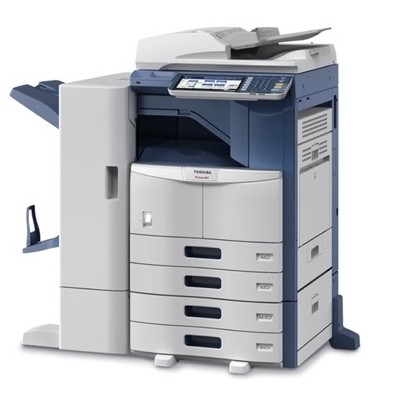
Toshiba e-Studio S307 – reliable monochrome printing for everyday work The Toshiba e-Studio S307 is a practical, business-oriented monochrome device designed for offices that expect fast, repeatable results and crisp black text. Whether you print invoices, contracts, shipping documents or internal reports, this model is built to handle daily workloads efficiently. To keep it performing at its best, choosing the right toner for Toshiba e-Studio S307 is key—both for print quality and cost control. Toner for Toshiba e-Studio S307 – what you gain with a well-matched cartridge A properly selected toner for printer Toshiba S307 ensures deep black, sharp lines and stable coverage from the first page to the last. In laser devices like the Toshiba e-Studio S307, toner quality directly affects not only readability, but also the comfort of use—less risk of streaks, background shading or faded prints. When you choose a dependable Toshiba S307 toner, you can count on: - clean, professional black-and-white documents (ideal for text-heavy printing),
- consistent output for repetitive office tasks,
- efficient printing costs thanks to predictable page yield,
- smooth device operation with fewer interruptions and less downtime.
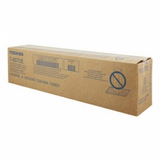
Original OEM and compatible toner cartridges – wide choice in one place In our store, we offer both Original OEM and Compatible solutions, so you can choose exactly what fits your priorities—maximum manufacturer consistency or excellent value with trusted alternatives. This category is dedicated to toner cartridges for Toshiba e-Studio S307, also searched as Toshiba e-Studio S307, Toshiba S307, Toshiba e-Studio S and S307. Popular choices in this category include: - Original OEM Toner Toshiba T-5070E (6AJ00000115) (Black) – the manufacturer’s cartridge designed for predictable performance and factory-level print consistency.
- Compatible Toner T-5070E for Toshiba (DT-TT-5070) (Black) – a high-quality alternative for customers who want to reduce printing costs without sacrificing sharpness and reliability. Our compatible cartridges are designed to be as good as the originals in everyday use.
How to choose the right toner for Toshiba e-Studio S307 When selecting a toner for Toshiba e-Studio S307, the safest method is to match the cartridge symbol. For this device, the key designation is T-5070E. If you print a lot, consider your monthly volume and choose the option that gives you the best long-term balance of price and efficiency. Original vs compatible—what’s the difference? - Original OEM toner for Toshiba e-Studio S307 is produced to Toshiba’s specifications and is often chosen by customers who want a strictly manufacturer-branded solution.
- Compatible toner for Toshiba S307 is a cost-effective option. In our offer, compatible cartridges (including DrTusz.pl solutions) are engineered for reliable fit, solid page yield and clear black prints—making them a smart everyday choice for offices and home workspaces.
Common printing issues on S307 and how toner choice helps Users of monochrome laser devices sometimes report problems such as faint prints, streaks, grey background or uneven coverage. In many cases, the cause is a depleted cartridge or low-quality toner. Choosing a proven toner for printer Toshiba e-Studio S307 helps reduce these issues and keeps your device running smoothly. If you’re unsure which cartridge to select, we encourage you to contact us—our team will help you match the right toner quickly and correctly. Order your Toshiba e-Studio S307 toner today We make it easy to choose the right Toshiba e-Studio S307 toner cartridge—whether you prefer Original OEM or a dependable Compatible option. Browse the available products, compare solutions and pick the toner that best matches your printing habits and budget. Call to action: Add your selected toner for Toshiba e-Studio S307 to the cart and place your order today. If you have questions about compatibility, yield or choosing between OEM and compatible cartridges, contact us—we’re here to help. We also ensure fast delivery options, so you can get back to printing without unnecessary delays. |