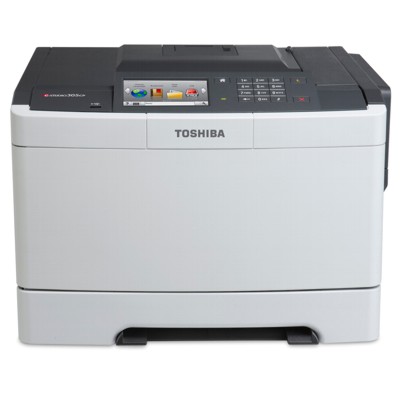
Toshiba e-Studio 305CP – reliable colour printing for everyday business The Toshiba e-Studio 305CP is a compact, business-ready colour laser printer designed for teams that need sharp text, consistent colours and predictable running costs. Whether you search for supplies using phrases like Toshiba 305CP, 305 CP, 305cp or Toshiba e-Studio, you’re in the right place: here you’ll find the right toner for printer Toshiba e-Studio 305CP to keep your workflow smooth and your documents looking professional. Toner for Toshiba e-Studio 305CP – what you gain with the right cartridge A good toner for Toshiba 305CP isn’t only about colour—it’s about reliability. Laser printing is valued for speed and crisp results, but the real difference comes from using a properly matched cartridge. The right toner for 305CP supports clean gradients, readable small fonts and consistent coverage from the first page to the last. Typical applications where the toner for Toshiba e-Studio 305CP matters most include: - invoices, contracts and everyday office documents,
- sales offers, presentations and reports,
- colour charts, simple marketing materials and internal training handouts,
- labels and documents where sharp edges and accurate colour are important.
Original OEM toners – a complete set of colours for the 305CP In this category we offer Original OEM laser cartridges that are fully compatible with the Toshiba e-Studio 305CP printer. If you want factory-standard performance and maximum predictability, OEM is the natural choice. We stock the key colours so you can easily replace exactly what you need—or complete the full set for uninterrupted printing. Popular products in this category include: - Original OEM Toner Toshiba T-305PKR (6B000000749) (Black) – for crisp text and deep blacks, ideal for everyday office printing.
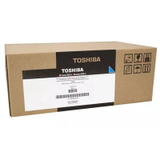
- Original OEM Toner Toshiba T-305PCR (6B000000747) (Cyan) – for clear blues and balanced colour output.
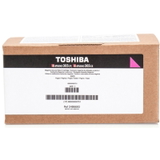
- Original OEM Toner Toshiba T-305PMR (6B000000751) (Magenta) – supports vivid reds and strong, lively graphics.
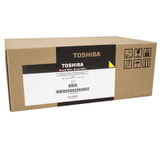
- Original OEM Toner Toshiba T-305PYR (6B000000753) (Yellow) – for bright highlights and accurate colour mixes.
Thanks to a wide range of colours available in one place, it’s easy to match the exact toner to your printer model—whether you call it 305 cp or Toshiba e-Studio 305CP. How to choose the right toner for Toshiba 305CP (and avoid common issues) When selecting a toner for printer Toshiba e-Studio 305CP, always verify two things: the printer model name and the cartridge symbol. In this case, the correct OEM series is Toshiba T-305 (Black/Cyan/Magenta/Yellow). Choosing by code is the fastest way to avoid ordering mistakes—especially when similar printer names appear in offices. Customers using the Toshiba e-Studio 305CP often ask us about typical printing problems. Here are the most common ones and what usually helps: - Faded prints or uneven colour – often caused by a nearly empty cartridge; replacing the correct colour toner usually fixes it immediately.
- Streaks or spots on the page – can appear when toner is running low or after long intervals between print jobs; a fresh cartridge and a short printer cleaning cycle can help.
- Printer doesn’t recognize the cartridge – make sure the cartridge is correctly seated, protective elements were removed, and you’re using the correct T-305 variant for the Toshiba 305CP.
- Colours don’t look right – replacing only one colour that is depleted (often yellow or magenta) restores proper colour balance.
If you’re unsure which toner for 305CP you need, we encourage you to contact us—our team will help you choose quickly and accurately. Original OEM vs compatible toner – what’s the difference? In general, Original OEM cartridges are produced by the printer brand and are designed to deliver consistent, repeatable results. Many customers choose OEM for peace of mind and predictable performance in business documents. At the same time, it’s worth knowing that high-quality compatible cartridges can also be an excellent choice. Our compatible cartridges from DrTusz.pl are designed to match the printer’s requirements and, in practice, they print just as well as original ones—offering great quality and cost control. If you’re comparing options for a toner for Toshiba e-Studio 305CP, we can help you decide what’s best for your printing habits and budget. Order your toner for Toshiba e-Studio 305CP with confidence We make it easy to buy the right toner for Toshiba 305CP: clear product names, OEM codes, and a selection that covers all essential colours. Add the required cartridge to your cart, complete your order in a few steps, and we’ll take care of fast delivery and secure packaging. CTA: Browse the available toner for printer Toshiba e-Studio 305CP in this category and choose your colour today. If you need help selecting the right cartridge (black, cyan, magenta or yellow), contact us—we’ll be happy to guide you and get your Toshiba 305CP printing perfectly again. |