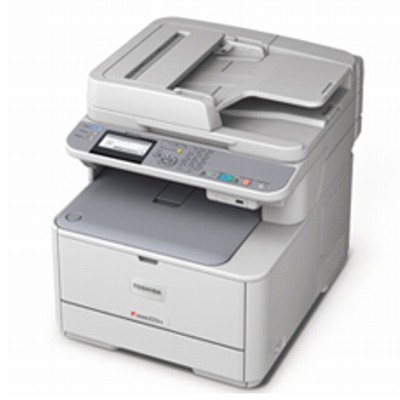
Toshiba e-Studio 222CS – a compact colour MFP built for everyday business The Toshiba e-Studio 222CS is a reliable colour multifunction printer designed for busy offices, reception areas, schools, and small workgroups that need clear documents every day. It handles typical business tasks like printing invoices, offers, reports, and marketing materials while keeping operation simple and predictable. To maintain that consistency, choosing the right toner for printer Toshiba e-Studio 222CS is essential—both for quality and for uninterrupted workflow. What good toner for Toshiba 222CS gives you High-quality toner for Toshiba e-Studio 222CS is responsible for sharp text, clean lines, and stable colours from the first page to the last. In a device like the Toshiba 222CS, where colour documents are often customer-facing, reliable toners reduce problems such as faded prints, uneven colour coverage, or grey-ish blacks. The right cartridge also supports trouble-free printing by ensuring correct communication between the printer and the cartridge. When you choose a well-matched toner for Toshiba 222CS, you gain: - consistent colour balance for business graphics and presentations,
- deep black for crisp text and barcodes,
- predictable page output for planning office costs,
- smooth operation with fewer interruptions and less re-printing.
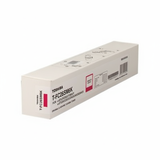
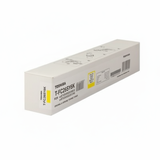
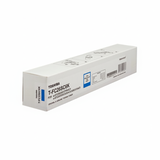
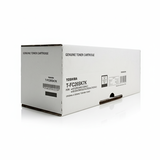
Original OEM toners available in this category (Black, Cyan, Magenta, Yellow) In this category we focus on Original OEM solutions for the Toshiba e-Studio series. If you’re looking for original manufacturer quality and full compatibility, here you’ll find popular, frequently chosen cartridges for Toshiba e-Studio 222CS: - Original OEM Toner Toshiba TFC26SK3K (6B000000347) (Black) – for strong text and high-contrast documents.
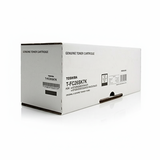
- Original OEM Toner Toshiba T-FC26SK7 (6B000000559) (Black) – another OEM black option used by many offices.
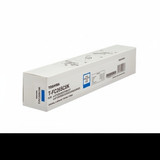
- Original OEM Toner Toshiba TFC26SC2K (6B000000328) (Cyan) – clean blues and balanced colour output.
- Original OEM Toner Toshiba T-FC26SC6K (6B000000557) (Cyan) – OEM cyan cartridge for consistent graphics.
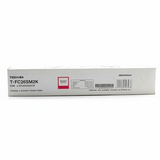
- Original OEM Toner Toshiba TFC26SM2K (6B000000334) (Magenta) – accurate reds/pinks for charts and branding.
- Original OEM Toner Toshiba T-FC26SM6K (6B000000555) (Magenta) – stable magenta for colour documents.
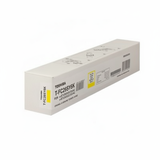
- Original OEM Toner Toshiba T-FC26SY2K (6B000000341) (Yellow) – bright highlights and clean warm tones.
- Original OEM Toner Toshiba T-FC26SY6K (6B000000569) (Yellow) – OEM yellow option for reliable colour printing.
Thanks to a full CMYK selection, you can easily complete your set or replace only the colour that is running low—without compromising print quality. How to choose the right toner for printer Toshiba e-Studio 222CS Dear Customer, if you want to buy the correct toner for Toshiba e-Studio 222CS, we recommend a simple approach: match the cartridge symbol and choose the colour you need. The Toshiba 222CS works with the T-FC26 series, so the quickest way is to confirm the exact code on your current cartridge or in your printer’s supply status screen. Before ordering, consider: - Colour needed: Black (K) for daily text, Cyan/Magenta/Yellow for graphics and colour documents.
- Your printing profile: mostly text vs. colour marketing materials (this helps you stock the right colours in advance).
- Replacement strategy: buy single cartridges as needed or keep a spare black toner to avoid downtime.
Original vs compatible cartridges – what’s the difference? Original OEM cartridges are made by the printer manufacturer and are a safe choice for users who want factory-standard performance and predictable results. At the same time, many customers ask us about compatible options for toner for Toshiba 222CS. In our store, we treat this topic seriously: compatible cartridges from DrTusz.pl are as good as the originals in everyday use—offering excellent print quality and reliability while often being a more budget-friendly choice. If you print a lot, combining smart purchasing with quality control matters. That’s why we encourage you to compare options and choose what best fits your needs—OEM for maximum manufacturer alignment, or compatible solutions from DrTusz.pl for excellent value without sacrificing results. Common user issues with Toshiba e-Studio 222CS and how the right toner helps The Toshiba e-Studio series is dependable, but like any office printer it can show typical supply-related problems. The right toner for printer Toshiba e-Studio 222CS helps reduce issues such as: - Faded prints or uneven coverage – often linked to low toner levels or a cartridge nearing the end of life.
- Colour mismatch – when one colour runs out, prints can look “off”; keeping an eye on CMYK levels helps.
- Streaks or spots – sometimes caused by a worn cartridge or improper storage; using fresh, properly stored toners is key.
- Unexpected “toner empty” messages – replacing with the correct cartridge code (e.g., T-FC26 series) solves most confusion.
If you’re unsure which toner your Toshiba 222CS needs, we’re here to help you select the right product quickly and confidently. Order your Toshiba e-Studio 222CS toners with confidence We encourage you to explore our selection of toner for Toshiba e-Studio 222CS and choose the colours you need today—black for daily documents and CMY for professional colour output. We focus on clear product naming, reliable availability, and helpful support, so you can get back to printing without unnecessary delays. CTA: Add the right Toshiba T-FC26 toners to your basket now or contact us—together we’ll match the perfect toner for Toshiba 222CS to your printing needs. We offer fast delivery options and customer-friendly assistance at every step of your order. |