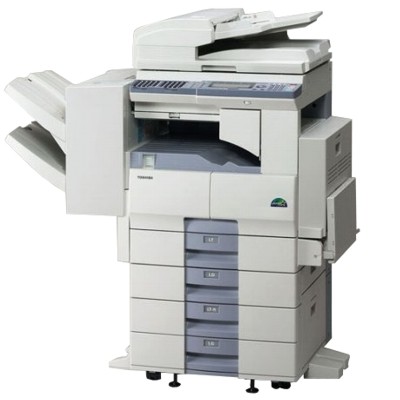
Toshiba e-Studio 20S – reliable printing for everyday office work Dear Customer, the Toshiba e-Studio 20S is a compact, practical laser device designed for everyday document workflows. It’s often chosen for small offices, reception desks, schools, and home offices where reliability matters most: clear black text, repeatable results, and efficient operation. To keep your device working at its best, you need one key thing: a dependable toner for printer Toshiba e-Studio 20S that matches your printing volume and expectations. Toner for Toshiba e-Studio 20S – what it does and why quality matters A toner for Toshiba 20S is not “just powder” – it directly affects print sharpness, consistency, and the cleanliness of your device. The right toner helps maintain deep black text, smooth graphics, and stable performance from the first page to the last. Whether you print invoices, reports, shipping labels, or internal documentation, a well-chosen toner for Toshiba e-Studio reduces the risk of downtime and keeps your work flowing. When choosing a toner for printer 20S, pay attention to: - Compatibility with the device and cartridge code (this model uses the T-2500E family).
- Print yield – important if you print regularly and want predictable running costs.
- Print quality – especially for small fonts and business documents where clarity matters.
- Reliability – fewer streaks, fewer smudges, less chance of repeated reprints.
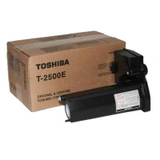
Original OEM and Compatible toners – two smart ways to print In our offer you’ll find both Original OEM and Compatible options, so you can choose the solution that fits your priorities. An Original OEM toner for Toshiba e-Studio 20S is produced to the manufacturer’s specifications and is a natural choice for users who want to stick to the brand’s standard from start to finish. At the same time, our compatible toner for Toshiba e-Studio 20S is built for customers who want excellent print quality and dependable performance with better cost control. We carefully select our compatible solutions so you can print confidently every day. In practice, a good compatible toner can deliver results that are as good as the originals—without compromising readability or consistency. Popular products in this category To make your choice easier, here are the key items available in this category: - Original OEM Toner Toshiba T-2500E (60066062053) (Black) – a manufacturer cartridge for users who prefer OEM consumables.
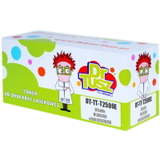
- Compatible Toner T-2500E for Toshiba (60066062053) (Black) – a cost-effective choice designed for reliable, crisp black printing.
Both options are dedicated to the same cartridge reference, so you can quickly match the product to your printer and order the right toner for Toshiba e-Studio 20S without guesswork. How to choose the right toner for Toshiba 20S – practical tips If you see names like 20S, 20 s, 20 S or 20s in your searches, you’re in the right place. This page is focused on one thing: the correct T-2500E toner for printer Toshiba e-Studio 20S. Before adding to cart, we recommend: - Confirm the cartridge symbol – for this model it’s T-2500E / 60066062053.
- Decide what matters most: OEM preference vs. maximum savings with a high-quality compatible toner.
- Think about your monthly volume – frequent printing usually benefits from a compatible option with strong price-to-performance.
Common issues users associate with laser devices like the Toshiba e-Studio 20S include faint prints, streaks, or uneven black coverage. Very often the cause is simply a near-empty cartridge or a toner of inconsistent quality. Choosing a proven toner for Toshiba e-Studio 20S helps avoid unnecessary troubleshooting and keeps prints looking professional. Order your toner today – we’re here to help We encourage you to explore the category and choose the best toner for printer Toshiba e-Studio 20S for your needs—whether you prefer Original OEM or a reliable Compatible alternative. If you’re unsure which option will be best for your Toshiba e-Studio device, contact us—we’ll help you match the right cartridge quickly and confidently. Add your toner to the cart and enjoy fast, convenient delivery and smooth printing from the very next pages. |