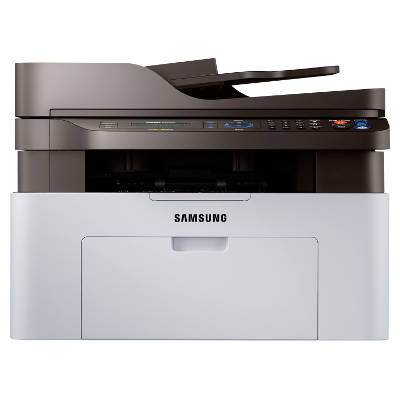
Samsung Xpress SL-M2070FW – a reliable mono all-in-one for home and office The Samsung Xpress SL-M2070FW (also searched as Samsung SLM2070FW, Samsung Xpress M2070, SL-M2070FW/SEE, SL M2070FW or SL M2070 FW) is a compact laser all-in-one designed for everyday productivity. It combines printing, scanning, copying and faxing in one device, making it a popular choice for home offices and small businesses that need crisp black text, fast workflows and simple operation. To keep this model performing at its best, choosing the right toner for printer Samsung Xpress SL-M2070FW is key. Mono toner for Samsung Xpress SL-M2070FW – what you gain with the right cartridge This category focuses on mono toners, because the SL-M2070FW is a black-and-white laser device. A good toner for Samsung Xpress SL-M2070FW means sharp documents, consistent density and fewer interruptions during important tasks like invoices, contracts, school materials or shipping labels. When you pick a well-matched cartridge, you can expect: - clear, professional black text on every page,
- stable performance from the first print to the last,
- better cost control thanks to standard and high-yield options,
- smooth compatibility with your printer’s everyday functions (print/copy/fax).
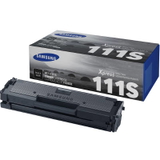
Whether you type “ink for Samsung Xpress SL-M2070FW” out of habit or you specifically need a toner, you’re in the right place—this model uses laser toner, not liquid ink. Original OEM and compatible toner – one printer, more ways to save We offer both Original OEM solutions and carefully selected Compatible cartridges. Original OEM toner is made to Samsung specifications and is a great choice if you prefer sticking to the manufacturer’s lineup. At the same time, our compatible options are built to deliver results that are just as good as the originals—clean prints, dependable page yield and everyday reliability—while often being more budget-friendly. So if you’re comparing an original toner for printer Samsung Xpress SL-M2070FW with a compatible version, we help you choose based on your printing volume, expectations and cost per page—not guesswork. Popular products in this category (OEM and compatible) To make selection easy, we stock the most common toner references used by the SL-M2070FW series. Among the most popular choices you’ll find here: - Original OEM Toner Samsung MLT-D111S (SU810A) (Black) – a standard-yield option for regular home and office printing.
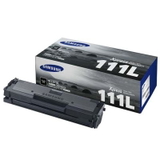
- Original OEM Toner Samsung MLT-D111L (SU799A) (Black) – a higher-yield cartridge for users printing more pages each month.
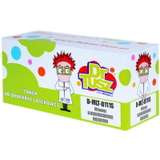
- Compatible Toner MLT-D111S for Samsung (SU810A) (Black) – a cost-effective alternative with excellent everyday quality.
- Compatible Toner MLT-D111L for Samsung (SU799A) (Black) – ideal when you want more pages per cartridge and a lower cost per print.
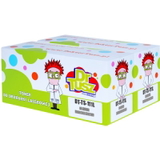
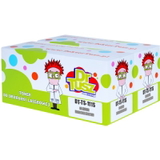
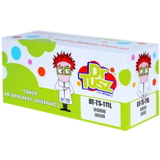
- Compatible Toners MLT-D111L/D (DT-TS-111L/D) (Black) (2-pack) and Compatible Toners MLT-D111S/D (DT-TS-111/D) (Black) (2-pack) – convenient multi-packs for uninterrupted work.
- Compatible Toner MLT-D111S/L (DT-TS-111/NC) (Black) (no chip) – for users who specifically need a no-chip version (perfect when you already have a chip solution or your device setup requires it).
And if you’re still building your setup, this category can also include the device itself: All-In-One Printer Samsung Xpress SL-M2070FW. How to choose the best toner for Samsung Xpress SL-M2070FW Dear Customer, if you want the easiest match, start with the cartridge code. The SL-M2070FW commonly uses MLT-D111S (standard yield) or MLT-D111L (high yield). Then decide what matters most: - Print volume: If you print often, the high-yield option typically reduces cost per page.
- Preference: Choose Original OEM if you want manufacturer-branded supplies, or go with a Compatible toner when you want great quality with smarter spending.
- Chip requirements: Some users specifically need a no chip cartridge—make sure you select the right version for your setup.
- Convenience: A 2-pack is a simple way to avoid downtime and keep a spare ready.
Common user issues with the SL-M2070FW – and how the right toner helps This model is well-liked, but like any laser device it can show typical supply-related messages and symptoms. The right toner for printer Samsung Xpress SL-M2070FW often prevents or solves issues such as: - Faded prints or uneven blacks: usually a sign the cartridge is running low or has been stored improperly—replacing with a fresh, well-made toner restores density.
- Toner-related warnings: selecting the correct cartridge type (S vs L, chip vs no chip) helps avoid frustration.
- Frequent replacements: moving from standard to high-yield reduces how often you need to change cartridges.
If you tell us what you see on the printer display and which cartridge you used last, we’ll help you pick the most suitable option from this category. Order today – fast help, wide choice, and supplies that fit We encourage you to explore our full selection of compatible and original OEM toner for Samsung Xpress SL-M2070FW and choose the variant that best matches your printing habits. Add a single cartridge, a high-yield version, or a practical 2-pack to your cart and stay ready for every document. If you’re unsure whether your device is listed as SL-M2070FW, SLM2070FW, SL-M2070 FW or SL M2070 FW—contact us. We’ll confirm compatibility and help you select the right mono toner quickly. We also make ordering and delivery straightforward, so you can get back to printing without delay. |