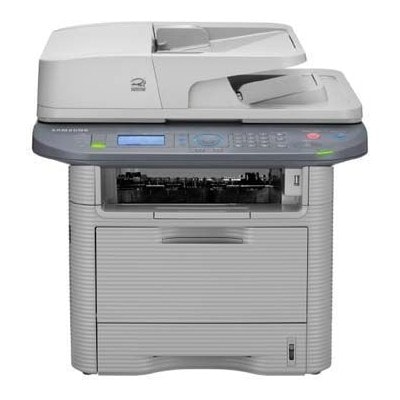
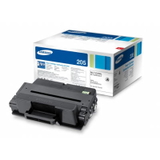
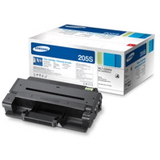
| Looking for reliable toner for Samsung SCX-4833FD? You’re in the right place. The Samsung SCX-4833FD (also searched as Samsung SCX4833FD, SCX-4833FD, SCX 4833FD, SCX-4833 FD and similar variants) is a popular monochrome laser multifunction device designed for busy offices and home workspaces. It combines fast printing, copying, scanning and faxing—so when the toner runs out, work can stop immediately. That’s why we’ve prepared a clear selection of compatible and Original OEM toner cartridges for Samsung SCX-4833FD, plus essential maintenance components such as the fuser unit. What you gain with the right cartridge for SCX-4833FD A well-matched toner for printer Samsung SCX-4833FD means crisp black text, consistent coverage, and dependable page output from the first page to the last. This model is often used for invoices, shipping labels, reports, contracts and everyday office correspondence—so clarity and repeatability matter. With the right toner for SCX-4833FD, you can expect: - sharp, readable prints ideal for business documents,
- stable performance at higher volumes,
- fewer interruptions and less troubleshooting,
- cost control thanks to choosing between standard and high-yield options.
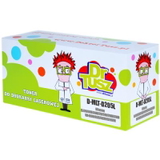
In this category you’ll find both laser cartridges and a professional maintenance part: the fuser unit for Samsung SCX-4833FD. The fuser is responsible for fixing toner to the paper with heat and pressure—when it wears out, print quality can drop even if the cartridge is new. Compatible and Original OEM: one category, two smart paths We know every customer has a different printing style and budget. That’s why we offer both Original OEM toner Samsung SCX-4833FD and carefully selected compatible toner for Samsung SCX-4833FD. Original OEM cartridges are made by the printer manufacturer and are a great choice when you want strict factory specifications. At the same time, our compatible toner cartridges for Samsung SCX-4833FD from DrTusz.pl are designed to deliver print quality and reliability that are as good as originals—while often providing a more budget-friendly cost per page. If you print a lot, compatible options can be an excellent way to reduce operating expenses without sacrificing everyday performance. Popular products for Samsung SCX-4833FD in this category To help you choose quickly, here are some of the most frequently selected items available in this category (all in black): - Compatible Toner MLT-D205L for Samsung (SU963A) (Black) – a high-yield option for frequent printing and better economy per page.
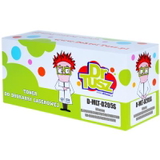
- Compatible Toner MLT-D205S for Samsung (SU974A) (Black) – a practical standard-yield choice for regular office use.
- Original OEM Toner Samsung MLT-D205S (SU974A) (Black) – manufacturer cartridge for users who prefer OEM solutions.
- Original OEM Toner Samsung MLT-D205L (SU963A) (Black) – OEM high-yield toner for larger print volumes.
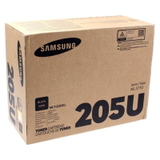
- Original OEM Toner Samsung MLT-D205U (SU984A) (Black) – an OEM variant used in selected configurations and supply sets.
- Compatible Toner MLT-D205E for Samsung (DT-TS-205/NC) (Black) (no chip) – a specialized option for situations where a no-chip cartridge is required.
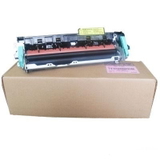
- Original OEM Fuser Unit Samsung JC91-01024A (JC91-01024A) – an essential maintenance part when fixing issues are caused by a worn fuser, not by toner.
Because customers search using different names (Samsung SCX-4833, SCX4833FD, SCX 4833 FD and more), we keep this category focused on one goal: helping you pick the right toner for printer Samsung SCX-4833FD without guesswork. How to choose the best toner for Samsung SCX-4833FD When selecting toner for SCX-4833FD, it helps to decide based on your printing habits and expectations: - Print volume: for frequent printing, consider high-yield versions like MLT-D205L; for occasional use, MLT-D205S can be sufficient.
- Budget strategy: compatible cartridges are ideal when you want to lower the cost per page while keeping quality high.
- Chip requirements: some environments or service scenarios may need a specific chip/no-chip configuration—if you’re unsure, we encourage you to contact us and we’ll help you match the right product.
- Maintenance symptoms: if you see toner not bonding to paper, smudging after printing, wrinkling near the heat area, or recurring “ghosting,” the issue may be the fuser unit rather than the cartridge.
Common user issues with Samsung SCX-4833FD—and what usually helps Over time, even a dependable model like the SCX-4833FD can show typical laser-printer symptoms. Here’s what customers most often report and what usually resolves it: - Faded prints or uneven black: often solved by replacing the toner cartridge; sometimes gently redistributing toner can help temporarily.
- Streaks or repeating marks: may indicate an aging cartridge or internal wear; if it persists across cartridges, the fuser or other components may require attention.
- Smudging/toner rubbing off: frequently linked to fuser performance—consider the Original OEM Fuser Unit Samsung JC91-01024A if prints won’t properly fix.
- “Toner low” messages too early: can happen depending on usage and settings; choosing the right yield and cartridge type helps reduce interruptions.
If you tell us what you see on the page, we’ll help you decide whether you need a new toner for Samsung SCX-4833FD or a maintenance part such as a fuser unit. Choose your cartridge and keep printing—order now We encourage you to explore our selection of compatible and Original OEM toner cartridges for Samsung SCX-4833FD and pick the option that best matches your workload. Whether you want the confidence of OEM or the excellent value of our compatible cartridges, we’re here to make the purchase easy and safe. Add the right toner to your cart, and if you have any doubts about MLT-D205S, MLT-D205L, MLT-D205U, or the no-chip version—contact us. We’ll help you choose quickly so your Samsung SCX-4833FD can get back to work without delays. CTA: Check the available toner for printer Samsung SCX-4833FD in this category, compare compatible vs Original OEM options, and place your order today—or message us for fast, friendly assistance with selection and troubleshooting. |