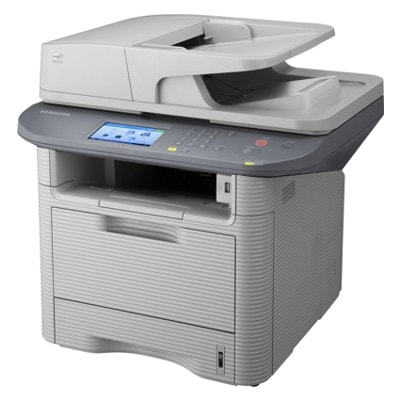
| Samsung SCX-4833 (also searched as SCX4833, SCX 4833 or Samsung SCX-4833) is a reliable mono laser multifunction printer designed for busy offices and home workspaces that need fast, sharp black-and-white documents. To keep your device working at full speed and with consistent quality, choosing the right toner for printer Samsung SCX-4833 is essential—especially when you print frequently and expect clean text, solid blacks and trouble-free operation. Efficient printing with the right toner for Samsung SCX-4833 A well-matched toner for Samsung SCX-4833 delivers crisp letters, clear fine lines and even coverage on business documents, invoices, labels and everyday office paperwork. In this category you will find both Compatible and Original OEM solutions, so you can choose the option that fits your budget and printing habits. What you gain with a properly selected cartridge and properly maintained device: - stable print quality from the first to the last page,
- reliable performance for high-volume work,
- predictable costs and fewer interruptions,
- better protection of key components when you use the right consumables and service parts.
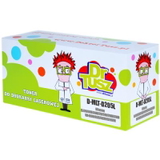
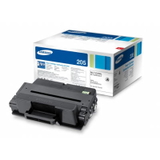
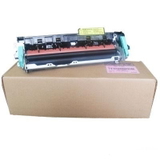
Toners and fuser units – what you’ll find in this category This subpage is dedicated to Cartridges Laser for the Samsung SCX-4833 series. The main focus is on toner cartridges, but we also include an important maintenance component: the fuser unit. While toner is responsible for creating the image on the paper, the fuser is the part that permanently bonds the toner to the sheet with heat and pressure. If your prints start smearing or you see recurring marks, it’s often not the toner alone—sometimes the printer needs a new fuser. Popular products for Samsung SCX-4833 – compatible and Original OEM We make it easy to choose the right toner for printer Samsung SCX-4833 by offering proven, frequently selected models—both Original OEM and compatible replacements. In this category you will find, among others: - Compatible Toner MLT-D205L for Samsung (SU963A) (Black) – a great choice when you want strong performance and a favorable cost per page.
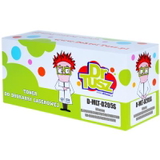
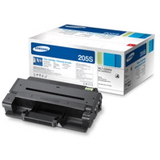
- Compatible Toner MLT-D205S for Samsung (SU974A) (Black) – ideal for regular office printing and everyday documents.
- Compatible Toner MLT-D205E for Samsung (DT-TS-205/NC) (Black) (no chip) – an option for users who specifically need a no-chip version (always check your printer requirements before choosing).
- Original OEM Toner Samsung MLT-D205S (SU974A) (Black) – manufacturer cartridge for those who prefer OEM solutions.
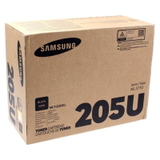
- Original OEM Toner Samsung MLT-D205L (SU963A) (Black) and Original OEM Toner Samsung MLT-D205U (SU984A) (Black) – Original OEM options for various usage needs.
- Original OEM Fuser Unit Samsung JC91-01024A (JC91-01024A) – a key maintenance part when your SCX-4833 needs more than just a new toner.
Thanks to this selection, you can quickly match the cartridge type and class to your printing style—whether you print occasionally or handle large monthly volumes. How to choose: Original OEM vs compatible toner for Samsung SCX-4833 When selecting ink for Samsung SCX-4833 (in practice: toner for SCX-4833), you’ll usually decide between Original OEM and compatible cartridges. Both options can be excellent—what matters is choosing a trusted source and the correct model code (such as MLT-D205S / MLT-D205L). - Original OEM toner – designed by the printer manufacturer, often chosen for standardized corporate purchasing procedures or strict internal policies.
- Compatible toner – a cost-effective alternative. Our compatible cartridges from DrTusz.pl are designed to be as good as the originals in everyday use: clean prints, reliable yield and consistent results.
Practical tips before you buy: - Match the exact symbol (for example MLT-D205S or MLT-D205L) to your needs.
- If you see information like “no chip”, make sure your device configuration allows this type of cartridge.
- For heavy printing, consider higher-yield versions to reduce replacements and downtime.
Common Samsung SCX-4833 printing issues – and what helps Users searching for toner for Samsung SCX4833 often do so because print quality has changed or the printer starts showing warnings. The most common symptoms include: - faded or uneven black – often solved by replacing the toner cartridge,
- smearing or toner rubbing off – may indicate the fuser is worn and a fuser unit replacement is needed,
- repeating marks – can be related to consumable wear or maintenance components,
- cartridge recognition issues – especially important when choosing a no-chip version; selecting the correct product eliminates most problems.
If you’re not sure which consumable will solve your specific issue, we’re here to help you choose the best toner for printer Samsung SCX-4833 for your situation. Choose your Samsung SCX-4833 toner today We encourage you to browse the full selection of compatible and Original OEM toner for Samsung SCX-4833 and pick the option that matches your budget and print volume. Order conveniently online, and if you need guidance—contact us. We’ll help you select the right toner or fuser unit, so your SCX-4833 can keep delivering clean, professional prints without interruptions. CTA: Check the available cartridges and maintenance parts in this category, add the right product to your cart, or message us—together we’ll choose the best solution for your Samsung SCX-4833. |