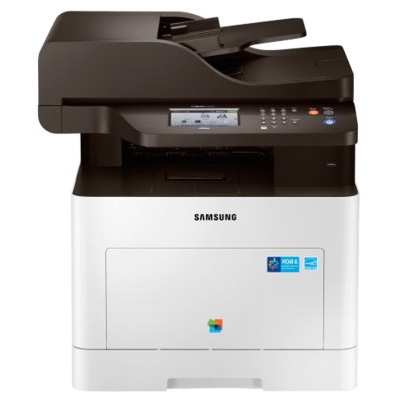
Samsung ProXpress SL-C3060FR – reliable colour printing for busy offices The Samsung ProXpress SL-C3060FR is a fast, business-class colour laser multifunction printer designed for everyday office work: crisp documents, clear charts, and professional-looking marketing materials. With network features, duplex printing and solid monthly duty performance, it’s a popular choice wherever productivity matters. To keep this device running at its best, choosing the right toner for printer Samsung ProXpress SL-C3060FR and a properly matched waste toner unit is essential. Toner for Samsung ProXpress SL-C3060FR – what it does and why it matters A laser printer doesn’t use liquid ink—here, the key consumable is toner for Samsung ProXpress SL-C3060FR, a fine powder fused onto paper to create sharp text and vivid colour. Correctly selected toner ensures stable colour reproduction, clean black text, and fewer interruptions during printing. When you use the right toner for printer SL-C3060FR, you gain: - consistent print quality from the first page to the last,
- clearer small fonts and thin lines (important for invoices and reports),
- predictable yield for better cost planning,
- smooth printer operation with fewer alerts and reprints.
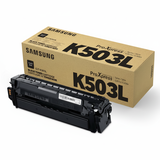
In this category, you will find both colour toners (C/M/Y) and a black toner, plus a dedicated waste toner tank for Samsung ProXpress SL-C3060FR, which collects excess toner during the printing process and helps keep the mechanism clean. Original OEM cartridges and waste toner tanks – our selection for your printer We’ve prepared this category specifically for users searching by different model names and phrases such as Samsung SLC3060FR, SL-C3060FR, SL C3060 FR or Samsung SL-C3000. If your device matches these terms, you’re in the right place for the correct toner for printer Samsung ProXpress SL-C3060FR. Popular Original OEM products available here include: - Original OEM Toner Samsung CLT-K503L (SU147A) (Black) – for sharp text and deep blacks in everyday documents.
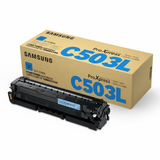
- Original OEM Toner Samsung CLT-C503L (SU014A) (Cyan) – for clean blues and balanced colour graphics.
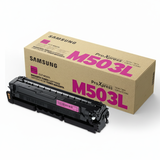
- Original OEM Toner Samsung CLT-M503L (SU281A) (Magenta) – for strong reds/pinks and natural tones in colour prints.
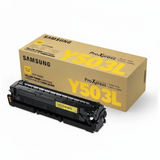
- Original OEM Toner Samsung CLT-Y503L (SU491A) (Yellow) – for clear highlights and bright visuals.
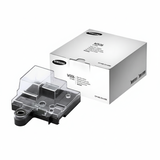
- Original OEM Waste Toner Tank Samsung CLT-W506 (SU437A) – required for proper maintenance and uninterrupted printing.
This gives you a complete set of consumables to maintain consistent performance and colour accuracy—ideal if your SL-C3060FR prints a mix of text documents and colour materials. How to choose the right cartridge: colours, codes and common issues When selecting toner for Samsung ProXpress SL-C3060FR, always match the cartridge code to what your printer needs. The “503L” series is designed for this class of device, and the colour must match your current shortage: CLT-K (black), CLT-C (cyan), CLT-M (magenta), CLT-Y (yellow). If your printer shows a message about a full waste container or refuses to continue printing, it’s time to replace the waste toner tank Samsung CLT-W506. Common user situations with the Samsung ProXpress SL-C3060FR include: - Faded colours or uneven density – often linked to a low toner level or an empty colour cartridge.
- Unexpected “Replace” messages – typically resolved by installing the correct cartridge type and code.
- Printer stops due to waste toner – the waste toner tank for SL-C3060FR must be replaced to restore normal operation.
- Colour imbalance in charts/graphics – replacing the depleted colour toner (C/M/Y) usually brings the palette back to normal.
If you’re unsure which consumable is responsible, we encourage you to check the printer’s display status and compare it with the cartridge names listed in this category. Original OEM vs compatible – what’s the difference? In general, Original OEM cartridges are produced for the printer manufacturer’s ecosystem and are chosen by customers who prioritise official specifications and brand consistency. Compatible cartridges, when sourced from a proven supplier, are a cost-effective alternative designed to meet the same practical needs: reliable printing, clear text and strong colour. We want you to feel confident: our compatible solutions at DrTusz.pl are selected to deliver quality comparable to original products, with dependable performance for everyday office printing. If you print frequently and want to optimise costs without sacrificing readability and colour clarity, compatible cartridges can be an excellent choice. Order your toner for Samsung ProXpress SL-C3060FR with confidence We make it easy to get the right toner for printer Samsung ProXpress SL-C3060FR and the correct waste toner tank in one place—no guessing, no mismatched codes. Choose the colours you need, add the waste toner unit if required, and keep your SL-C3060FR ready for daily work. Call to Action: We encourage you to browse the products in this category and place your order today. If you need help selecting the right toner for Samsung ProXpress SL-C3060FR (or any of its listed model variants), contact us—we’ll help you match the correct cartridge quickly so you can get back to printing without delays. |