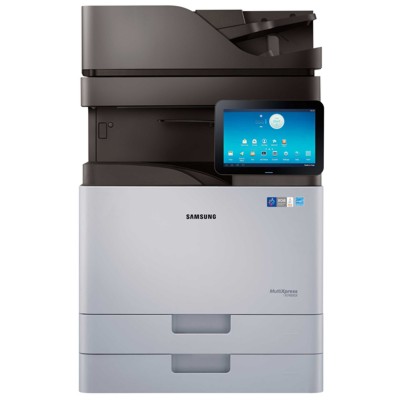
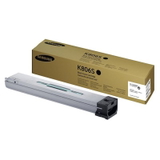
Reliable colour printing with Samsung MultiXpress SL-X7400 Samsung MultiXpress SL-X7400 (also searched as Samsung SLX7400, SL X7400, or SL-X7400) is a powerful A3-class multifunction device designed for demanding offices, schools and service points where speed, sharp text and consistent colour matter every day. To keep this machine performing at its best, you need the right toner for printer Samsung MultiXpress SL-X7400 and the correct service components—matched precisely to the print engine. Toner, drum unit and waste toner tank – what matters in daily use In this category you will find Original OEM laser consumables created specifically for this model: toner cartridges, drum units, and a waste toner tank. Together they ensure stable colour reproduction, predictable yield and clean operation—even under heavy workloads. When you choose the right toner for SL-X7400, you get crisp documents, solid blacks and smooth gradients on graphics, without the risk of streaks or uneven coverage. The SL-X7400 uses separate components, which brings a practical benefit: you can replace only what is actually worn or empty. Toner handles the colour output, the drum unit transfers the image onto paper, and the waste toner tank collects excess toner—helping maintain cleanliness inside the device and supporting consistent print quality over time. Original OEM range for Samsung SLX7400 – popular options in one place We have selected proven, model-dedicated products that customers most often need for routine replacements and service cycles. In our offer you will find, among others: - Original OEM Toner Samsung CLT-K806S (SS593A) (Black) – for deep blacks and sharp text
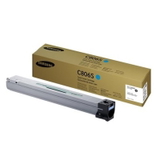
- Original OEM Toner Samsung CLT-C806S (SS555A) (Cyan) – clean, vivid blues for charts and branding
- Original OEM Toner Samsung CLT-M806S (SS635A) (Magenta) – consistent magenta tones for graphics
- Original OEM Toner Samsung CLT-Y806S (SS728A) (Yellow) – bright, stable yellow output
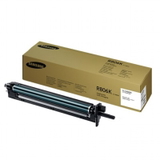
- Original OEM Drum Unit Samsung CLT-R806K (SS678A) (Black) – reliable image transfer for black printing
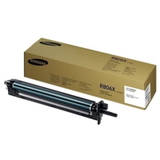
- Original OEM Drum Unit Samsung CLT-R806X (SS682A) – long-life drum solution for predictable operation
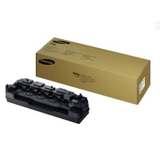
- Original OEM Waste Toner Tank Samsung CLT-W806 (SS698A) – keeps the system clean and reduces downtime
Thanks to this, you can quickly complete a full set of toner for printer Samsung SL-X7400 or replace only the component your device is reporting. How to choose the right cartridge for Samsung MultiXpress SL-X7400 When selecting toner for Samsung MultiXpress SL-X7400, start with what the printer is indicating on the panel or in the management software. Many users confuse a “replace toner” alert with a drum-related issue—while fading prints, repeating marks, backgrounding or loss of detail can point to a worn drum unit rather than an empty cartridge. Also, if the device reports a full waste container or you notice toner residue inside the machine, it may be time for a new waste toner tank for SL-X7400. Key practical tips we recommend: - Match the exact symbol (e.g., CLT-K806S, CLT-R806X) to avoid compatibility errors.
- If colour prints look uneven, consider whether the relevant toner is low—or whether the drum is nearing end-of-life.
- Don’t ignore the waste toner tank alert; replacing it on time helps prevent mess and service interruptions.
Original OEM vs compatible – what you should know This subpage focuses on Original OEM consumables for the SL-X7400, chosen for customers who want the manufacturer’s specification and predictable performance in high-volume environments. At the same time, many customers ask whether a compatible option can be a smart alternative. Our answer is clear: compatible cartridges from the DrTusz.pl offer are as good as the originals in everyday use—especially when you want to optimise printing costs without sacrificing quality. If you’d like, we can help you compare options for your exact workload and expectations. Order your toner for SL-X7400 and keep your office moving We encourage you to explore the available toner for printer Samsung MultiXpress SL-X7400, drum units and waste toner tanks and choose the set that best fits your print volume. If you’re unsure which component your device needs right now, contact us—we will help you pick the correct product by symbol and colour, so you can avoid downtime and get back to printing fast. Add the required consumables to your basket and place your order today. |