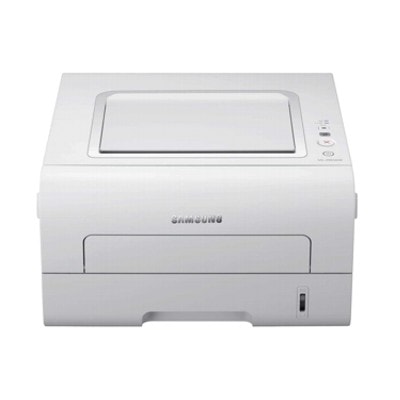
Samsung ML-2955DW – a compact workhorse for everyday printing Samsung ML-2955DW is a popular monochrome laser printer chosen for homes and small offices that need fast, sharp black text and reliable duplex printing. Models searched as Samsung ML-2955DW, Samsung ML2955DW, ML-2955 DW or even Samsung ML-2950 often share the same goal: efficient, low-hassle printing without sacrificing quality. To keep this printer performing at its best, the right toner for Samsung ML-2955DW (and, when needed, a matching fuser unit) makes all the difference. Toner and fuser unit for ML-2955DW – what matters in daily use A well-chosen toner for printer Samsung ML-2955DW ensures crisp documents, consistent density from the first page to the last, and smooth operation with fewer interruptions. Because this is a laser device, you don’t need liquid ink—what you need is a precisely formulated toner powder and a cartridge designed to work correctly with the printer’s mechanisms. In this category we focus on two key consumables for this model: - Toners – the everyday essential for printing black documents, invoices, shipping labels and school materials.
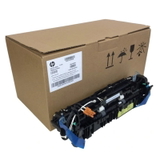
- Fuser Units – the component that “bakes” toner into paper. If your prints start smudging or the toner rubs off, the fuser can be the hidden reason.
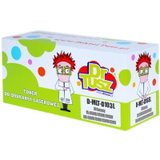
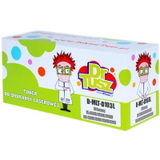
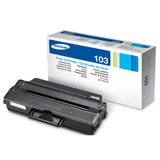
Whether you print occasionally or in higher monthly volumes, choosing the right toner for ML-2955DW helps keep costs under control and protects print quality. Compatible or Original OEM – the choice is yours We offer both Original OEM solutions and carefully selected compatible alternatives. Original cartridges are produced by Samsung for this printer family. Compatible cartridges, on the other hand, are cost-effective replacements designed to match the printer’s requirements. Our approach is simple: we want you to pick what fits your needs best. If you value brand-original supplies, choose OEM. If you want excellent value without compromising results, our compatible options are a smart choice—compatible toner for Samsung ML-2955DW from DrTusz.pl is as good as the original in everyday printing, delivering clear text, stable coverage and dependable performance. Popular products in this category (toners and fuser unit) To make shopping easier, we keep the offer focused on what users actually need for this model. Here are some of the most frequently chosen items: - Compatible Toner MLT-D103L for Samsung (SU716A) (Black) – a high-yield option for users who print more and want a lower cost per page.
- Original OEM Toner Samsung MLT-D103L (SU716A) (Black) – OEM quality and consistency, ideal for those who prefer manufacturer-branded supplies.
- Original OEM Toner Samsung MLT-D103S (SU728A) (Black) (starter) – a starter-version OEM toner, often used as a reference when replacing the first cartridge.
- Compatible Toner MLT-D103S for Samsung (SU728A) (Black) (starter) – a cost-effective replacement for the starter version, great for typical home printing.
- Compatible Toner MLT-D103L for Samsung (DT-TS-103/NC) (Black) (no chip) – designed for situations where chip handling is required; a practical option for specific printer/firmware setups.
- Original OEM Fuser Unit Samsung JC91-01034B (JC91-01034B) – the right choice when print durability drops (smudging, rubbing off) or when the printer reports fuser-related issues.
Thanks to this range, you can quickly match the cartridge type to your printing habits and budget, while keeping a reliable path to OEM components when you need them. How to choose the right toner for Samsung ML-2955DW When selecting toner for printer Samsung ML-2955DW, we recommend focusing on a few practical points: - Page yield – choose a higher-yield option (like MLT-D103L) if you print frequently; it reduces replacement frequency.
- Original OEM vs compatible – OEM is the “manufacturer route”; compatible is the “best value route” and, in our offer, it remains a high-quality choice for daily printing.
- Chip requirements – some versions may require a chip; if you’re considering a no chip toner, make sure it suits your printer’s configuration.
- What problem you’re solving – faded text usually points to toner; smearing or toner that wipes off can point to the fuser unit.
Common ML-2955DW user issues and quick tips Over time, users of Samsung ML-2955DW and similar search variants (ML2955DW, ML 2955DW, ML-2955DW) may experience typical laser-printer challenges. Here’s what we most often help customers with: - Light or uneven prints – usually a toner nearing the end of its life; replacing the toner for Samsung ML-2955DW typically resolves it.
- Smudging / toner rubs off – can indicate fuser wear; consider the Samsung JC91-01034B fuser unit if the issue persists.
- “Toner not recognized” messages – check cartridge seating, and consider chip-related compatibility; choose the variant that matches your needs (standard vs no-chip solutions).
- Paper jams with heavy duplex use – ensure paper type is suitable and stored dry; for persistent issues, consumables wear (including fuser-related wear) can play a role.
If you’re unsure what to pick, we encourage you to tell us what you see on the printout or on the printer display—we’ll help you match the right toner for ML-2955DW or the right maintenance part. Choose your cartridge today – we’re here to help We invite you to explore our selection of compatible and Original OEM toner for Samsung ML-2955DW as well as the dedicated fuser unit for this model. Whether you print occasionally or rely on your printer daily, we’ll help you keep output sharp, costs predictable and downtime minimal. Call to action: Browse the products in this category and choose the toner for printer Samsung ML-2955DW that fits your needs. If you have any questions about MLT-D103L vs MLT-D103S, chip/no-chip versions, or fuser replacement, contact us—we’ll advise you quickly and clearly. Fast delivery options and responsive customer support help you get back to printing without delays. |