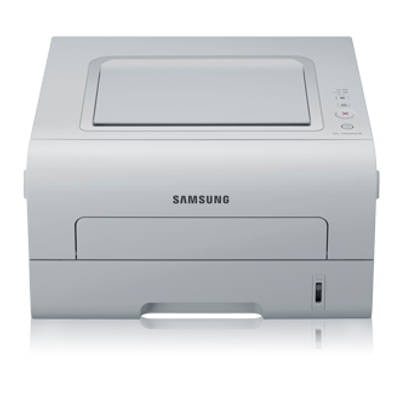
Samsung ML-2950NDR – a reliable mono laser for everyday work The Samsung ML-2950NDR is a popular monochrome laser printer designed for fast, economical printing in an office or at home. With automatic duplex printing and network connectivity, it’s a practical choice wherever documents must be produced efficiently and consistently. To keep this model running at its best, it’s worth choosing a proven toner for printer Samsung ML-2950NDR and—when needed—a quality fuser unit responsible for permanently fixing the toner onto the paper. Toner and fuser unit – what matters for print quality and reliability For the Samsung ML2950NDR, the key consumable is the black laser toner. A properly selected toner for Samsung ML-2950NDR affects not only print sharpness, but also smooth paper feed, stable coverage and fewer interruptions during larger print jobs. In this category you’ll find both Compatible and Original OEM options, plus a dedicated fuser unit for Samsung ML-2950NDR for situations where the printer needs more than just a cartridge replacement. Typical uses of this printer include invoices, reports, shipping labels and everyday documentation. For such tasks, users usually expect: - deep, readable black and crisp text,
- repeatable results from the first page to the last,
- good performance in duplex (double-sided) printing,
- no smudging and correct toner fusing to the paper.
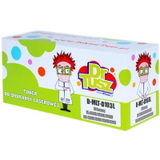
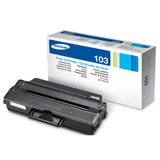
Compatible and Original OEM – a wide choice for Samsung ML-2950NDR We make sure you can easily match the right toner for printer ML-2950NDR to your printing style and budget. In our offer you’ll find popular and proven items such as: - Compatible Toner MLT-D103L for Samsung (SU716A) (Black) – a great option when you want high capacity and cost-effective printing.
- Original OEM Toner Samsung MLT-D103L (SU716A) (Black) – the manufacturer’s cartridge for customers who prefer OEM solutions.
- Original OEM Toner Samsung MLT-D103S (SU728A) (Black) (starter) – the starter-version cartridge, useful when you need an exact match to the original specification.
- Compatible Toner MLT-D103S for Samsung (SU728A) (Black) (starter) – an economical alternative in the starter format.
- Compatible Toner MLT-D103L for Samsung (DT-TS-103/NC) (Black) (no chip) – chosen by users who know their printer setup and need a no-chip cartridge version.
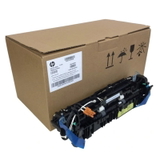
- Original OEM Fuser Unit Samsung JC91-01034B (JC91-01034B) – an essential maintenance part when prints stop fusing correctly or the printer reports fuser-related issues.
No matter whether you search using “Samsung ML-2950”, “ML 2950 NDR”, or “ML2950NDR”, you’re in the right place to choose the proper ink for Samsung ML-2950NDR—in this case, black laser toner—and the right service parts. How to choose the right toner for Samsung ML-2950NDR When selecting a toner for Samsung ML-2950NDR, we recommend focusing on three practical points: - Symbol and version – MLT-D103L (higher yield) vs. MLT-D103S (starter). Choose what fits your expected page volume.
- Original OEM vs. Compatible – OEM is the manufacturer’s solution; compatible is a budget-friendly alternative.
- Chip requirements – some versions are listed as no chip. If your printer requires a chip for status/recognition, choose the standard chipped version.
Many customers ask about the difference between OEM and compatible cartridges. Our answer is simple: a well-made compatible toner for printer Samsung ML-2950NDR can deliver results as good as the original—clear text, stable coverage and reliable performance—while helping reduce printing costs. That’s exactly why we include both options and help you pick the best match. Common issues with Samsung ML-2950NDR and when a fuser unit helps Not every print problem means the toner is at fault. With the Samsung ML-2950NDR, users most often report: - faded or uneven prints – usually related to a low toner level or a cartridge nearing the end,
- smudging or toner rubbing off the page – may indicate fusing problems and suggest checking the fuser unit,
- recurring background shading – sometimes caused by an old cartridge or internal wear,
- messages about consumables – important when choosing between chipped and no-chip versions.
If you notice that prints come out but the toner doesn’t “set” properly, replacing the cartridge may not be enough—this is when the Original OEM Fuser Unit Samsung JC91-01034B can be the correct solution to restore proper operation and print durability. Choose your toner today – we’re here to help We encourage you to browse our selection of toner for printer Samsung ML-2950NDR in both Compatible and Original OEM versions, and to consider a fuser unit if your printer needs maintenance. If you’re unsure whether you need MLT-D103L, MLT-D103S, or a no-chip option, contact us—tell us what the printer displays and how you print, and we’ll help you choose the right product. Add your selected toner to the cart and keep your Samsung ML-2950NDR printing clean, sharp documents without downtime. |