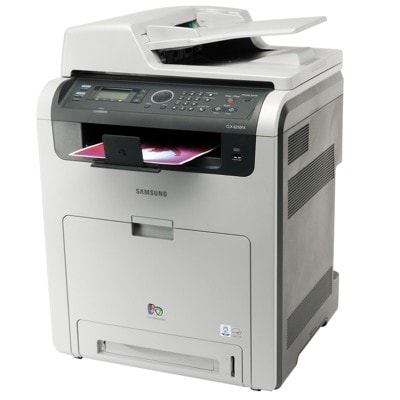
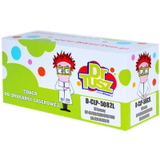
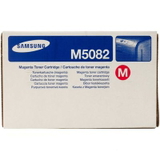
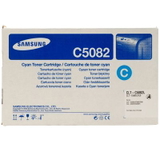
Samsung CLX-6250FX – a reliable color workhorse for the office Samsung CLX-6250FX (also searched as Samsung CLX6250FX, CLX-6250FX, CLX 6250 FX, CLX-6250 FX and similar variants) is a fast, multifunction color laser printer designed for busy workplaces. It’s built for frequent printing, copying and scanning—especially where sharp text, clear graphics and repeatable color matter every day. To keep this model working at its best, it’s crucial to choose the right toner for printer Samsung CLX-6250FX and match it to your real printing volume. Toner for Samsung CLX-6250FX – what it does and why it matters A toner for Samsung CLX-6250FX is the key consumable that determines print quality, page yield and overall cost per page. In a color laser device like the CLX-6250FX, you typically use four toners—black plus cyan, magenta and yellow—so you can produce both crisp monochrome documents and vibrant full-color prints. When you select the right toner for CLX-6250FX, you gain: - consistent, professional text for invoices, contracts and everyday office documentation,
- clean graphics and charts for presentations and reports,
- predictable yields (important for teams and shared devices),
- smooth printer operation with fewer interruptions and fewer “surprises” mid-task.
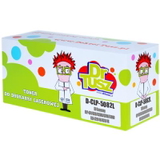
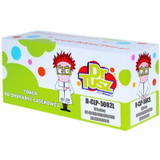
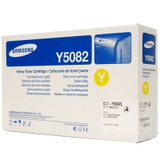
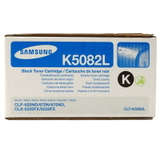
Whether you print occasional color pages or run large batches, having the right set of toners ensures your Samsung CLX-6250FX stays productive and ready when you need it. Compatible and Original OEM – we give you a real choice In our store, we offer both Original OEM toners and carefully selected compatible toners for Samsung CLX-6250FX. This means you can choose what fits your priorities today—maximum brand-original consistency or maximum savings—without compromising on reliability. We know that for many customers, the best option is simply the one that matches their printing style and budget. And an important note: our compatible toner for Samsung CLX-6250FX is designed to deliver print quality and performance that are as good as the originals—so you can print confidently, even in a demanding office environment. Popular toners for Samsung CLX-6250FX in this category This category includes the most commonly used color set for the device: CLT-K5082L (Black) plus CLT-C/M/Y5082L (Cyan/Magenta/Yellow). Below are the key products customers choose most often: - Original OEM Toner Samsung CLT-K5082L 5K (SU188A) (Black) – strong, crisp black for text-heavy printing.
- Original OEM Toner Samsung CLT-C5082L 4K (SU055A) (Cyan) – clean blues and accurate color balance.
- Original OEM Toner Samsung CLT-M5082L 4K (SU322A) (Magenta) – vivid reds/purples and smooth gradients.
- Original OEM Toner Samsung CLT-Y5082L 4K (SU532A) (Yellow) – bright highlights and warm tones.
- Compatible Toner CLT-K5082L 5K for Samsung (SU188A) (Black) – an economical choice for everyday office output.
- Compatible Toner CLT-C5082L 4K for Samsung (SU055A) (Cyan) – dependable color printing at a lower cost per page.
- Compatible Toner CLT-M5082L 4K for Samsung (SU322A) (Magenta) – great for presentations and marketing materials.
- Compatible Toner CLT-Y5082L 4K for Samsung (SU532A) (Yellow) – consistent yellow tones and clean color layers.
If you want the simplest, most predictable workflow, many customers choose a full CMYK set at once—so the printer keeps color balance stable and you avoid downtime when one color runs out unexpectedly. How to choose the right toner for printer Samsung CLX-6250FX When selecting a toner for Samsung CLX-6250FX, we recommend focusing on a few practical points: - Check the exact toner code: for this model, you’ll typically look for CLT-K5082L (black) and CLT-C/M/Y5082L (colors), plus the matching part numbers (SU188A, SU055A, SU322A, SU532A).
- Match your printing habits: mostly text documents = black toner usage is higher; presentations/graphics = color toners drain faster.
- Decide between Original OEM and compatible: OEM focuses on brand-original consistency; our compatible options focus on savings while staying fully practical for daily printing.
- Plan ahead for office continuity: keeping at least one spare black toner is a common best practice for the CLX-6250FX in shared environments.
Original OEM vs compatible toners – clear differences, the same goal Customers often ask us which option is “better.” The truth is: both are valid, depending on what you expect. - Original OEM toner for CLX-6250FX – ideal if you want to stay strictly within the manufacturer ecosystem and prioritize brand-original repeatability.
- Compatible toner for CLX-6250FX – ideal if you want to lower printing costs without giving up quality. Our compatible cartridges are as good as the originals in everyday performance and help you keep a smarter cost per page.
If you print a lot (especially in an office), compatible toners can make a noticeable difference to your monthly budget—while still producing the clean, professional output the Samsung CLX-6250FX is known for. Common CLX-6250FX toner-related issues and how we help you avoid them With a busy color laser printer, most problems come from mismatched supplies, last-minute replacements, or incomplete sets. The most common situations we see include: - Uneven colors or dull prints – often solved by replacing the low color and keeping CMYK toners at a similar “freshness” level.
- Printing stops because one color is empty – even if you mainly print black, the device may require color toners to be present and functional.
- Wrong cartridge ordered – the safest method is to select by the printer model (Samsung CLX-6250FX / CLX6250FX) and confirm the toner code (CLT-…5082L).
If you’re unsure which toner for printer Samsung CLX-6250FX to choose, we’re here to help—just tell us what you print and how often, and we’ll recommend the most cost-effective and reliable option. Choose your Samsung CLX-6250FX toners and print with confidence We encourage you to explore our full selection of toner for Samsung CLX-6250FX—both Original OEM and high-quality compatible cartridges. Choose a single color, stock up on black, or build a full CMYK set for uninterrupted work. CTA: Add the right toner to your cart today and keep your Samsung CLX-6250FX ready for every task. If you have any questions about compatibility, page yield, or choosing between OEM and compatible options, contact us—we’ll guide you quickly and clearly. We also make sure your order is packed securely and shipped efficiently, so you can get back to printing without delay. |