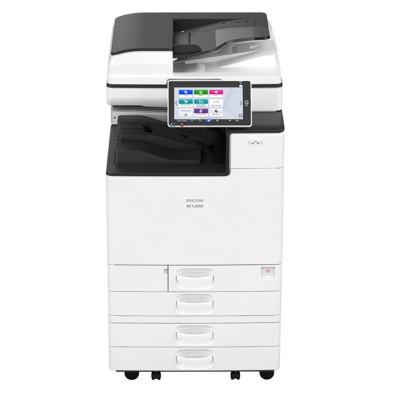
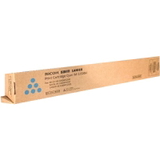
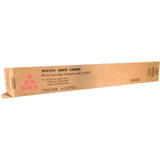
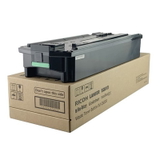
Ricoh IM C2500 – a smart A3 colour MFP for busy offices The Ricoh IM C2500 (also searched as Ricoh IMC2500, IMC 2500 or simply Ricoh IM) is a modern, reliable A3 colour multifunction printer designed for everyday office workflows. It’s built for fast printing, scanning and copying, while keeping colour documents crisp and professional. To maintain that quality over time, the key is choosing the right toner for printer Ricoh IM C2500 and replacing consumables on schedule—without downtime and without surprises. Toner for Ricoh IM C2500 – what matters in daily use Whether you print invoices, reports, contracts, presentations or marketing materials, a good toner for Ricoh IM C2500 should deliver stable coverage, consistent colour, and trouble‑free operation. In this category we focus on two essentials for this device: - Toners (Black, Cyan, Magenta, Yellow) – responsible for text sharpness and colour accuracy.
- Waste Toner Tanks – collect excess toner used during printing and maintenance cycles, helping the device stay clean and reliable.
Choosing the right toner for printer IMC2500 helps prevent common issues like faded prints, uneven colour blocks, background “haze”, or frequent “Replace toner” alerts. And when your waste container is full, replacing it quickly can save you from interruptions and error messages at the worst possible time. Original OEM and Compatible – a wide choice for every budget We know different workplaces have different priorities. That’s why we offer both Original OEM and Compatible options for Ricoh IM C2500 toner. If you want manufacturer-branded consumables, OEM is a natural choice. If you want excellent value while keeping print quality and reliability high, our compatible solutions are a strong alternative—our compatible toner for Ricoh IM C2500 from DrTusz.pl is designed to perform just as well as the original in everyday business printing. Popular products in this category To make shopping easier, here are some of the most frequently chosen items for toner for Ricoh IMC2500 users: - Original OEM Toner Ricoh IM C2500 (842311) (Black) – dependable black text for documents and reports.
- Original OEM Toner Ricoh IM C2500 (842314) (Cyan) – clear blues and smooth gradients for graphics.
- Original OEM Toner Ricoh IM C2500 (842313) (Magenta) – accurate reds and vivid accents.
- Original OEM Toner Ricoh IM C2500 (842312) (Yellow) – bright highlights and balanced colour mixes.
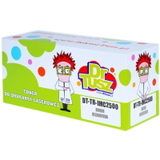
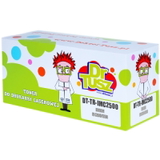
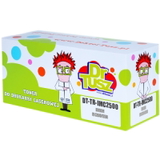
- Compatible Toner IM C2500 for Ricoh (842311) (Black) – cost-effective black toner for Ricoh IM C2500 without compromising performance.
- Compatible Toner IM C2500 for Ricoh (842314) (Cyan), (842313) (Magenta), (842312) (Yellow) – a full compatible CMY set for consistent colour output.
- Original OEM Waste Toner Tank Ricoh IM C6000 (418425) – a waste toner container option commonly used across related Ricoh series; if you’re unsure about compatibility with your exact configuration, we’ll help you confirm the right part.
Thanks to this range, you can build an OEM-only setup, a compatible-only setup, or mix them depending on what you print most and how you manage costs. How to choose the right toner for Ricoh IM C2500 When buying ink for Ricoh IM C2500 (in laser devices, that means toner), it’s worth checking two things first: the device name and the cartridge code. For this series, the most important references are 842311 (Black), 842312 (Yellow), 842313 (Magenta) and 842314 (Cyan). If your team searches by device name, you’ll also find this category using: Ricoh IM C2500, Ricoh IMC2500, IMC2500, or IMC 2500. Still deciding between OEM and compatible? - Original OEM toner for Ricoh IM C2500 – manufacturer-branded, ideal for customers who standardise on OEM supplies across the office.
- Compatible toner for printer Ricoh IM C2500 – excellent value and everyday reliability; our compatibles from DrTusz.pl are made to match the performance you expect: sharp text, stable coverage and smooth colour.
Common user issues – and how the right consumables help In offices using the Ricoh IM C2500, we often hear similar questions: “Why are colours less vivid?”, “Why do I get streaks?”, “Why does the printer stop with a maintenance message?”. Very often, the solution is straightforward: - Faded prints or weak colours – time to replace the relevant colour toner (C/M/Y) or black toner.
- Uneven coverage or light streaks – installing a fresh toner for Ricoh IM C2500 typically restores consistency (and helps keep internal components cleaner).
- Waste toner full / maintenance alerts – replacing the waste toner tank prevents stoppages and keeps the device running smoothly.
If you’re not sure which consumable your Ricoh IMC2500 is asking for, contact us—together we’ll match the message or code to the correct product. Order today and keep your Ricoh IMC2500 running We encourage you to choose the right toner for printer Ricoh IM C2500 from our selection of Original OEM and Compatible cartridges, plus essential waste toner tanks. Add the items to your cart, compare variants, and stock up so your office never has to pause printing at a critical moment. CTA: Explore the available Ricoh IM C2500 toner options now—if you want quick help choosing between OEM and compatible or confirming the correct code, we’re ready to advise and help you place the best order. We ship quickly and support you at every step. |