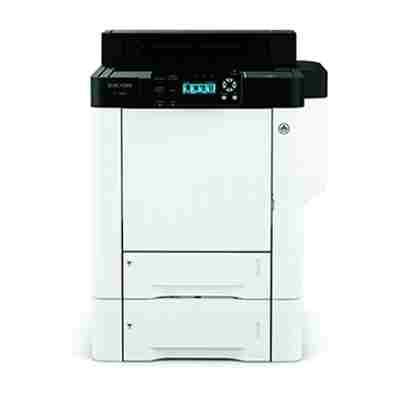
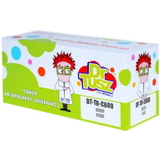
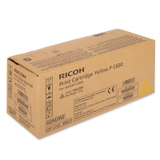
Reliable colour printing with Ricoh P C600 Ricoh P C600 (also searched as Ricoh PC600 or PC600) is a fast, business-grade colour laser printer designed for offices that print a lot and expect consistent results. It handles everyday documents, presentations and marketing materials with ease—provided you choose the right toner for Ricoh P C600. In this category we’ve gathered everything you need: both Original OEM and Compatible toner cartridges for Ricoh P C600, so you can match quality, budget and printing volume perfectly. What you gain with the right toner for Ricoh P C600 A well-matched toner for printer Ricoh P C600 means sharp black text, smooth gradients in graphics and stable colour from the first page to the last. Toner cartridges for this model are built for clean, dry laser printing—ideal when you need professional output and smudge-free documents straight after printing. - Clear text and crisp lines for invoices, reports and contracts
- Consistent colour for presentations, charts and branded materials
- Efficient high-volume printing suited to busy office workflows
- Predictable performance when you use the correct cartridge code for the colour you need
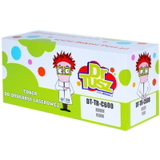
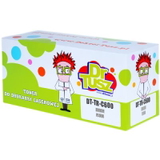
If you’re looking for a quick match, many customers search by cartridge codes and phrases like Ricoh P C600, Ricoh PC600, Ricoh P, P C600 or related numbers such as 408302. We make it easy to find the correct option in one place. Original OEM and Compatible toner cartridges—your choice In our store we offer both paths: Original OEM toner for Ricoh P C600 and carefully selected compatible toner for Ricoh P C600. Original OEM cartridges are produced to the printer manufacturer’s specifications and are a great fit when you prefer OEM-standard purchasing policies. At the same time, our compatible toner for Ricoh P C600 is a smart alternative for customers who want excellent print quality and dependable operation while keeping printing costs under control. We know that many offices need predictable results and a better cost-per-page—this is exactly where compatible cartridges shine. Importantly: compatible toner cartridges from our DrTusz.pl offer are designed to be as good as the originals in everyday use—sharp prints, stable colour and hassle-free installation. Popular products in this category (Black, Cyan, Magenta, Yellow) To cover the full CMYK set, we stock the most frequently chosen toner cartridges for Ricoh P C600 in both Original OEM and Compatible versions. Here are the key items you’ll find in this category: - Original OEM Toner Ricoh C600 (408314) (Black) and Compatible Toner C600 for Ricoh (408314) (Black)
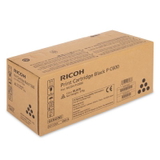
- Original OEM Toner Ricoh C600 (408315) (Cyan) and Compatible Toner C600 for Ricoh (408315) (Cyan)
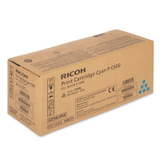
- Original OEM Toner Ricoh C600 (408316) (Magenta) and Compatible Toner C600 for Ricoh (408316) (Magenta)
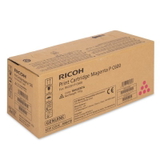
- Original OEM Toner Ricoh C600 (408317) (Yellow) and Compatible Toner C600 for Ricoh (408317) (Yellow)
Thanks to this range, you can replace a single depleted colour or stock up on a complete set—whatever best suits your printing habits. How to choose the right toner for printer Ricoh P C600 When selecting a toner for Ricoh P C600, we recommend a quick checklist: - Match the code and colour: Black is 408314, Cyan 408315, Magenta 408316, Yellow 408317.
- Decide on Original OEM vs Compatible: OEM for manufacturer-standard purchasing; compatible for excellent value with quality comparable to original.
- Plan your usage: if your office prints a lot of colour, consider keeping spare CMYK cartridges to avoid downtime.
Common issues users report with office colour laser printers like Ricoh P C600 are usually practical rather than technical: running out of one colour unexpectedly, uneven colour because one cartridge is near empty, or delays caused by ordering the wrong colour code. Choosing the right toner for printer Ricoh PC600 and keeping one spare for your most-used colour helps prevent interruptions. Order your Ricoh P C600 toner with confidence We encourage you to explore our full selection of toner cartridges for Ricoh P C600—Original OEM and Compatible—so you can print exactly the way you want: reliably, cost-effectively and without stress. If you’re unsure which toner you need (for example you’re searching by Ricoh P, PC600, P C600 or a number like 408302), contact us—together we’ll match the right cartridge quickly. CTA: Choose your Black, Cyan, Magenta and Yellow toner today and keep your Ricoh P C600 ready for every print job. We offer fast delivery options and helpful customer support—just let us know what you print and we’ll help you select the best solution. |