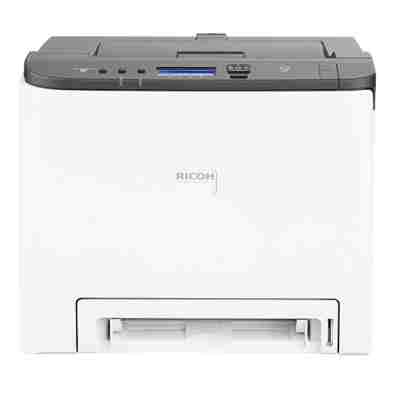
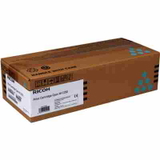
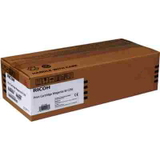
Reliable colour printing with the Ricoh P C302FW The Ricoh P C302FW (also searched as Ricoh PC302FW or PC302FW) is a compact colour laser multifunction printer designed for offices and demanding home users. It combines fast everyday printing with clear colour documents, making it a great choice for invoices, presentations, labels, and marketing materials. To keep this device performing at its best, choosing the right toner for printer Ricoh P C302FW is essential. Toner for Ricoh P C302FW – what it affects in daily work A properly selected toner for Ricoh P C302FW directly influences print sharpness, colour consistency, and overall reliability. Laser toner is made to work under high temperature and pressure in the printer’s imaging process, which is why quality matters—especially when you print frequently or need professional-looking pages. When you use a well-matched toner cartridge for Ricoh P C302FW, you gain: - clean, crisp black text for documents and contracts,
- stable colour reproduction for charts, graphics, and branded materials,
- fewer interruptions caused by smudges, fading, or uneven coverage,
- predictable results from the first to the last page.
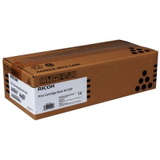
Original OEM Ricoh toners in our range (MC250 series) In this category, we focus on proven, factory-made solutions—Original OEM toner for Ricoh P C302FW. These cartridges are designed by the manufacturer to match the printer’s requirements and deliver consistent output for office workflows. Popular choices include: - Original OEM Toner Ricoh MC250 (408352) (Black) – for sharp, dense text and strong contrast,
- Original OEM Toner Ricoh MC250 (408353) (Cyan) – for clean blues and balanced colour prints,
- Original OEM Toner Ricoh MC250 (408354) (Magenta) – for vivid reds/pinks and accurate tones,
- Original OEM Toner Ricoh MC250 (408355) (Yellow) – for bright highlights and warm colour elements.
If you’re building a complete set, we encourage you to select black plus the three colour toners—this helps keep colour output consistent across documents. How to choose the right toner cartridge for Ricoh PC302FW When selecting toner for printer Ricoh PC302FW, we recommend checking two things: the printer model name (P C302FW / PC302FW) and the cartridge code. In this category, the correct OEM family is Ricoh MC250 with the part numbers listed above. Original cartridges are a great fit if you: - print important business documents where consistency is key,
- want maximum predictability in colour and coverage,
- prefer manufacturer-standard solutions for your Ricoh device.
Many customers also ask about the difference between OEM and compatible options. In our store, compatible toners (when offered in a category) are selected so they are as good as originals in everyday performance—offering excellent print quality and reliability at a budget-friendly price. If you’re unsure which variant is best for your printing habits, we’re here to help you choose. Common printing issues and simple tips for the Ricoh P C302FW To get the most from your toner cartridge for Ricoh P C302FW, keep these practical tips in mind: - Faded prints or weak colours – check which colour toner is low and replace only the cartridge that’s running out.
- Streaks or uneven coverage – ensure the cartridge is installed correctly; gentle, careful handling during replacement helps maintain clean output.
- Frequent replacements – review your print settings; high-density or photo-heavy jobs consume more toner than standard office documents.
If you tell us what you print (text, invoices, graphics, offers, or mixed colour documents), we can recommend the most sensible set of toners for your workflow. Choose your Ricoh P C302FW toner today We encourage you to explore our selection of toner for Ricoh P C302FW and pick the colours you need right now—black only, individual colour cartridges, or a full set. If you have any questions about compatibility (Ricoh P C302FW / Ricoh PC302FW / PC302FW), part numbers, or choosing between original and compatible solutions, contact us—we’ll guide you quickly and clearly. Order today and keep your Ricoh printing sharp, reliable, and ready for work. |