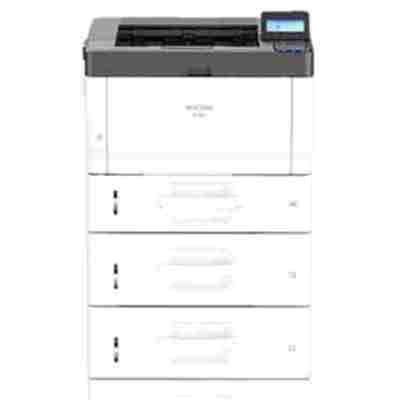
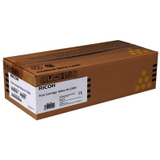
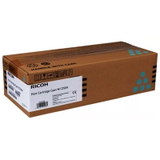
Reliable colour printing with the Ricoh M C250FW The Ricoh M C250FW (also searched as Ricoh MC250FW or MC250FW) is a compact, business-ready colour laser multifunction printer designed for everyday office work. It handles fast document workflows, neat colour graphics, and frequent printing without taking up much space. To keep quality consistent page after page, choosing the right toner for Ricoh M C250FW is key—especially when you want crisp text, clean lines, and stable colour reproduction. What a toner for Ricoh M C250FW should deliver A properly matched toner cartridge for Ricoh M C250FW is more than “just powder”. It directly affects legibility, colour balance, and the overall look of prints—whether you’re preparing invoices, shipping labels, presentations, or marketing materials. With the right toner, your Ricoh M series device maintains: - Sharp black text for professional documents and contracts
- Accurate colour (cyan, magenta, yellow) for charts and graphics
- Consistent coverage with fewer streaks and background shading
- Stable performance across the cartridge life—important for office predictability
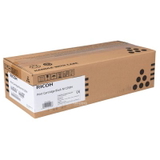
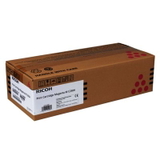
If you print frequently, a high-yield cartridge is often the most convenient option. It reduces how often you need to replace toner and helps keep printing interruptions to a minimum. Original OEM toner cartridges for Ricoh MC250FW – our selection In this category we focus on Original OEM supplies, built by Ricoh for the Ricoh M C250FW platform. If you want maximum compatibility and manufacturer-grade consistency, an original toner is a safe, proven choice. We offer the full colour set, so you can easily replace exactly what you need: - Original OEM Toner Ricoh MC250H (408340) (Black)
- Original OEM Toner Ricoh MC250H (408341) (Cyan)
- Original OEM Toner Ricoh MC250H (408342) (Magenta)
- Original OEM Toner Ricoh MC250H (408343) (Yellow)
When you search by codes such as 408340–408343 or by the printer name (Ricoh M C250FW, Ricoh MC250FW), you’ll quickly reach the correct toner for your device and colour. How to choose the right cartridge: colour, code, and yield When selecting a toner for printer Ricoh M C250FW, we recommend checking three things: - Printer model wording: M C250FW / MC250FW should match your device label
- Cartridge code: for this series, MC250H codes (e.g., 408340 black) help avoid mistakes
- Colour you actually need: the printer reports which toner is low—replace only that one or buy a full set for uninterrupted work
Original OEM toner cartridges are ideal if you prioritise predictable output and the exact parameters intended by the manufacturer. Common user issues with Ricoh M C250FW toners and quick tips Users typically look for help when print quality changes or when the device indicates low toner sooner than expected. Here are practical tips we share with customers: - Faded prints or uneven colour: gently remove and reinsert the toner cartridge; a brief redistribution can help when toner is settling.
- Streaks or spots: verify you’re using the correct colour cartridge and that it’s seated properly; if the issue persists, replacing the indicated colour toner usually resolves it.
- “Toner low” message: continue printing if quality is still fine, but keep a spare ready—office workflow is smoother when you don’t wait until the last page.
If you ever feel unsure which toner cartridge for Ricoh MC250FW is right (or which code you need), we’re here to help you choose quickly and correctly. Order your Ricoh M C250FW toner with confidence We encourage you to browse the available toner for Ricoh M C250FW options in this category and pick the colour you need—black for everyday documents or cyan/magenta/yellow for vibrant business graphics. Add your cartridge to the cart and keep your Ricoh printing at its best. If you have questions about codes, matching, or choosing the right set, contact us—we’ll guide you to the correct OEM toner and help you get back to printing without downtime. |