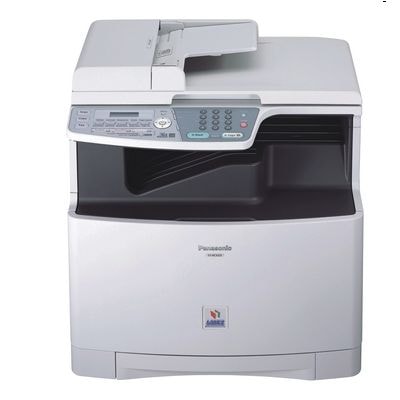
Reliable printing with the Panasonic KX-MC6020 The Panasonic KX-MC6020 (also searched as Panasonic MC6020, Panasonic KX or MC6020) is a colour laser multifunction device designed for everyday office work: clear documents, sharp graphics and efficient handling of larger print volumes. To keep this model working at its best, it’s crucial to choose the right toner for Panasonic KX-MC6020 and to remember that laser printing is also about the condition of the drum unit and waste toner tank. What matters in laser consumables for the MC6020 In this category you’ll find laser cartridges and service parts tailored to the KX-MC6020 printing system. A well-matched toner for printer Panasonic KX-MC6020 ensures consistent colour, crisp text edges and predictable page yield—important whether you print invoices, reports, labels or marketing materials. For this model, pay attention to three key consumable groups: - Toners – cyan, magenta, yellow and black powders responsible for colour reproduction and deep blacks.
- Drum units – components that transfer toner onto paper; their wear directly affects sharpness, background greying and streaking.
- Waste toner tanks – containers for excess toner; when full, they can stop printing even if your toners are new.
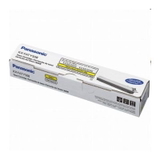
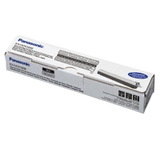
If you’re looking specifically for toner for Panasonic KX-MC6020, you’re in the right place—here you can complete the entire set and maintain stable quality over the whole device lifecycle. Original OEM cartridges and service parts in our offer We focus on a practical selection of proven Original OEM supplies for the Panasonic KX-MC6020, so you can quickly match the right item to your needs—whether you’re replacing a single colour or doing a full refresh. Popular products in this category include: - Original OEM Toner Panasonic KX-FATK509E (KXFATK509) (Black) – for dense, professional black text and strong contrast.
- Original OEM Toner Panasonic KX-FATC501E (KXFATC501E) (Cyan) and Original OEM Toner Panasonic KX-FATC506E (KXFATC506) (Cyan) – dependable cyan options for clean colour balance.
- Original OEM Toner Panasonic KX-FATM502E (KXFATM502) (Magenta) and Original OEM Toner Panasonic KX-FATM507E (KXFATM507) (Magenta) – for accurate reds and purples in charts and graphics.
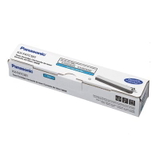
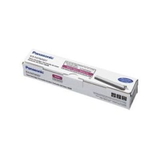
- Original OEM Toner Panasonic KX-FATY503E (KXFATY503) and Original OEM Toner Panasonic KX-FATY508E (KXFATY508) (Yellow) – for bright highlights and warm tones.
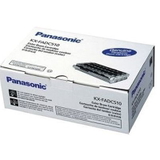
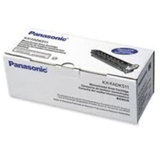
- Original OEM Drum Unit Panasonic KX-FADC510E (KXFADC510E) and Original OEM Drum Unit Panasonic KX-FADK511E (KXFADK511E) (Black) – when quality drops despite new toner.
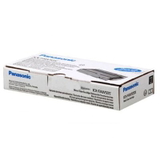
- Original OEM Waste Toner Tank Panasonic KX-FAW505E (KXFAW505E) – the often-forgotten element that keeps the printer running smoothly.
Thanks to the wide range of colours and maintenance components, you can treat this page as your complete “service shelf” for toner for printer Panasonic KX-MC6020 and related laser consumables. How to choose the right toner for Panasonic KX-MC6020 We encourage you to choose based on the exact symbol printed on the previous cartridge or listed in the device documentation. For the Panasonic MC6020, a quick check of the toner code (e.g. KX-FATK…, KX-FATC…, KX-FATM…, KX-FATY…) prevents mismatches and saves time. When should you consider replacing more than just toner? - If prints look faded, have repeating marks or streaks, the drum unit may be worn.
- If the device displays warnings about waste toner or stops printing unexpectedly, the waste toner tank may be full.
- If one colour looks “off” (e.g. greenish blues or dull reds), you may need to replace a single colour toner rather than the whole set.
Original vs compatible: what’s the difference? In general, Original OEM supplies are made by the printer manufacturer and are designed for maximum predictability and consistency. Many customers choose OEM when they want a straightforward replacement and stable, repeatable output. If you’re also considering a compatible option for toner for Panasonic KX-MC6020, it’s worth knowing that well-made compatibles can deliver results that are just as good as originals. In our store (DrTusz.pl), we select compatible cartridges with quality and reliability in mind—so you can print confidently while optimising costs. If you’re unsure which route is best for your usage, we’ll help you match the right solution. We help you solve common MC6020 printing issues Users of colour laser devices like the Panasonic KX-MC6020 most often report challenges that are easy to fix with the right consumable: - Streaks, smudges or background shading – frequently linked to a worn drum unit.
- Printer message about waste toner – usually solved by replacing the waste toner tank.
- Uneven colour, weak contrast – often caused by an empty or ageing toner cartridge in one colour.
If you tell us what you see on the page and which message appears on the display, we’ll advise which toner for printer Panasonic KX-MC6020 or which maintenance part you actually need—so you don’t buy “just in case”. Choose your cartridge and start printing We encourage you to browse the available toner for Panasonic KX-MC6020, drum units and waste toner tanks and pick exactly what your device requires. Add the selected items to your cart and keep your Panasonic MC6020 ready for daily work—without downtime and without surprises. Need help with selection or matching the right code? Contact us—our team will guide you quickly, and we’ll make sure you receive the correct consumables with convenient delivery options. |