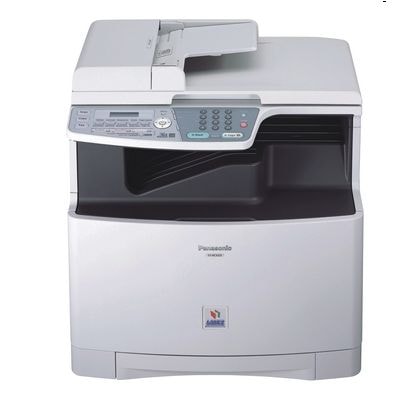
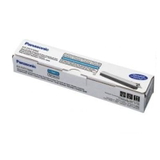
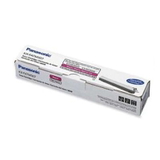
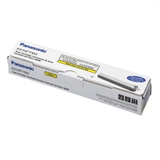
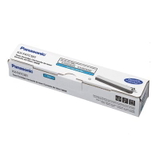
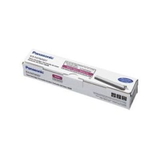
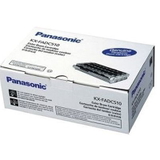
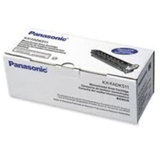
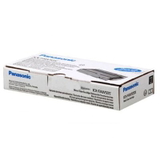
Panasonic KX-MC6010 – a reliable colour laser multifunction for everyday work The Panasonic KX-MC6010 (also searched as Panasonic MC6010, Panasonic KX or simply MC6010) is a popular colour laser multifunction printer designed for offices and home offices that need consistent prints, copies and scans. To keep print quality sharp and colours accurate, it’s crucial to use the right toner for printer Panasonic KX-MC6010 and to replace consumables on time—especially when the device starts reporting low toner, faded output or streaks. What you’ll find in this category: toner, drum unit and waste toner tank This category is dedicated to laser cartridges for Panasonic KX-MC6010 in the Original OEM class. It includes the key consumables that affect print quality and reliability: toner for Panasonic KX-MC6010, drum unit for Panasonic KX-MC6010 and the waste toner tank for Panasonic KX-MC6010. Each of these parts plays a different role: - Toners – the colour powder responsible for crisp text and vivid graphics; available in black and CMY colours.
- Drum Units – the imaging components that transfer toner onto paper; worn drums often cause repeating marks, background haze or loss of sharpness.
- Waste Toner Tanks – collect excess toner; when full, the printer may stop and show an error until the tank is replaced.
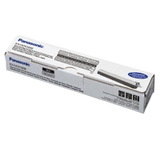
Choosing the correct toner for printer Panasonic KX-MC6010 and matching it with the proper drum and waste container is the simplest way to maintain stable performance and avoid downtime. Original OEM consumables – consistent results and full compatibility If you want predictable performance and factory-level colour reproduction, Original OEM consumables are a safe choice. An original toner for Panasonic KX-MC6010 is designed to work with the printer’s temperature, paper path and imaging system, helping you achieve clean lines, smooth gradients and professional-looking business documents. The same applies to an original drum unit for Panasonic MC6010—it supports proper toner adhesion and reduces the risk of artefacts such as ghosting or repeated patterns. In this category, we focus on OEM options that fit the Panasonic KX-MC6010 series precisely, so you can order with confidence and keep your device running the way it was designed to. Popular Panasonic KX-MC6010 products in our range We offer a wide selection of genuine items, so you can replace exactly what you need—one colour, a full set, or the components that typically wear over time. Among the most frequently chosen products are: - Original OEM Toner Panasonic KX-FATK509E (KXFATK509) (Black) – the core choice for sharp text and everyday office printing.
- Original OEM Toner Panasonic KX-FATC506E (KXFATC506) (Cyan) and Original OEM Toner Panasonic KX-FATC501E (KXFATC501E) (Cyan) – for clean blues and balanced colour charts.
- Original OEM Toner Panasonic KX-FATM507E (KXFATM507) (Magenta) and Original OEM Toner Panasonic KX-FATM502E (KXFATM502) (Magenta) – ideal for strong reds and smooth skin tones in presentations.
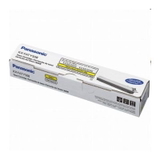
- Original OEM Toner Panasonic KX-FATY508E (KXFATY508) (Yellow) and Original OEM Toner Panasonic KX-FATY503E (KXFATY503) (Yellow) – for bright highlights and accurate warm tones.
- Original OEM Drum Unit Panasonic KX-FADC510E (KXFADC510E) and Original OEM Drum Unit Panasonic KX-FADK511E (KXFADK511E) (Black) – when print defects point to an imaging component nearing end-of-life.
- Original OEM Waste Toner Tank Panasonic KX-FAW505E (KXFAW505E) – essential when your printer reports a full waste container and won’t continue printing.
Thanks to this selection, it’s easy to build a complete, reliable consumables set—exactly tailored to how you use your Panasonic KX-MC6010. How to choose the right toner for Panasonic KX-MC6010 (and avoid common issues) When selecting a toner for printer Panasonic KX-MC6010, start with two practical checks: the printer message (which colour is low) and the cartridge code. Matching the code (for example KXFATK509 for black) is the fastest way to avoid ordering the wrong item. We also recommend looking at your print symptoms—many users replace toner when the real cause is a different consumable. - Faded prints or weak colours – often indicates low toner, but can also be caused by incorrect settings or a worn drum.
- Streaks, repeating marks, grey background – frequently points to a drum unit that needs replacement rather than a toner issue.
- Printer stops with an error about waste toner – usually means you need a new waste toner tank for Panasonic KX-MC6010.
- Colour imbalance (e.g., too much blue/red) – check which colour toner is low and consider running the printer’s cleaning/calibration functions after replacement.
If you’re unsure which component to choose, we encourage you to contact us—tell us what the printer displays and what the print looks like, and we’ll help you select the correct toner for Panasonic MC6010, drum unit or waste toner tank. Original vs compatible cartridges – what’s the difference? In this subpage we present Original OEM options, valued for consistency and manufacturer specifications. At the same time, many customers ask about alternatives. In our store, compatible cartridges from DrTusz.pl are designed to be as good as the originals in day-to-day use—offering reliable performance, strong print quality and great value. If you’re building a cost-efficient printing strategy, we can help you choose between OEM and compatible options depending on your workload, required colour accuracy and budget. Order today and keep your Panasonic KX-MC6010 ready for work We encourage you to explore the full range in this category and choose the right toner for Panasonic KX-MC6010, along with the drum unit or waste toner tank if your printer requires it. We ship quickly, pack securely, and our team is available to help you match the correct cartridge code to your device. Add the consumables to your basket now or contact us—together we’ll make sure your Panasonic MC6010 prints cleanly, consistently and without interruptions. |