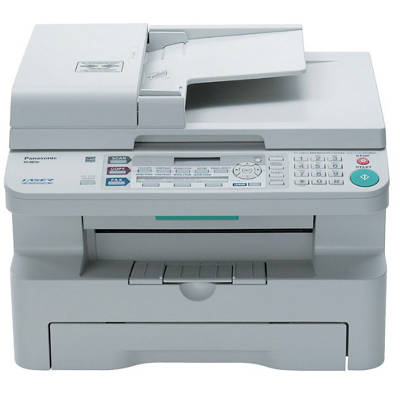
Reliable printing with the Panasonic KX-MB788 The Panasonic KX-MB788 is a dependable multifunction laser device designed for busy offices and home workspaces that need fast black-and-white printing, copying, scanning, and faxing. To keep your KX-MB788 running smoothly and delivering crisp text every day, you need the right toner for Panasonic KX-MB788 and a properly matched drum unit. In this category, we bring together both Original OEM and carefully selected Compatible solutions—so you can choose what suits your budget and printing habits without compromising on quality. Toners and drum units: what matters for print quality In the Panasonic KX series, print results depend on two key consumables: the toner cartridge for Panasonic KX-MB788 and the drum unit. Toner provides the powder that forms the text and graphics, while the drum unit transfers the image precisely onto the paper. When either component is worn or empty, you may notice lighter prints, smudging, streaks, grey backgrounds, or recurring marks on pages. That’s why we offer both toners and drum units dedicated to models searched under: Panasonic KX-MB788, KX-MB788, KX MB 788, KXMB788, KX MB788, and other popular variants. If you typed “toner for printer KX-MB 788”, you’re in the right place. Our range: Original OEM and Compatible for KX-MB788 We know different customers have different expectations—some prefer manufacturer supplies, others prioritize cost-per-page. That’s why we stock a wide selection of laser cartridges in two classes: - Original OEM – manufacturer cartridges for maximum compatibility and consistent output.
- Compatible – high-quality alternatives that deliver results comparable to OEM, ideal for everyday printing and cost control.
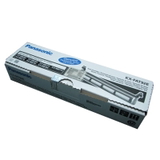
Popular choices in this category include: - Original OEM Toner Panasonic KX-FAT92 (FAT92) (Black) – a classic option for clean, sharp documents.
- Compatible Toner KX-FAT92 for Panasonic (FAT92) (Black) – a budget-friendly toner for Panasonic KX-MB788 with excellent everyday performance.
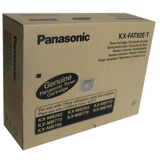
- Original OEM Toners Panasonic KX-FAT92E-T (FAT92E) (Black) (3-pack) – a convenient multi-pack for offices that print regularly and want fewer interruptions.
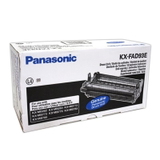
- Original OEM Drum Unit Panasonic KX-FAD93 (FAD93E) (Black) – the OEM drum unit that supports stable image transfer and reliable print quality.
- Compatible Drum Unit KX-FAD93 for Panasonic (FAD93E) (Black) – a cost-effective drum unit alternative that works just as well in everyday use.
How to choose the right toner for Panasonic KX-MB788 When selecting a toner for printer Panasonic KX-MB788, first confirm the symbol on your current cartridge or in your printer documentation. In this model, the key references are typically KX-FAT92 / FAT92E for toner and KX-FAD93 / FAD93E for the drum unit. Choosing the correct code prevents installation issues and ensures proper page coverage and density. What should you choose—OEM or compatible? - Original OEM is perfect if you want to stick with manufacturer supplies, keep everything uniform across devices, or maintain strict purchasing policies in an office.
- Compatible is the smart pick when you want lower printing costs without giving up readability, deep blacks, and smooth operation. Our compatible cartridges from DrTusz.pl are designed to be as good as the originals in normal office use—great for invoices, shipping labels, school materials, and daily reports.
Common issues in KX-MB788 printing—and how consumables help Users of the Panasonic KX-MB788 most often look for help when prints become faint, when black looks washed out, or when lines and repeating marks appear. In many cases, the solution is straightforward: - Faded or uneven text – often indicates low toner or a toner that’s nearing the end of its life.
- Streaks, spots, repeating marks – commonly linked to a worn drum unit; replacing the drum unit for Panasonic KX-MB788 restores clean output.
- Toner warning messages – a sign it’s time to keep a spare on hand, especially if you print in batches.
Keeping both a fresh toner cartridge for Panasonic KX-MB788 and a matching drum unit ready is the simplest way to avoid downtime and last-minute shopping. Choose, order, print—let’s keep your Panasonic working We encourage you to explore our full selection of toner for Panasonic KX-MB788 and dedicated drum units—both Original OEM and Compatible. Whether you need a single cartridge, a practical 3-pack, or a drum unit replacement, we’ll help you match the right product to your exact device (KX-MB788, KX MB 788, KXMB788, and more). CTA: Browse the products in this category, choose the best option for your printing style, and place your order today. If you have any doubts about the correct symbol (FAT92/FAT92E or FAD93/FAD93E), contact us—we’ll gladly help you select the right toner and drum unit and get your Panasonic KX-MB788 back to perfect printing. |