Haven't found what you were looking for? Click here! ▼
Describe below exactly what you are looking for and we will see how we can help. You will receive a reply to your e-mail address by 09:15 at the latest
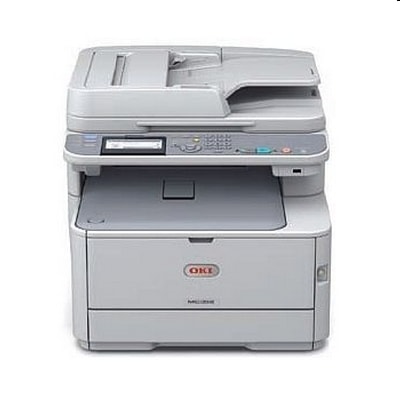
Toner cartridges for Oki MC352 - compatible and original OEM
Keep your Oki MC352 running at its best with the right laser cartridges and maintenance units. In this category you’ll find everything needed for consistent print quality and reliable performance—whether you search for Oki MC352 toner cartridges by model terms like Oki MC352, Oki MC, or MC352.
Choose from Compatible and Original OEM options, including CMYK toners (black, cyan, magenta, yellow) and convenient multipacks, such as compatible C310 sets. For long-term dependability, we also stock essential imaging and service parts: Drum Units, Transfer Units, and Fuser Units designed for the Oki MC352 series—so your prints stay sharp and your device stays ready.
Whether you prefer the assurance of OEM or the value of compatible replacements, every item here is selected for fit and performance with your printer. Stock up today and avoid downtime—order your Oki MC352 toner and service units now, and explore the full selection to find the best match for your printing needs.
Oki MC352 – a compact business printer that deserves reliable supplies
The Oki MC352 is a popular colour LED multifunction printer designed for everyday office work: invoices, reports, offers, labels and marketing materials. It’s valued for crisp text, strong colour output and fast first-page results. To keep your device working just as smoothly over time, you need the right toner for Oki MC352 as well as key maintenance parts like a drum unit, transfer unit and fuser unit.
Toner for Oki MC352: colour quality, sharp text and predictable results
In this category you’ll find toner cartridges for Oki MC352 in both Compatible and Original OEM versions. A good toner for printer Oki MC352 ensures consistent coverage, clean lines and readable small fonts—especially important for contracts and financial documents. For colour documents, a matched CMYK set helps maintain balance between cyan, magenta, yellow and black, so charts and graphics look professional.
We recommend choosing toners according to your print habits:
Daily black text printing – focus on a dependable black toner and stable drum performance.
Colour presentations and marketing materials – keep all four colours ready to avoid interruptions and colour shifts.
Shared office device – consider multipacks to reduce downtime and simplify ordering.
Compatible vs Original OEM: what to choose for your Oki MC352?
Many customers ask us whether to choose an Original OEM toner for Oki MC352 or a compatible toner for Oki MC352. Original OEM cartridges are produced by the printer manufacturer and are a safe, classic option for users who want to stick strictly to OEM supplies.
At the same time, our compatible toner for Oki MC352 is designed to deliver results that are just as good as original cartridges—clear text, stable colour and reliable performance—while helping you control printing costs. If you print a lot, compatible supplies are often the most economical way to keep your Oki MC352 productive without sacrificing quality.
Popular products in our range (toners and maintenance units)
We keep the offer broad so you can complete your whole set of supplies in one place. Here are some of the frequently chosen items for Oki MC352:
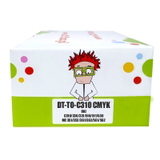
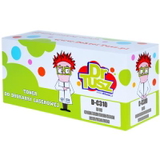
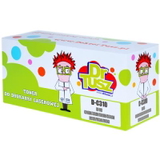
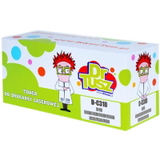
Compatible Toners C310 CMYK for Oki (C310) (multi pack) – a convenient complete set for colour printing.
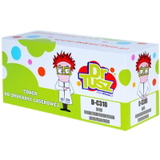
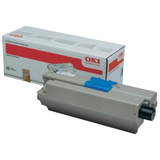
Compatible Toner C310 for Oki (44469803) (Black) – a practical choice for everyday documents.
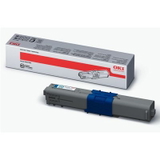
Original OEM Toner Oki C310 (44469803) (Black) – OEM black toner for consistent office output.
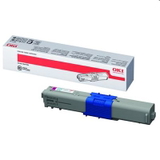
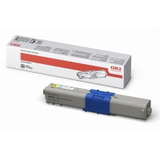
Original OEM Toner Oki C310 (44469706) (Cyan) / Original OEM Toner Oki C310 (44469705) (Magenta) / Original OEM Toner Oki C310 (44469704) (Yellow) – OEM colour set elements for balanced colour prints.
Compatible Toner C310 for Oki (44469706) (Cyan), (44469705) (Magenta), (44469704) (Yellow) – compatible colour options for cost-effective printing.
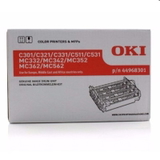
Original OEM Drum Unit Oki C301 (44968301) – critical for image transfer and sharpness.
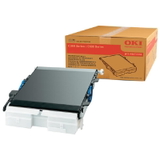
Original OEM Transfer Unit Oki 44472202 (44472202) – supports clean, accurate colour layering.
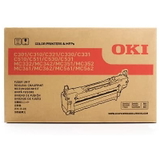
Original OEM Fuser Unit Oki C310 (44472603) – responsible for fixing toner to the paper for durable prints.
Even if you came here mainly for toner cartridges for Oki MC352, it’s worth remembering that maintenance parts can strongly affect print quality and paper handling.
How to avoid common Oki MC352 printing issues
When users search for “toner for Oki MC352” or “ink for Oki MC352”, they often do it because something has changed in print quality. The most common issues include faint prints, streaks, uneven colour, background shading or toner that rubs off. In many cases, the cause is not only an empty toner cartridge but also a worn drum unit or fuser/transfer components.
Our practical tips:
Faded or patchy prints – check toner levels and consider whether the drum unit has reached its service life.
Lines or repeated marks – often linked to the drum unit; replacing it can restore crisp output.
Toner smudging or poor adhesion – may indicate the fuser unit needs attention.
Colour misregistration or uneven colour blocks – the transfer unit can be a key factor in stable colour printing.
If you’re not sure which part you need for your Oki MC352, tell us what you see on the page (e.g., streak colour, whether it repeats at fixed intervals, or if the issue is only in one colour). We’ll help you choose the right toner for printer Oki MC352 or the correct maintenance unit.
Order your toner cartridges for Oki MC352 with confidence
We encourage you to explore our full selection of Compatible and Original OEM supplies for Oki MC352 (also searched as: Oki MC, MC352). Add a single colour, a full CMYK set, or complete your order with a drum, transfer unit or fuser unit—so your printer stays ready whenever you need it.
CTA: Choose the best toner for Oki MC352 for your needs and place your order today. If you have any questions about compatibility or print problems, contact us—our team will guide you quickly and clearly, and we’ll help you get back to clean, professional printing as soon as possible.