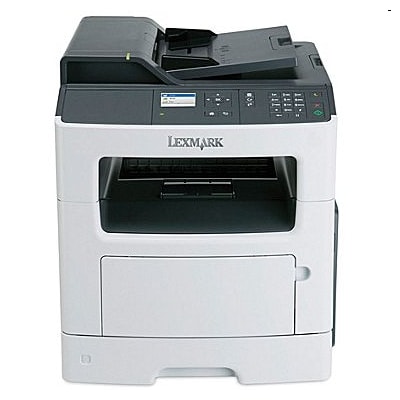
Lexmark MX310DN – a dependable monochrome workhorse Lexmark MX310DN is a compact, fast monochrome laser MFP designed for everyday office printing, copying and scanning. It’s valued for solid text quality, automatic duplex printing and reliable networking. To keep this model running at its best, it’s worth choosing the right toner for printer Lexmark MX310DN as well as the correct service components such as a drum unit or fuser unit—especially when your device is used intensively. Toners, drum units and fuser units – what matters in daily use When you shop for toner for Lexmark MX310DN, pay attention not only to the cartridge type but also to page yield and the way you print. For frequent documents, invoices and reports, higher-yield cartridges reduce the cost per page and minimize downtime. Clean, sharp black text is exactly what the MX series is built for, and a properly selected toner for printer MX310DN helps maintain consistent density from the first page to the last. In this category you’ll find: - Toners – the main consumable responsible for print density and page yield.
- Drum Units – the imaging unit that transfers the toner to the page; when worn, it may cause backgrounding or repetitive marks.
- Fuser Units – the part that bonds toner to paper using heat; crucial for durability and smear-free output.
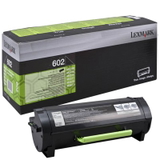
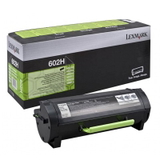
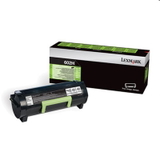
Our range: Compatible and Original OEM for MX310DN We offer both Original OEM and carefully selected Compatible options, so you can match the product to your printing volume and budget—without compromising on reliable performance. Here are some popular choices from this category: - Original OEM Toner Lexmark 602 (60F2000) (Black) – a great standard-yield option for regular office printing.
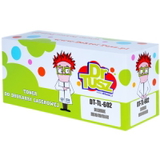
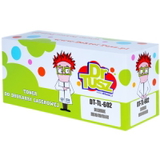
- Compatible Toner 602 for Lexmark (60F2000) (Black) – a cost-effective alternative for everyday documents.
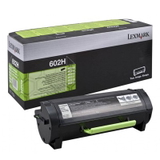
- Original OEM Toner Lexmark 602H (60F2H00) (Black) and Original OEM Toner Lexmark 602HE (60F2H0E) (Black) – higher-yield choices for heavier workloads.
- Compatible Toner 602H for Lexmark (60F2H00) (Black) – ideal when you want a lower cost per page and fewer replacements.
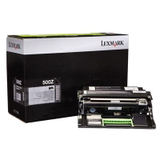
- Original OEM Drum Unit Lexmark 500Z (50F0Z0E) (Black) – helps restore crisp output when print defects appear.
- Original OEM Fuser Unit Lexmark 40X8024 (40X8024) – recommended when toner doesn’t fuse properly or you experience smudging after printing.
Thanks to this selection, you can easily find the right toner for printer Lexmark MX310DN and the service parts that keep your device stable for the long run. How to choose: Original OEM vs compatible toners for Lexmark MX310DN Many customers ask us what’s better: Original OEM or Compatible. The answer depends on your needs: - Original OEM – a safe pick for users who prefer manufacturer-branded consumables and want to keep everything fully OEM.
- Compatible – a smart option if you want to reduce printing costs. Our compatible cartridges from DrTusz.pl are designed to deliver print quality and reliability comparable to originals, while helping you achieve a better cost per page.
To avoid mismatches, always verify the cartridge code (for example 60F2000 or 60F2H00) and your printer model spelling—Lexmark MX310DN, MX310 dn, MX310 DN or MX310dn all refer to the same device. Common MX310DN printing issues – and what to replace If your prints start to look worse, the solution is often straightforward. Here are typical symptoms and what they may indicate: - Faded prints or uneven black – often time to replace the toner for Lexmark MX310DN.
- Repetitive spots/lines at regular intervals – commonly linked to a worn drum unit.
- Smudging or toner rubbing off – may point to a failing fuser unit or incorrect fusing.
- Toner low message too soon – consider a higher-yield cartridge (H/HE versions) for your printing volume.
If you’re unsure which part is responsible, we encourage you to contact us—together we’ll choose the right toner for printer MX310DN or the correct maintenance component. Order today and keep your Lexmark MX310DN running smoothly We invite you to explore our full selection of toner for printer Lexmark MX310DN, including both Compatible and Original OEM options, plus drum and fuser units for complete maintenance. Add the right cartridge to your cart, or message us if you want a quick recommendation based on your monthly page volume. We offer convenient ordering, fast delivery options and helpful customer support—so you can get back to printing without delay. CTA: Choose your toner, drum unit or fuser unit for Lexmark MX310DN now—if you need help selecting the best option, contact us and we’ll guide you to the perfect match. |