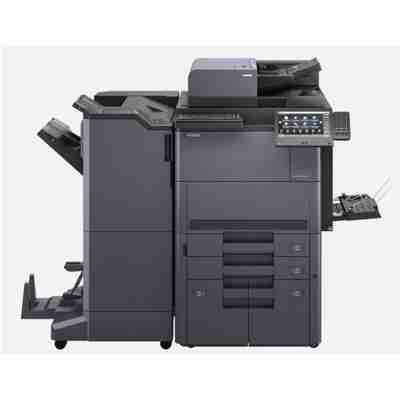
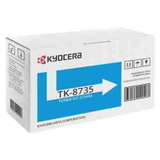
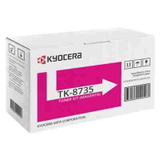
Kyocera TASKalfa 7353ci – a production-class color MFP that needs reliable toner Kyocera TASKalfa 7353ci is a high-performance A3 color multifunction printer designed for busy offices, departments, and print rooms. With fast workflows, advanced finishing options, and a strong focus on consistent color output, it’s a device that rewards you for choosing the right consumables. In this category we’ve gathered the best-match solutions: toner for printer Kyocera TASKalfa 7353ci in Original OEM class—ready to deliver predictable quality from the first page to the last. What you gain with the right toner for Kyocera 7353ci When you choose dedicated toner for Kyocera TASKalfa 7353ci, you protect what matters most in everyday printing: sharp text, stable colors, and reliable operation at higher volumes. This model is often used for mixed workloads—contracts, reports, presentations, and marketing materials—so a properly selected toner helps keep both quality and productivity on track. Key benefits you can expect from a well-matched toner for 7353ci: - Consistent black for crisp documents and readable small fonts
- Clean, accurate color for charts, branding elements, and customer-facing prints
- Stable performance in demanding, continuous printing environments
- Lower risk of streaks, fading, or uneven coverage when replacing cartridges on time
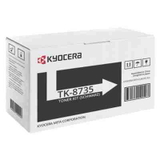
If you search using phrases like Kyocera 7353ci, 7353 CI, 7353ci, or Kyocera TASKalfa, you’re in the right place—this page is dedicated to toners matching this exact series. Original OEM toner cartridges available in this category We focus on a clear, proven selection of OEM consumables for this machine. Here you’ll find the four essential color positions for complete coverage and smooth color management: - Original OEM Toner Kyocera TK-8735K (1T02XN0NL0) (Black)
- Original OEM Toner Kyocera TK-8735C (1T02XNCNL0) (Cyan)
- Original OEM Toner Kyocera TK-8735M (1T02XNBNL0) (Magenta)
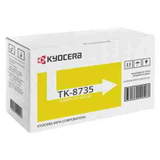
- Original OEM Toner Kyocera TK-8735Y (1T02XNANL0) (Yellow)
This set covers everything you need for everyday office printing and high-quality color output. If you manage multiple devices or print in larger batches, selecting the right combination (for example, adding an extra black) can help you avoid downtime and keep your workflow uninterrupted. How to choose the best toner for Kyocera TASKalfa 7353ci To make sure you’re ordering the correct toner for printer Kyocera TASKalfa 7353ci, we recommend checking a few practical points before adding the cartridge to your cart: - Match the toner code: for this model, look for the TK-8735 series (K/C/M/Y) and verify the part number if needed.
- Choose the right color: black for document-heavy work; CMY for full-color graphics and branding.
- Plan for usage: if your office prints lots of color, consider keeping a spare of the most-used color to prevent delays.
- Watch replacement timing: replacing toner when print quality starts to fade can prevent issues like pale prints or uneven color blocks.
Original vs compatible toner – what’s the real difference? In general, Original OEM toner is designed by the printer manufacturer to work with the device’s specifications and color system. Many customers choose OEM for maximum predictability, especially in environments where brand color consistency and repeatable results are critical. At the same time, it’s worth knowing that high-quality compatible cartridges can also be an excellent choice. We want to be transparent: although this specific category focuses on Original OEM toners, in our wider DrTusz.pl offer we also provide compatible cartridges that are engineered to deliver results comparable to originals—so you can choose the approach that best fits your budget and printing priorities. Common printing issues on the Kyocera TASKalfa 7353ci—and how toner choice helps With production-class devices, most problems are not “mysteries”—they’re usually related to consumable level, replacement timing, or color balance in heavy workloads. Customers using a toner for Kyocera 7353ci typically want to avoid: - Faded prints or weak colors when a cartridge is nearing the end
- Uneven coverage on large color areas (often solved by timely replacement and correct cartridge selection)
- Unexpected downtime when a key color runs out mid-job
- Color inconsistency in frequent presentation or marketing print runs
Keeping the correct toner for 7353ci on hand—especially the colors you use most—makes daily work smoother and helps maintain the quality this machine is capable of. Order your toner for Kyocera TASKalfa 7353ci with confidence We encourage you to explore our selection of toner for printer Kyocera TASKalfa 7353ci and choose the exact OEM cartridge you need—black, cyan, magenta, or yellow. If you’re unsure which toner fits your device (for example when comparing naming variants like 7353 ci vs 7353CI), we’re here to help. Contact us and we’ll guide you to the right product quickly. CTA: Add the right TK-8735 toner to your cart today, or message us with your printer details—we’ll help you select the best option and get it delivered fast so your Kyocera TASKalfa 7353ci can keep working without interruptions. |