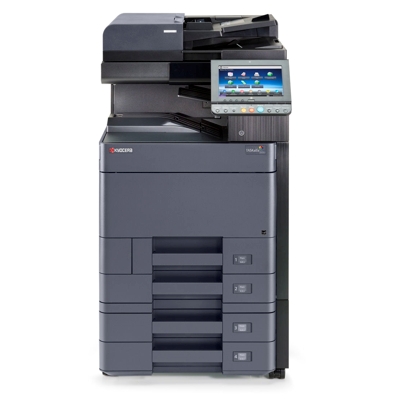
Reliable colour printing with the Kyocera TASKalfa 5054ci The Kyocera TASKalfa 5054ci (also searched as Kyocera 5054ci, 5054ci, 5054 CI or 5054ci) is a fast, high-volume multifunction device designed for busy offices, print rooms and departments that need consistent colour quality every day. To keep this class of machine running smoothly, you need a dependable toner for Kyocera TASKalfa 5054ci—one that delivers stable colour, sharp text and predictable yield from the first page to the last. Toner for Kyocera 5054ci – what matters in daily work In a work environment, the right toner for printer Kyocera TASKalfa 5054ci is not only about colour. It’s about repeatable results, clean operation and avoiding downtime. Properly selected toners help maintain: - Clear text and crisp lines for invoices, contracts, labels and office documents.
- Vivid business colour for presentations, marketing materials and internal communication.
- Stable performance during longer print runs—important for teams sharing one device.
- Predictable costs thanks to known yield and reliable coverage.
In this category we focus on what your device needs most: toner cartridges for Kyocera TASKalfa 5054ci—both Original OEM and Compatible, so you can choose the solution that best fits your budget and printing habits. Original OEM and Compatible toner – one category, two smart choices We offer two classes of products because different customers have different priorities. Some prefer the manufacturer’s solution, others want to optimize running costs while keeping excellent print quality. - Original OEM toner for Kyocera TASKalfa 5054ci – designed by the printer manufacturer for maximum compatibility and consistent colour reproduction in demanding office conditions.
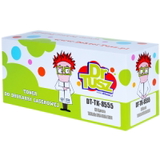
- Compatible toner for Kyocera TASKalfa 5054ci – a cost-effective alternative that delivers results you can rely on. Our compatible cartridges from DrTusz.pl are made to meet high standards, so you can print confidently without sacrificing quality.
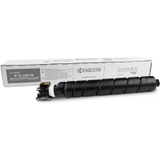
Whichever route you choose, the key is matching the exact cartridge model—this printer uses the TK-8555 series in four colours. Our selection: TK-8555 toners for Kyocera TASKalfa 5054ci (CMYK) To cover every office need—from monochrome documents to full-colour graphics—we stock the complete set of toners. Popular choices in this category include: - Original OEM Toner Kyocera TK-8555K (1T02XC0NL0) (Black) – for sharp text, deep blacks and everyday office printing.
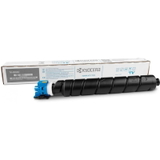
- Original OEM Toner Kyocera TK-8555C (1T02XCCNL0) (Cyan) – clean blues and balanced colour mixes.
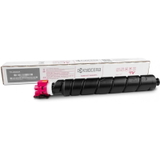
- Original OEM Toner Kyocera TK-8555M (1T02XCBNL0) (Magenta) – strong reds and accurate skin tones in business graphics.
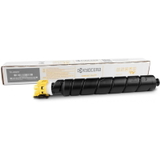
- Original OEM Toner Kyocera TK-8555Y (1T02XCANL0) (Yellow) – bright highlights and clear warm tones.
- Compatible Toner TK-8555K for Kyocera (1T02XC0NL0) (Black) – a budget-friendly way to handle heavy text printing.
- Compatible Toner TK-8555C for Kyocera (1T02XCCNL0) (Cyan) – reliable colour output at a lower cost per page.
- Compatible Toner TK-8555M for Kyocera (1T02XCBNL0) (Magenta) – great for presentations and colour documents without overspending.
- Compatible Toner TK-8555Y for Kyocera (1T02XCANL0) (Yellow) – consistent yellow coverage for professional-looking prints.
Thanks to this range, you can easily build a complete CMYK set—either fully OEM, fully compatible, or mixed depending on your printing priorities. How to choose the right toner for printer Kyocera TASKalfa 5054ci When selecting a toner for Kyocera 5054ci, we recommend checking a few practical points that prevent the most common purchasing mistakes: - Confirm the exact cartridge code: the Kyocera TASKalfa 5054ci uses TK-8555K / TK-8555C / TK-8555M / TK-8555Y.
- Choose the colour you actually need: black is typically replaced most often, but low levels in any colour can affect colour balance.
- Decide on OEM vs compatible: OEM is a classic choice for maximum standardization; compatible is ideal for lowering total printing costs while keeping high-quality results.
- Think in sets: if your office prints a lot of colour, buying a full CMYK set can help keep output consistent and avoid interruptions.
Not sure which toner cartridge for Kyocera TASKalfa 5054ci you need? Tell us how you print (mostly text, a lot of colour, occasional graphics), and we’ll help you pick the best option. Common user issues with the Kyocera TASKalfa 5054ci – and how the right toner helps In busy offices, problems are often caused by using the wrong cartridge type, replacing cartridges too late, or mixing supplies without a plan. The most frequent situations we hear about include: - Faded prints or uneven colour – often a sign that one colour toner is running low or nearing end-of-life.
- Unexpected downtime – waiting until the last moment to order toner for Kyocera TASKalfa 5054ci can stop a whole team from working.
- Confusion over codes – similar device names like “5054 ci” and “5054CI” can lead to mistakes; always match the cartridge code (TK-8555).
We make it easy by listing clear product names and codes, so you can quickly find the right toner for Kyocera TASKalfa 5054ci and get back to printing. Choose your TK-8555 toner and keep your office moving We encourage you to explore our full range of toner cartridges for Kyocera TASKalfa 5054ci—both Original OEM and Compatible. If you want consistent manufacturer-standard supplies, choose OEM. If you want excellent quality with better cost control, choose our compatible toners from DrTusz.pl—proven, dependable and office-ready. CTA: Check the available TK-8555K/TK-8555C/TK-8555M/TK-8555Y toners in this category, add the colours you need to your cart, and if you have any questions—contact us. We’ll help you select the best toner for printer Kyocera TASKalfa 5054ci, arrange quick delivery, and make sure you can print without interruptions. |