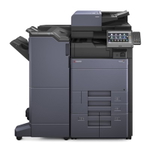
Reliable colour printing with Kyocera TASKalfa 5053ci Kyocera TASKalfa 5053ci (also searched as Kyocera 5053ci, 5053ci, 5053 CI or 5053 ci) is a powerful A3 multifunction device built for busy offices and print rooms. It’s designed for fast workflows, crisp text, and professional-looking colour documents—provided you use the right toner for Kyocera TASKalfa 5053ci. In this category we’ve gathered both Original OEM and proven Compatible toner cartridges, so you can choose exactly the balance of cost, performance and brand preference you need. What you gain from the right toner for Kyocera 5053ci Choosing a well-matched toner for printer Kyocera TASKalfa 5053ci is more than just “having something to print with”. It directly affects colour consistency, black density, sharpness of small fonts and even the comfort of everyday use in the office. With a complete CMYK set you can print: - contracts, invoices and reports with deep, readable black,
- presentations and marketing materials with vivid colour,
- charts, graphics and photos with smooth transitions,
- high-volume office documents without frequent cartridge changes.
Whether you print occasionally or run the device at full speed every day, a dependable toner for Kyocera TASKalfa 5053ci helps keep your workflow stable and predictable—exactly what business printing needs. Original OEM and Compatible toner cartridges—one page, full choice We know different offices have different priorities, so we offer both options in one place. If you prefer manufacturer solutions, our Original OEM cartridges are the classic, brand-recommended choice. If you want to reduce printing costs without compromising output quality, our Compatible cartridges from DrTusz.pl are a smart alternative—tested, reliable, and designed to deliver results that are as good as the originals in everyday office printing. Popular toner cartridges for Kyocera TASKalfa 5053ci in this category To make shopping easier, here are the key cartridge models you’ll find here—covering the full colour set for your device: - Original OEM Toner Kyocera TK-8515K (1T02ND0NL0) (Black)
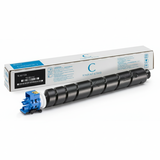
- Original OEM Toner Kyocera TK-8515C (1T02NDCNL0) (Cyan)
- Original OEM Toner Kyocera TK-8515M (1T02NDBNL0) (Magenta)
- Original OEM Toner Kyocera TK-8515Y (1T02NDANL0) (Yellow)
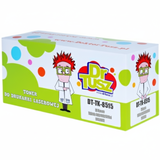
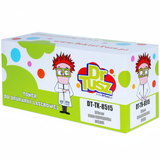
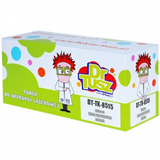
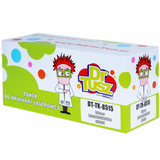
- Compatible Toner TK-8515K for Kyocera (1T02ND0NL0) (Black)
- Compatible Toner TK-8515C for Kyocera (1T02NDCNL0) (Cyan)
- Compatible Toner TK-8515M for Kyocera (1T02NDBNL0) (Magenta)
- Compatible Toner TK-8515Y for Kyocera (1T02NDANL0) (Yellow)
So if you’re looking for a toner for 5053ci in any colour—or you want to complete the whole CMYK set—everything is ready here in one category. How to choose the best toner for Kyocera TASKalfa 5053ci We encourage you to choose based on how you print and what matters most in your organisation: - Match the symbol exactly – for this device it’s the TK-8515 series (K/C/M/Y). The code (e.g., 1T02ND0NL0) is the safest identifier.
- Decide on Original OEM vs Compatible – OEM is manufacturer-branded; Compatible from DrTusz.pl gives excellent quality and a better cost-per-page for many offices.
- Think in sets – if colour consistency is important (presentations, client materials), replacing multiple colours at once can help keep results uniform.
- Consider your print profile – heavy black text printing usually consumes black fastest, while marketing and presentations can use colour more intensively.
Original vs Compatible: practical differences (and what really matters) Customers often ask us what changes when switching between an Original OEM toner for Kyocera TASKalfa 5053ci and a compatible one. In day-to-day use, the most noticeable factor is typically cost. Our compatible cartridges are built to be a dependable alternative—so you can expect clean text, strong blacks and vivid colours comparable to OEM output. If you print a lot and want to optimise your budget, the Compatible TK-8515 set is an excellent choice. If your internal policy requires OEM consumables, or you simply prefer manufacturer-branded products, the Original OEM TK-8515 series will fit perfectly. Common user issues with Kyocera 5053ci—how the right toner helps In office environments, recurring printing issues are often linked to consumables selection or replacement routines. When you use the proper toner for printer Kyocera TASKalfa 5053ci and follow a clean installation, you can minimise problems such as: - faded prints or uneven colour (often caused by very low toner levels),
- weak black text on documents that must look professional,
- unexpected interruptions because one colour runs out mid-job,
- confusion between similar model names (5053ci vs other TASKalfa variants)—always confirm TK-8515.
If you’re unsure which cartridge you need for your Kyocera TASKalfa 5053ci, tell us what you print most often (text, colour, mixed office jobs) and we’ll help you choose the most cost-effective option. Order your toner for Kyocera TASKalfa 5053ci and keep your office moving We encourage you to browse the options in this category and choose the best toner for Kyocera TASKalfa 5053ci—Original OEM or Compatible. If you want to cut costs without sacrificing quality, our DrTusz.pl compatible cartridges are a reliable, proven solution. Add the selected colours to your cart, complete your order in a moment, and enjoy fast, convenient delivery. If you have questions, we’re here to help—contact us and we’ll make sure you pick the right TK-8515 toner for your Kyocera 5053ci. |