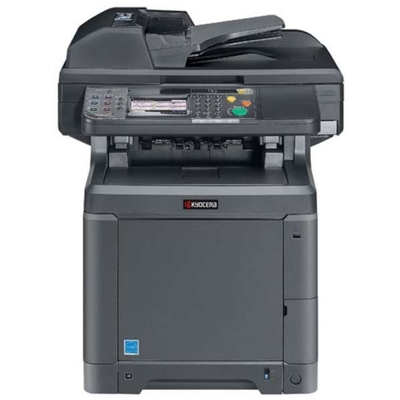
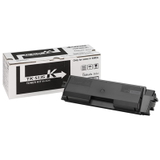
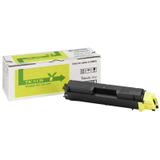
Kyocera TASKalfa 266ci – reliable colour printing for busy offices If you use the Kyocera TASKalfa 266ci (also searched as Kyocera 266ci, 266ci, 266 CI or 266CI), you already know it’s a business-class multifunction device built for everyday document flow: invoices, contracts, offers, reports and colour marketing materials. To keep this machine performing at its best, you need one thing above all: a dependable toner for Kyocera TASKalfa 266ci that delivers stable colour, sharp text and predictable page yield. Toner for Kyocera TASKalfa 266ci – what matters in day-to-day use Choosing the right toner for printer Kyocera TASKalfa 266ci is not only about colour. It’s also about consistency, cleanliness, and avoiding downtime. With the correct toner set (Black, Cyan, Magenta, Yellow), you can expect: - Crisp black text for documents that must look professional.
- Balanced, repeatable colours for charts, presentations and internal branding.
- Efficient workflow thanks to stable yields and fewer interruptions.
- Clean printing when the toner is well-matched to the device and properly sealed.
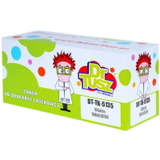
In our store, the category “Toner cartridges for Kyocera TASKalfa 266ci – compatible and original OEM” is designed so you can quickly choose between Original OEM and Compatible solutions—depending on your budget, printing volume and expectations. Our range: Original OEM and Compatible TK-5135 toners in every colour The Kyocera TASKalfa 266ci uses the TK-5135 toner series. We offer both Original OEM toner and high-quality compatible toner alternatives, so you can build a full CMYK set or replace a single depleted colour without overpaying. - Original OEM Toner Kyocera TK-5135K (1T02PA0NL0) (Black)
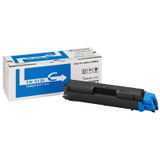
- Original OEM Toner Kyocera TK-5135C (1T02PACNL0) (Cyan)
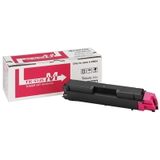
- Original OEM Toner Kyocera TK-5135M (1T02PABNL0) (Magenta)
- Original OEM Toner Kyocera TK-5135Y (1T02PAANL0) (Yellow)
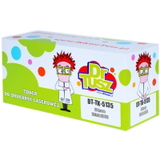
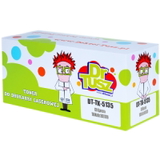
- Compatible Toner TK-5135K for Kyocera (1T02PA0NL0) (Black)
- Compatible Toner TK-5135C for Kyocera (1T02PACNL0) (Cyan)
- Compatible Toner TK-5135M for Kyocera (1T02PABNL0) (Magenta)
- Compatible Toner TK-5135Y for Kyocera (1T02PAANL0) (Yellow)
This means you can choose a single toner for Kyocera 266ci when one colour runs out, or order a complete set for consistent colour management in the office. Original OEM vs compatible toner – how to choose wisely Many customers ask us which option is “best” for the Kyocera TASKalfa 266ci toner. The honest answer: it depends on how you print. That’s why we keep both options in stock and help you choose. - Original OEM toner for Kyocera TASKalfa 266ci is the manufacturer’s cartridge—ideal if your company policy requires OEM consumables or you want to stay strictly within the brand ecosystem.
- Compatible toner for Kyocera TASKalfa 266ci is a cost-effective alternative. In our DrTusz.pl offer, compatible cartridges are designed to be as good as the originals in everyday office printing: clear text, strong blacks and stable colours.
If you print a lot (especially black text), compatible options can significantly reduce your cost per page without sacrificing quality. If you print colour materials that must match strict corporate standards every time, OEM may be a comfortable choice—though many customers still successfully use compatible toners for daily colour work. Common user issues with TASKalfa 266ci and how the right toner helps The Kyocera TASKalfa line is known for durability, but like any office printer, it reacts to consumable quality and correct installation. Here are typical situations we help with and what to check when replacing toner for printer Kyocera TASKalfa 266ci: - Faded prints or weak colour – often a near-empty cartridge or a single colour running low; replacing the correct TK-5135 colour usually solves it.
- Uneven colour or streaks – make sure the cartridge is seated properly and that shipping seals/packaging have been removed as instructed.
- Unexpected toner messages – selecting the correct code matters: TK-5135K/C/M/Y and the matching part numbers (e.g., 1T02PA0NL0 for black) help avoid mix-ups.
- Frequent replacements – if your office prints a lot, consider keeping a spare Kyocera TK-5135K on hand to prevent downtime.
If you’re unsure which cartridge you need (for example, you search by “266 ci” or “Kyocera TASKalfa”), tell us what colour is empty or share the toner symbol from your device menu—we’ll guide you to the right product. Order your TK-5135 toner today – we’re here to help We encourage you to explore our selection of toner cartridges for Kyocera TASKalfa 266ci—both Original OEM and proven Compatible options. Whether you need TK-5135K black toner for Kyocera 266ci for high-volume text printing, or a full CMYK set for consistent colour output, we’ll help you choose a solution that fits your workflow and budget. CTA: Add the right TK-5135 toner to your cart now, or contact us if you want a quick recommendation—we’ll help you match the correct cartridge and get your Kyocera TASKalfa 266ci back to printing at full quality with fast, convenient delivery. |