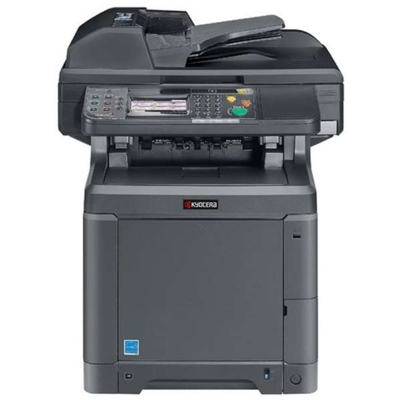
Kyocera TASKalfa 265ci – a reliable color MFP for busy offices Kyocera TASKalfa 265ci (also searched as Kyocera 265ci, 265ci, 265 ci, 265CI or 265 CI) is a popular A3 color multifunction printer designed for teams that print, copy and scan every day. It’s valued for stable performance, good color reproduction and cost control features—provided you use the right toner for Kyocera TASKalfa 265ci. In this category we’ve gathered both Original OEM and compatible laser cartridges so you can match your printing needs and budget without compromising on quality. Toner for Kyocera TASKalfa 265ci – what it affects in everyday printing The right toner for printer Kyocera TASKalfa 265ci is not only about page yield. It directly influences text sharpness, color consistency and how smoothly the device works in the long run. The Kyocera TK-5135 series is built for office workflows—from invoices and reports to marketing materials and presentations—where black must be crisp and CMYK colors must stay repeatable. When you choose a toner for Kyocera 265ci, pay attention to: - Color set completeness – Black (K) for daily documents, plus Cyan (C), Magenta (M) and Yellow (Y) for graphics and color pages.
- Print stability – fewer interruptions and predictable results across longer print runs.
- Cost per page – especially important in departments printing regularly.
- Compatibility certainty – the TK-5135 marking and OEM code help ensure you’re buying the correct cartridge for the 265ci.
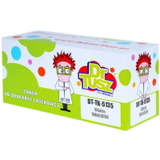
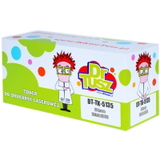
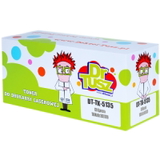
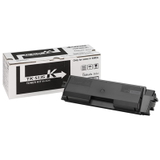
Compatible and Original OEM – one printer, two smart ways to buy In our store we offer both Original OEM Kyocera cartridges and proven compatible toner for Kyocera TASKalfa 265ci. Original OEM is the manufacturer’s cartridge line—an excellent choice for users who want to keep a strict OEM-only policy. Compatible cartridges, on the other hand, are the best option when you want to reduce printing costs while keeping professional output. Importantly: the compatible toner for Kyocera TASKalfa 265ci available in our DrTusz.pl range is designed to deliver results that are as good as the originals—clean text, strong blacks and stable colors—so you can print confidently in the office, school, or service point. Popular TK-5135 toners in this category (CMYK) To make shopping faster, we’ve included the most frequently chosen cartridges for the Kyocera TASKalfa 265ci series—both compatible and Original OEM. If you print in color, we encourage you to complete the set, so your device is always ready. - Compatible Toner TK-5135K for Kyocera (1T02PA0NL0) (Black) – for everyday office text and high-contrast prints.
- Compatible Toner TK-5135C for Kyocera (1T02PACNL0) (Cyan) – for clear blues and balanced color charts.
- Compatible Toner TK-5135M for Kyocera (1T02PABNL0) (Magenta) – for vivid graphics and accurate reds/purples.
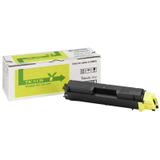
- Compatible Toner TK-5135Y for Kyocera (1T02PAANL0) (Yellow) – for bright highlights and warm tones.
- Original OEM Toner Kyocera TK-5135K (1T02PA0NL0) (Black) – OEM black toner for predictable daily output.
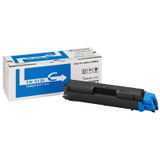
- Original OEM Toner Kyocera TK-5135C (1T02PACNL0) (Cyan) – OEM cyan for consistent color printing.
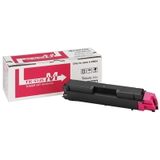
- Original OEM Toner Kyocera TK-5135M (1T02PABNL0) (Magenta) – OEM magenta for stable color reproduction.
- Original OEM Toner Kyocera TK-5135Y (1T02PAANL0) (Yellow) – OEM yellow for clean, bright color pages.
How to choose the right toner for Kyocera TASKalfa 265ci Dear Customer, if you want to be sure you’re selecting the correct toner for printer Kyocera TASKalfa 265ci, follow a few simple rules: - Check the toner symbol: for this device it’s TK-5135 (K/C/M/Y).
- Match the OEM code if needed: e.g., 1T02PA0NL0 (Black), 1T02PACNL0 (Cyan), 1T02PABNL0 (Magenta), 1T02PAANL0 (Yellow).
- Decide what matters most: OEM policy compliance (choose Original OEM) or cost-efficiency with excellent quality (choose compatible).
- Buy the colors you really use: heavy text printing = prioritize TK-5135K; frequent presentations = keep a full CMYK set.
Common printing issues on 265ci – and how a good toner helps In Kyocera TASKalfa devices, many day-to-day “printer problems” are actually related to consumables or mismatched supplies. If you notice any of the below, replacing the cartridge with a reliable toner for Kyocera 265ci is often the quickest solution: - Faded text or weak colors – often a low toner level or an unevenly distributed toner inside the cartridge.
- Streaks or blotches – may occur when the cartridge is worn out or of inconsistent quality.
- Color imbalance in charts and graphics – can happen when one color is near empty or not performing consistently.
- Unexpected interruptions during larger jobs – stable, proven consumables reduce reprints and downtime.
If you’re unsure which toner for Kyocera TASKalfa 265ci to pick (compatible vs Original OEM, single color vs full set), we encourage you to contact us—we’ll help you match the cartridge to your usage. Order your TK-5135 toner today – and keep your office running We encourage you to explore our full selection of toner cartridges for Kyocera TASKalfa 265ci—both compatible and Original OEM. Choose the colors you need, add them to your cart, and enjoy a smooth purchasing process and fast delivery options. If you have questions about the right toner for Kyocera TASKalfa 265ci, availability, or choosing the best variant for your printing volume, contact us—our team will gladly advise you. CTA: Compare compatible and Original OEM TK-5135 toners above, pick your set (K/C/M/Y), and order now to restore full quality printing on your Kyocera 265ci. |