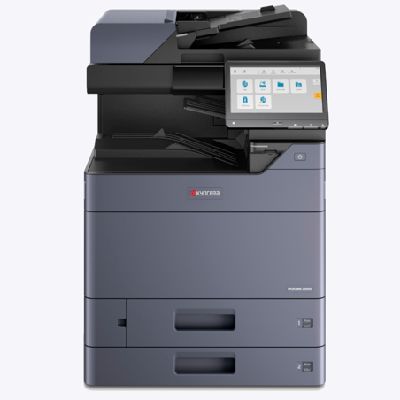
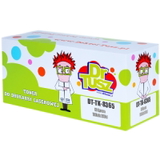
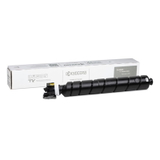
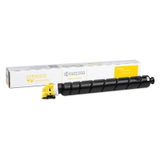
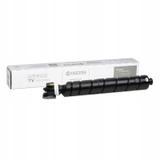
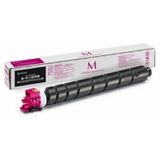
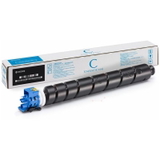
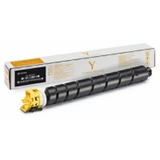
Kyocera TASKalfa 2554ci – a reliable color MFP for busy offices The Kyocera TASKalfa 2554ci is a popular A3 color multifunction printer designed for teams that print, copy and scan every day. It’s valued for stable performance, sharp color output and efficient document workflows—especially in environments where downtime is not an option. To keep this device running at its best, choosing the right toner for Kyocera TASKalfa 2554ci is just as important as the printer itself. In this category you’ll find both Original OEM and Compatible toner cartridges dedicated to the Kyocera 2554ci, so you can match your purchase to your budget, print volume and quality expectations. What a toner for Kyocera 2554ci affects: quality, reliability and cost per page A properly selected toner for printer Kyocera TASKalfa 2554ci ensures consistent text sharpness, smooth gradients and predictable color reproduction. This matters whether you print invoices and contracts or customer-facing materials such as presentations, brochures and charts. When you buy toner for 2554ci, you’re also deciding on your everyday printing comfort. A good cartridge means fewer interruptions, cleaner prints and stable coverage from the first page to the last. For many customers, the key benefits of choosing the right toner include: - clear, crisp black text for office documents,
- balanced CMYK colors for graphics and reports,
- reduced risk of streaks, fading or uneven coverage,
- predictable operating costs in a shared office environment.
Whether you search by Kyocera TASKalfa 2554ci, Kyocera 2554ci, 2554ci, 2554 ci, 2554 CI or 2554CI, you’re in the right place to choose a matching toner set. Original OEM and Compatible – choose the option that fits your workflow We offer two classes of products for this device: Original OEM Kyocera toners and Compatible toners. Original OEM cartridges are designed by the printer manufacturer and are often chosen by customers who want to keep all supplies in one brand ecosystem. At the same time, our compatible toner for Kyocera TASKalfa 2554ci is a smart choice when you want to reduce printing costs without compromising on everyday usability. The compatible cartridges available in our offer are made to match the printer’s requirements and deliver results that are as good as originals—especially for office printing where consistency and efficiency matter most. Popular toner cartridges in this category (CMYK) To make selection easier, we stock the most frequently chosen toner models for this printer series—both in Original OEM and Compatible versions. You can complete a full CMYK set or replace only the color you need. - Original OEM Toner Kyocera TK-8365K (1T02YP0NL0) (Black)
- Original OEM Toner Kyocera TK-8365C (1T02YPCNL0) (Cyan)
- Original OEM Toner Kyocera TK-8365M (1T02YPBNL0) (Magenta)
- Original OEM Toner Kyocera TK-8365Y (1T02YPANL0) (Yellow)
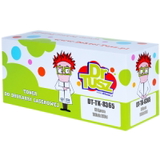
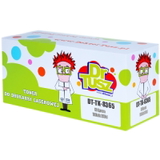
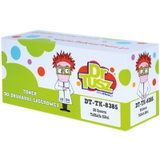
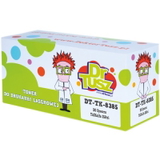
- Compatible Toner TK-8365K for Kyocera (1T02YP0NL0) (Black)
- Compatible Toner TK-8365C for Kyocera (1T02YPCNL0) (Cyan)
- Compatible Toner TK-8365M for Kyocera (1T02YPBNL0) (Magenta)
- Compatible Toner TK-8365Y for Kyocera (1T02YPANL0) (Yellow)
For customers using the TK-8385 series, we also carry: - Original OEM Toner Kyocera TK-8385K (1T02YP0NL1) (Black)
- Original OEM Toner Kyocera TK-8385C (1T02YPCNL1) (Cyan)
- Original OEM Toner Kyocera TK-8385M (1T02YPBNL1) (Magenta)
- Original OEM Toner Kyocera TK-8385Y (1T02YPANL1) (Yellow)
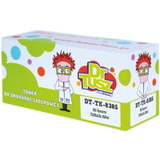
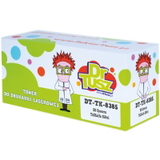
- Compatible Toner TK-8385K for Kyocera (1T02YP0NL1) (Black)
- Compatible Toner TK-8385C for Kyocera (1T02YPCNL1) (Cyan)
- Compatible Toner TK-8385M for Kyocera (1T02YPBNL1) (Magenta)
- Compatible Toner TK-8385Y for Kyocera (1T02YPANL1) (Yellow)
This wide range lets you pick exactly the toner for Kyocera 2554ci that matches your current cartridge codes and printing needs. How to choose the right toner for printer Kyocera TASKalfa 2554ci When selecting a toner for Kyocera TASKalfa 2554ci, we recommend checking a few practical points before adding it to your cart: - Cartridge code – match the symbol on your current cartridge (e.g., TK-8365 or TK-8385) and the part number (e.g., 1T02YP0NL0 / 1T02YP0NL1).
- Color – Black for text-heavy printing; Cyan/Magenta/Yellow for charts, logos and presentations.
- Your printing profile – if your team prints frequently, compatible cartridges can significantly reduce cost per page while maintaining very good quality.
- Single replacement vs. full set – replacing a full CMYK set helps keep color balance consistent, but you can also replace only the depleted color.
Common user issues with Kyocera 2554ci and how the right toner helps In everyday office use, customers typically mention a few recurring printing challenges: uneven color coverage, light prints after long periods of intensive work, or sudden “low toner” messages when deadlines are tight. In many cases, the solution is simply choosing a properly matched cartridge and replacing the correct color at the right time. If you are unsure whether your device uses TK-8365 or TK-8385, or you need help selecting an Original OEM vs Compatible option, we encourage you to contact us—our team will help you choose the best toner for 2554ci for your exact configuration. Order today – keep your TASKalfa printing without interruptions We want your Kyocera TASKalfa to stay productive day after day, which is why we provide a clear selection of Original OEM and Compatible toner cartridges for Kyocera TASKalfa 2554ci in one place. Choose the black toner for daily documents or build a full CMYK set for consistent color printing. Browse the toners in this category, add the right cartridge to your cart, and place your order today. If you have any questions about compatibility, cartridge codes or choosing between OEM and compatible supplies, contact us—we’ll help you quickly and accurately, so you can get back to printing. |