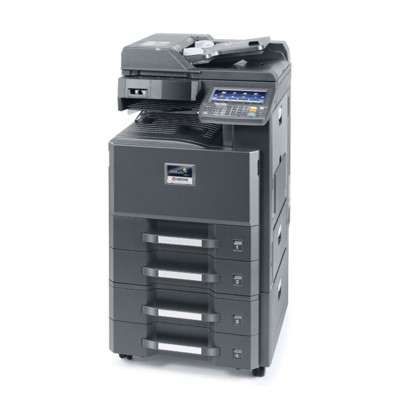
Kyocera TASKalfa 2552c / 252ci – reliable colour printing for busy offices The Kyocera TASKalfa 2552c (also searched as Kyocera 252ci, 252ci, 252 CI or 252CI) is a popular A3 multifunction device designed for everyday office work: colour documents, presentations, reports, and sharp black text prints. To keep this machine running smoothly and to maintain consistent print quality, it’s worth choosing the right toner for printer Kyocera TASKalfa 2552c—matched to your workload, expectations, and budget. What you gain with the right toner for Kyocera TASKalfa 2552c In this category you’ll find laser toner cartridges (not ink) created specifically for the TASKalfa series. A properly selected toner for Kyocera TASKalfa 2552c ensures stable colour reproduction, clean gradients, and crisp text—especially important for invoices, contracts, and customer-facing materials. Whether you print occasionally or in high volumes, good toner helps you: - keep colours consistent across documents (C/M/Y) and deep blacks (K),
- avoid streaks, fading and uneven coverage,
- reduce downtime thanks to predictable performance,
- control printing costs without sacrificing readability and professionalism.
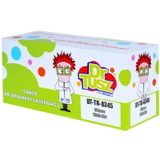
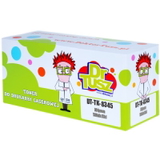
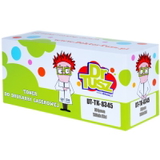
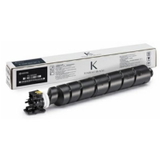
Toner cartridge set for TK-8345 – colours and codes that match your device The Kyocera TASKalfa 2552c / 252ci uses the TK-8345 series. In our offer you’ll find both Original OEM and Compatible versions of each colour, so you can build a full set or replace only the colour you use most. - Original OEM Toner Kyocera TK-8345K (1T02L70NL0) (Black)
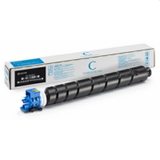
- Original OEM Toner Kyocera TK-8345C (1T02L7CNL0) (Cyan)
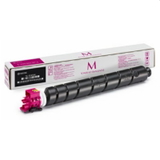
- Original OEM Toner Kyocera TK-8345M (1T02L7BNL0) (Magenta)
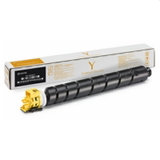
- Original OEM Toner Kyocera TK-8345Y (1T02L7ANL0) (Yellow)
- Compatible Toner TK-8345K for Kyocera (1T02L70NL0) (Black)
- Compatible Toner TK-8345C for Kyocera (1T02L7CNL0) (Cyan)
- Compatible Toner TK-8345M for Kyocera (1T02L7BNL0) (Magenta)
- Compatible Toner TK-8345Y for Kyocera (1T02L7ANL0) (Yellow)
If you search by phrases like Kyocera TASKalfa, Kyocera 252ci or Kyocera TASKalfa 2552c, you’re in the right place—these are the correct toner cartridges for this family of devices. Original OEM vs Compatible – how to choose the best option We know that different offices have different priorities. That’s why we offer two proven paths for your toner for printer Kyocera TASKalfa 2552c: - Original OEM toner – a great choice if you want manufacturer-original supplies and maximum predictability for colour-critical work.
- Compatible toner from DrTusz.pl – the smart option if you want to reduce printing costs while keeping excellent quality. Our compatible cartridges are designed to be just as good as the originals in everyday office printing—sharp text, strong blacks, and clean colour output.
Practical tip: in many offices the black cartridge runs out first. If you print mostly documents, consider keeping a spare toner Kyocera TK-8345K on hand and replacing colours as needed. Common user issues with TASKalfa 2552c and how good toner helps When customers look for a toner for Kyocera 252ci, they often want to fix or prevent typical printing annoyances. The most frequent topics we hear about include: - Faded prints or weak colours – often linked to a low toner level or an unsuitable cartridge; a fresh, well-matched TK-8345 toner restores proper density.
- Streaks or uneven coverage – choosing a reliable cartridge and replacing it on time reduces the risk of print defects.
- “Wrong cartridge” concerns – the key is matching the exact code (TK-8345K/C/M/Y and the corresponding 1T02… number) to your model.
- High cost per page – a compatible toner for printer Kyocera TASKalfa 2552c is a proven way to cut expenses without compromising day-to-day quality.
Order your TK-8345 toner today – we’re here to help Choose the exact colour and class you need—Original OEM or our high-quality Compatible alternative—and keep your Kyocera TASKalfa running at full speed. We encourage you to browse the products in this category, compare options, and stock up on the cartridges you use most. If you’re unsure whether to pick Kyocera TK-8345 original or compatible, or you want to confirm compatibility for Kyocera TASKalfa 2552c / 252ci, contact us—together we’ll select the best toner for Kyocera TASKalfa 2552c for your printing needs. We also make sure your order is prepared efficiently, with convenient delivery options, so you can get back to printing without unnecessary downtime. |