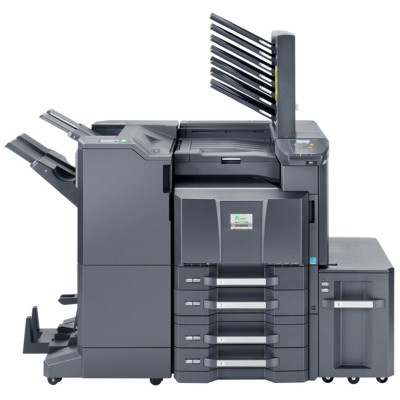
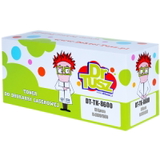
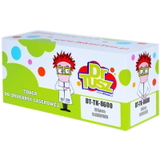
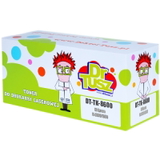
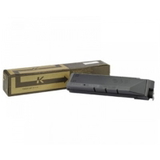
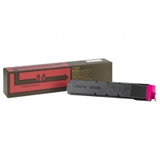
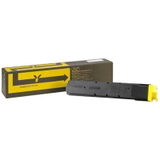
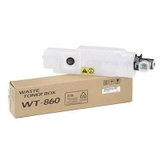
Kyocera FS-C8650DN – a production-ready color laser workhorse The Kyocera FS-C8650DN is a fast, reliable A3 color laser printer designed for busy offices, print rooms, and departments that expect consistent quality at a predictable cost. It’s built for high volumes, sharp text, and vivid color graphics—so choosing the right toner for printer Kyocera FS-C8650DN is essential if you want smooth workflows and professional results every day. Toner and waste toner tank – what keeps your FS-C8650DN running This category includes laser cartridges for the FS-C8650DN in two key types: Toners (CMYK) and a Waste Toner Tank. The toner is responsible for print density, color accuracy, and clean lines, while the waste toner tank safely collects used toner during the printing process. Replacing both at the right time helps avoid streaks, background haze, and unexpected downtime—common concerns when an office device is working at full speed. When you select ink for Kyocera FS-C8650DN (often searched this way even for laser printers), what you really need is the correct toner for Kyocera FS-C8650DN—matched to the TK-8600 series. With the right cartridge, you’ll get stable performance for business documents, presentations, marketing materials, and everyday color printing. Original OEM and Compatible – choose what fits your priorities We offer both Original OEM and Compatible options, so you can align your purchase with your budget and printing goals. Original OEM cartridges are made by Kyocera and are a great choice for customers who want maximum manufacturer consistency. At the same time, our compatible toner for printer Kyocera FS-C8650DN is a smart alternative when you want to reduce printing costs without sacrificing quality. The compatible cartridges available in our DrTusz.pl offer are designed to deliver results that are as good as the originals—crisp black text, strong color coverage, and reliable page-to-page repeatability. Popular cartridges in this category (TK-8600 series) To make shopping easier, here are some of the most frequently chosen products for the FS-C8650DN: - Original OEM Toner Kyocera TK-8600K (1T02MN0NL0) (Black) – for deep blacks and sharp business text.
- Compatible Toner TK-8600K for Kyocera (1T02MN0NL0) (Black) – cost-effective black printing for high-volume environments.
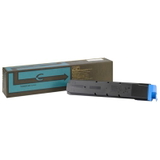
- Original OEM Toner Kyocera TK-8600C (1T02MNCNL0) (Cyan) and Compatible Toner TK-8600C for Kyocera (1T02MNCNL0) (Cyan) – clean blues and balanced color mixes.
- Original OEM Toner Kyocera TK-8600M (1T02MNBNL0) (Magenta) and Compatible Toner TK-8600M for Kyocera (1T02MNBNL0) (Magenta) – vivid reds and strong color accents.
- Original OEM Toner Kyocera TK-8600Y (1T02MNANL0) (Yellow) and Compatible Toner TK-8600Y for Kyocera (1T02MNANL0) (Yellow) – bright highlights and warm tones.
- Original OEM Waste Toner Tank Kyocera WT-860 (1902LC0UN0) – essential for clean operation and preventing toner overflow alerts.
If you’re searching using variations like FS-C8650DN, FS C8650DN, FSC8650DN or FS-C8650 dn, you’re in the right place—this selection is dedicated to the correct supplies for this printer family. How to choose the right toner for Kyocera FS-C8650DN When selecting toner for Kyocera FS-C8650DN, we recommend focusing on three practical points: - Match the exact symbol: the FS-C8650DN uses the TK-8600 series for color and black, plus the dedicated waste toner tank WT-860.
- Pick a cartridge class: choose Original OEM for brand-only preference, or choose Compatible for excellent quality and better cost per page.
- Plan color replacements: in office environments, black may run out faster, but graphics-heavy work can drain cyan/magenta/yellow unexpectedly—keeping a spare set reduces downtime.
Common user issues with FS-C8650DN supplies (and how to avoid them) Busy devices like the Kyocera FS-C8650DN can show typical supply-related messages or symptoms. Most are easy to prevent with the right routine: - “Replace toner” appears too soon – ensure the cartridge is seated correctly and always use the dedicated TK-8600 version for your model.
- Faded prints or uneven color – replace the depleted color toner (often one color causes the whole image to look “off”). Using a fresh, well-matched toner for printer Kyocera FS-C8650DN restores proper density.
- Background haze / toner dust – replace supplies on time and don’t ignore the waste toner tank status; the WT-860 plays a key role in keeping the printer clean.
- Unexpected downtime in peak hours – keep at least one black and one most-used color on hand; it’s the simplest way to protect productivity.
Order with confidence – we’re here to help We encourage you to explore our full range of toner for Kyocera FS-C8650DN—both Original OEM and high-quality Compatible options—plus the essential waste toner tank WT-860. If you’re unsure which cartridge to choose, contact us and we’ll help you match the correct TK-8600 supplies to your printing needs. Add your selected toner to the cart and enjoy a smooth, reliable replenishment process with fast delivery options and friendly support from our team. CTA: Choose your toner for printer Kyocera FS-C8650DN today—compare Original OEM vs Compatible cartridges, add the right colors (K/C/M/Y) and don’t forget the WT-860 waste toner tank to keep your printer running flawlessly. |