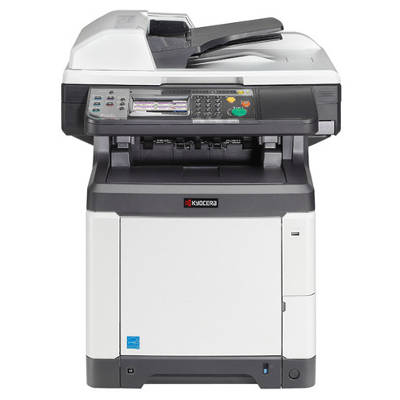
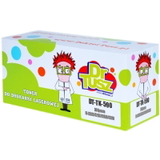
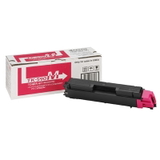
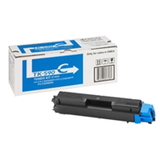
Reliable colour printing with the Kyocera FS-C2626MFP Kyocera FS-C2626MFP is a proven A4 colour multifunction printer designed for busy offices that need sharp text, consistent graphics and dependable copying/scanning every day. To keep this model working at its best, it’s worth choosing the right toner for Kyocera FS-C2626MFP and the supporting components that affect print quality and the overall stability of the device. In our category “Toner cartridges for Kyocera FS-C2626MFP – compatible and original OEM” you’ll find everything you need for this exact machine (also searched as: FS-C2626 MFP, FS C2626MFP, FSC2626MFP, FS-C2626 mfp and other common variants): original OEM and compatible laser cartridges, as well as drum units and waste toner tanks. Toner, drum unit and waste toner tank – what matters for print quality For this model, the key consumables are not only the toner itself, but also maintenance elements that directly influence colour accuracy, sharpness and cleanliness inside the printer. When you choose toner for printer Kyocera FS-C2626MFP, you should consider: - Toners (Black/Cyan/Magenta/Yellow) – responsible for density, contrast and colour reproduction; essential for everyday documents and colour materials.
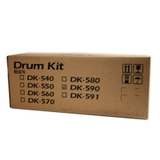
- Drum Unit – transfers the image precisely to paper; when worn, it may cause background shading, repeating marks or faded areas.
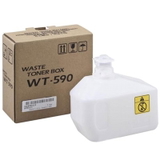
- Waste Toner Tank – collects excess toner; when full, the device may display errors or stop printing until replaced.
Using properly matched consumables helps avoid common frustrations such as uneven colour coverage, grey “haze” on pages, streaks, or sudden printer messages that halt work at the worst moment. Original OEM or compatible – choose what suits your needs In this category, we offer both Original OEM supplies and carefully selected compatible alternatives. Original OEM is the safest choice for customers who want manufacturer-branded cartridges and predictable performance with every batch. At the same time, our compatible solutions from DrTusz.pl are designed to deliver print quality and reliability comparable to OEM—while helping you control operating costs. When deciding which toner for Kyocera FS-C2626MFP to buy, ask yourself: - Do you print mostly text, or also colour charts, logos and marketing materials?
- Do you need maximum repeatability across many departments/users?
- Is your priority lowering cost per page without sacrificing quality?
If you want a balanced choice, our compatible toners are an excellent option: strong blacks, vivid colours and consistent page output—ideal for everyday office printing. Popular products for Kyocera FS-C2626MFP – our best picks We keep this category focused on what the Kyocera FS-C2626MFP really needs, so you can order quickly and confidently. Among the most frequently chosen items you’ll find: - Original OEM Toner Kyocera TK-590K (1T02KV0NL0) (Black)
- Original OEM Toner Kyocera TK-590C (1T02KVCNL0) (Cyan)
- Original OEM Toner Kyocera TK-590M (1T02KVBNL0) (Magenta)
- Original OEM Toner Kyocera TK-590Y (1T02KVANL0) (Yellow)
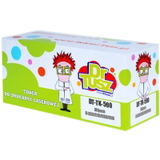
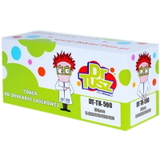
- Compatible Toner TK-590K for Kyocera (1T02KV0NL0) (Black)
- Compatible Toner TK-590C for Kyocera (1T02KVCNL0) (Cyan)
- Compatible Toner TK-590M for Kyocera (1T02KVBNL0) (Magenta)
- Compatible Toner TK-590Y for Kyocera (1T02KVANL0) (Yellow)
- Original OEM Drum Unit Kyocera DK-590 (302KV93017)
- Original OEM Waste Toner Tank Kyocera WT-590 (302KV93110)
Thanks to this range, you can complete the entire set for your device in one order—whether you prefer OEM across the board or want to combine OEM maintenance parts with cost-effective compatible toners. Practical tips and common issues with the FS-C2626MFP Many users searching for ink for Kyocera FS-C2626MFP actually mean laser toner—this model uses laser consumables, so the correct choice is a toner for Kyocera FS-C2626MFP (TK-590 series) plus, when needed, the drum unit and waste toner tank. If you notice any of the situations below, the solution is often straightforward: - Faded prints or weak colours – toner may be low or unevenly distributed; replacement of the specific colour toner usually helps.
- Streaks, spots, repeating marks – this may indicate a worn drum; consider replacing the DK-590.
- Printer stops and shows maintenance/error messages – the WT-590 waste toner tank can be full and require replacement.
- Colour inconsistency between prints – mixing very old and new consumables or running one colour extremely low can affect balance; replacing the weakest colour improves stability.
We recommend keeping at least one spare black toner on hand in busy environments—black is typically used the fastest, and having it ready prevents downtime. Order today and keep your office moving We encourage you to browse our selection and choose the best toner for printer Kyocera FS-C2626MFP—original OEM if you want manufacturer branding, or our proven compatible cartridges if you want excellent quality at a better cost per page. Add a drum unit or waste toner tank to your cart if your printer signals maintenance needs, and enjoy a smooth, predictable printing workflow. CTA: Explore the available Kyocera FS-C2626MFP toners, drum units and waste toner tanks in this category and place your order now. If you’re unsure which item to choose (TK-590 colour, DK-590 drum, or WT-590 tank), contact us—we’ll help you match the right product to your printer and printing habits, and we’ll get your supplies delivered quickly and safely. |