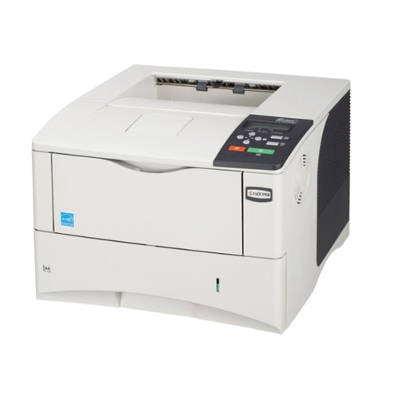
Reliable printing with the Kyocera FS-2000D Kyocera FS-2000D is a proven, work-focused monochrome laser printer designed for fast, sharp document printing. It’s often chosen for offices, home offices and departments that need dependable output day after day. To keep this model working at its best, the key is a properly selected toner for Kyocera FS-2000D—one that delivers consistent black density, clean text edges and stable performance from the first page to the last. What a good toner for Kyocera FS-2000D should deliver When you choose a toner for printer Kyocera FS-2000D, you’re not just buying “black powder”. You’re choosing print comfort, predictability and cost control. A well-matched cartridge helps maintain the printer’s strengths: crisp fonts, clear lines, and professional-looking reports, invoices, contracts and shipping documents. In everyday use, the right toner for Kyocera FS-2000D supports: - High readability – deep black text and clean graphics for business documents.
- Stable page-to-page results – consistent coverage without sudden fading.
- Efficient workflow – fewer interruptions thanks to reliable cartridge operation.
- Cost planning – you can select Original OEM or Compatible depending on your printing volume and budget.
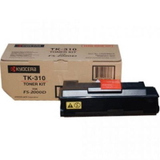
No matter whether you search for Kyocera FS-2000D, Kyocera FS, FS-2000D, FS 2000D, FS2000D (or other common variations), you’re in the right place to find a matching cartridge. Original OEM and Compatible toners—one printer, two smart paths In this category we offer both Original OEM and Compatible cartridges, so you can choose what fits your needs best. - Original OEM toner for Kyocera FS-2000D – a great option if you want manufacturer-branded supplies and the classic OEM approach to printing.
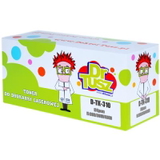
- Compatible toner for Kyocera FS-2000D – ideal if you print a lot and want excellent quality with a more budget-friendly cost per page. Our compatible cartridges from DrTusz.pl are designed to be as good as originals in everyday performance: sharp text, solid blacks and dependable operation.
Popular choices in this category (TK-310 / TK310) The Kyocera FS-2000D uses the TK-310 (TK310) Black toner type. To make your selection easy, we focus on proven, frequently chosen options: - Original OEM Toner Kyocera TK-310 (TK310) (Black) – for customers who prefer OEM supplies and consistent, professional document output.
- Compatible Toner TK-310 for Kyocera (TK310) (Black) – a cost-effective alternative that keeps your Kyocera FS-2000D printing reliably without compromising on everyday document quality.
Both options are designed for the same printer model—so the decision comes down to what matters most to you: brand preference, budget, and monthly print volume. How to choose the right toner—and avoid common FS-2000D issues If you want hassle-free printing, we recommend checking a few practical points before ordering a toner for printer Kyocera FS-2000D: - Confirm the symbol: choose TK-310 / TK310 for Kyocera FS-2000D.
- Match the cartridge type to your workload: OEM for those who prefer manufacturer solutions; Compatible for frequent printing and better cost control.
- Pay attention to print symptoms: fading text, uneven black density or background “haze” often indicates the toner is running low or the cartridge needs replacement.
- Choose reliable supplies: poor-quality cartridges can lead to smudging, streaks or repeated “replace toner” messages. That’s why we focus on trusted OEM items and well-tested compatible alternatives.
When in doubt, tell us what you print and how often. We’ll help you select the best toner for Kyocera FS-2000D—so you get clean pages and predictable running costs. Order your Kyocera FS-2000D toner with confidence We make it easy to choose between Original OEM and Compatible options and quickly find the exact TK-310 (TK310) Black you need. Browse the products in this category, compare your options, and stock up before the printer stops in the middle of an important job. CTA: We encourage you to view our full selection of toners for Kyocera FS-2000D and place your order today. If you have questions about compatibility, choosing OEM vs Compatible, or recurring print issues—contact us and we’ll help you pick the best solution. We also offer fast delivery options, so you can get back to printing without unnecessary downtime. |