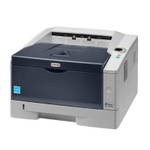
Kyocera FS-1320D – a reliable mono laser for everyday office work If you use the Kyocera FS-1320D, you already know why this model is still popular: it’s a fast, economical monochrome laser printer designed for busy desks and small offices. With automatic duplex printing and robust Kyocera engineering, the FS-1320D handles invoices, reports and shipping documents with ease—as long as you choose the right toner for Kyocera FS-1320D and take care of the key service parts. What matters most: toner, drum unit and maintenance kit In this category you’ll find exactly what the FS-1320D needs to keep printing sharp black text: toner cartridges, drum units and maintenance kits—available as Original OEM and Compatible options. The right toner for printer Kyocera FS-1320D ensures consistent coverage, crisp small fonts and clean grayscale elements. Meanwhile, the drum unit and maintenance kit help maintain print quality over time and reduce issues caused by worn components. Our selection is designed for users who want both flexibility and certainty—whether you prefer OEM parts straight from the manufacturer or a carefully selected compatible alternative that performs just as well in everyday printing. Popular products in this category (OEM and compatible) We keep the offer clear and practical: these are the most frequently chosen items for the Kyocera FS-1320D printer, covering both consumables and service components. - Original OEM Toner Kyocera TK-170 (1T02LZ0NL0) (Black) – a safe choice for users who want manufacturer specification, predictable yield and stable print density.
- Compatible Toner TK-170 for Kyocera (1T02LZ0NL0) (Black) – a cost-effective option for everyday printing; our compatible cartridges from DrTusz.pl are designed to deliver results that are as good as the originals.
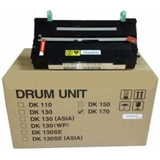
- Original OEM Drum Unit Kyocera DK-170 (302LZ93060) (Black) – the drum is crucial for clean, even prints; replacing it at the right time helps prevent background shading and repeated marks.
- Original OEM Maintenance Kit Kyocera MK-170 (1702LZ8NL0) – a complete service solution that supports long-term reliability and helps restore factory-like performance.
Thanks to this range, you can quickly match the right toner for Kyocera FS-1320D to your printing style—occasional home-office use, daily office batches, or high-volume document printing. How to choose: Original OEM vs Compatible for Kyocera FS-1320D Choosing the best toner for printer FS-1320D depends on your priorities. If you value manufacturer branding and official components, Original OEM is a natural fit. If you want to control printing costs without sacrificing quality, our compatible solutions are an excellent alternative. - Original OEM – maximum peace of mind, consistent quality, and full compliance with Kyocera standards.
- Compatible – better cost-per-page for everyday work; our compatible cartridges from DrTusz.pl are built to match the printer’s requirements and deliver crisp, clean text and solid blacks.
Whichever option you pick, always check the code. For this model the key toner is TK-170 (1T02LZ0NL0). If print quality issues persist after replacing toner, the cause may be the DK-170 drum unit or normal wear addressed by the MK-170 maintenance kit. Common FS-1320D printing issues—and what usually fixes them Many users search for a new toner for Kyocera FS-1320D when they notice fading or streaks—but not every symptom is caused by the toner itself. Here’s a practical guide: - Faded prints or light text – often solved by replacing the TK-170 toner; also check print density settings in the driver.
- Streaks, repeating marks, gray background – commonly linked to a worn DK-170 drum unit or internal contamination.
- Paper feed issues or increased jams – typical signals that it’s time for the MK-170 maintenance kit (rollers and service parts wear naturally over time).
- Toner message despite recent replacement – verify the exact cartridge code and proper installation; a correctly matched TK-170 avoids unnecessary errors.
Need help choosing? Tell us what you see on the page (fading, stripes, spots, jams) and we’ll recommend the best next step—toner, drum unit, or maintenance kit. Order your Kyocera FS-1320D toner today—print more, worry less We encourage you to browse our category and choose the right toner for Kyocera FS-1320D—Original OEM or Compatible—plus the drum unit and maintenance kit for long-term reliability. We focus on clear product selection, helpful support and fast order processing, so you can get back to printing without downtime. CTA: Add the right TK-170 toner, DK-170 drum unit or MK-170 maintenance kit to your cart now, or contact us—together we’ll match the best solution for your Kyocera FS-1320D and your printing needs. |