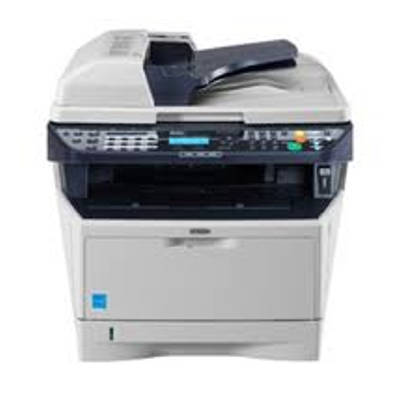
Kyocera FS-1035MFP – a reliable office multifunction that deserves the right toner Kyocera FS-1035MFP is a compact, business-class mono laser MFP designed for everyday printing, copying and scanning in small offices and home offices. Users appreciate it for crisp black text, stable operation and economical printing. To keep that performance consistent, you need the right toner for printer Kyocera FS-1035MFP and—when the time comes—reliable servicing components such as a drum unit or maintenance kit. In this category we’ve gathered both Original OEM and carefully selected Compatible solutions so you can match cost, workload and expectations without compromising print quality. Toners and service components: what matters for FS-1035MFP print quality The key consumable is, of course, the toner for Kyocera FS-1035MFP (black). It determines text sharpness, uniform fills and overall page readability—especially important for invoices, reports and contracts. But laser printing is a system: to keep your Kyocera running smoothly, it also pays to consider components that influence image transfer, fusing and long-term reliability. - Toner cartridges – the everyday consumable; responsible for density, contrast and page yield.
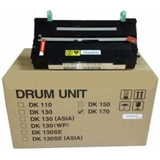
- Drum unit – affects background cleanliness and sharp edges; worn drums may cause repetitive marks or faded areas.
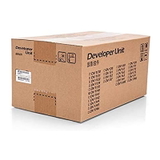
- Developer – supports stable toner delivery and consistent coverage; important in higher-volume environments.
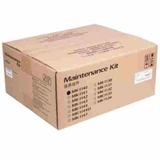
- Maintenance kit – a set of service parts that helps keep feeding, transfer and overall mechanics in good condition.
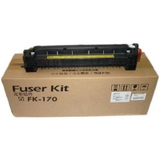
- Fuser unit – fixes toner to paper; when worn it can cause smudging, poor adhesion or wrinkling.
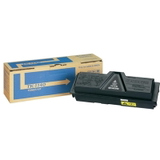
If you search using phrases like FS-1035MFP, FS 1035 MFP or Kyocera FS, you’re in the right place—this category is dedicated specifically to consumables and service parts compatible with this model family. Our range: Original OEM and Compatible cartridges for Kyocera FS-1035MFP We offer a clear choice: stick with manufacturer parts, or reduce printing costs with a well-made compatible option. Popular products in this category include: - Original OEM Toner Kyocera TK-1140 (TK1140) (Black) – a safe choice for maximum predictability and manufacturer-standard results.
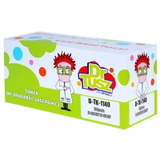
- Compatible Toner TK-1140 for Kyocera (TK1140) (Black) – a cost-effective alternative; our compatible cartridges from DrTusz.pl are designed to deliver print quality and reliability comparable to originals.
- Original OEM Drum Unit Kyocera DK-170 (302LZ93060) (Black) – supports clean backgrounds and sharp details when it’s time to refresh the imaging unit.
- Original OEM Developer Kyocera DV-1140 (302MK93010) – helps keep toner distribution stable for consistent prints.
- Original OEM Maintenance Kit Kyocera MK-1140 (1702ML0NL0) (Black) – recommended for periodic servicing to maintain long-term device condition.
- Original OEM Fuser Unit Kyocera FK-170 (302LZ93040) – crucial when prints start smearing or toner doesn’t bond properly to paper.
Thanks to this selection, you can buy not only ink for Kyocera FS-1035MFP (often used as a common search term), but more precisely the right laser toner for printer Kyocera FS-1035MFP and the service components that keep your device working like it should. How to choose: Original vs Compatible TK-1140 and when to replace drums or the fuser When selecting a toner for printer FS-1035MFP, start with your printing habits: - For maximum predictability (audits, official documents, strict internal procedures): choose Original OEM TK-1140.
- For lower cost per page with excellent everyday performance: choose the Compatible TK-1140—our DrTusz.pl compatibles are made to be as good as originals in practical use, delivering sharp text, solid blacks and stable operation.
Also watch for typical user issues that often point to other parts—not just the toner: - Faded prints or uneven coverage – check toner level; if a new cartridge doesn’t help, the developer or drum unit may be due.
- Repeating dots/lines at regular intervals – commonly linked to a worn drum unit DK-170.
- Smudging or toner rubbing off – may indicate a tired fuser unit FK-170 or incorrect paper type.
- Paper jams or wear-related errors over time – consider a periodic replacement via the maintenance kit MK-1140.
If you’re unsure which component is causing the problem, we encourage you to describe the symptoms (e.g., “grey background,” “smearing,” “repeated marks”). We’ll help you match the right toner for Kyocera FS-1035MFP or service part—so you don’t replace components unnecessarily. Order with confidence – keep your Kyocera FS-1035MFP printing at its best We make it easy to choose the right toner for FS-1035MFP and the correct OEM or compatible option for your budget. Add your cartridge or maintenance part to the cart and keep your workflow uninterrupted—whether you print occasionally at home or handle daily office documents. Call to action: We encourage you to explore the full selection in this category and pick the best toner for printer Kyocera FS-1035MFP. If you have questions about compatibility, print defects or which unit to replace next, contact us—our team will gladly advise. We ship quickly and pack securely, so your toner and service parts arrive ready for installation. |