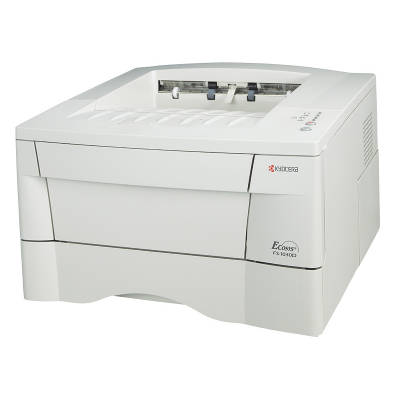
Kyocera FS-1030D – a reliable monochrome workhorse The Kyocera FS-1030D is a compact, durable black-and-white laser printer designed for everyday office and home-office printing. It’s valued for fast document output, crisp text quality, and a robust design that handles regular workloads with ease. To keep your device running at its best, choosing the right toner for printer Kyocera FS-1030D is key—especially if you want consistent results, predictable page yield, and trouble-free operation. What you gain with the right toner for Kyocera FS-1030D A well-matched toner for Kyocera FS-1030D ensures sharp letters, clean lines, and uniform black coverage—exactly what you expect from a monochrome laser device. Whether you print invoices, school materials, shipping labels, or internal documentation, the right cartridge helps you avoid common print issues and keeps the printer mechanism clean and stable. In this category you’ll find laser cartridges in two proven options: Original OEM and Compatible. Both are designed to work with the Kyocera FS series, including variants searched as FS-1030D, FS 1030D, FS1030D, or FS-1030 d. If you’re looking for “ink for Kyocera FS-1030D”, remember that this model uses laser technology—so the correct choice is a toner cartridge for Kyocera FS-1030D, not liquid ink. Toners and fuser units – consumables that keep printing smooth This subpage includes two important consumable types for your device: - Toners – the essential cartridge that delivers black print. A high-quality toner for printer Kyocera FS-1030D reduces the risk of fading, background gray, or uneven density.
- Fuser Units – responsible for permanently bonding toner to paper using heat and pressure. When a fuser wears out, you may notice smudging, poor adhesion, or repeated paper-jam symptoms.
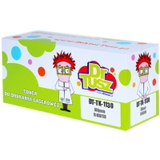
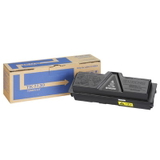
By selecting the correct toner for Kyocera FS-1030D and—when needed—a matching fuser unit, you protect print quality and extend the working life of your printer. Popular products in our offer (Original OEM and Compatible) We keep this category practical and clear—so you can quickly choose the right cartridge laser for your Kyocera FS printer. Among the frequently selected items you’ll find: - Compatible Toner TK-1130 for Kyocera (1T02MJ0NL0) (Black) – a cost-effective choice for everyday printing, ideal when you want excellent value without sacrificing quality.
- Original OEM Toner Kyocera TK-1130 (1T02MJ0NL0) (Black) – the manufacturer’s solution for users who prefer OEM consumables and maximum brand consistency.
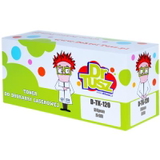
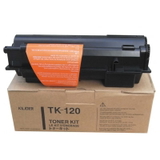
- Original OEM Toner Kyocera TK-120 (TK-120) (Black) – a proven OEM option for supported configurations, producing crisp, professional monochrome pages.
- Compatible Toner TK-120 for Kyocera (TK-120) (Black) – a reliable alternative for customers seeking lower printing costs with stable performance.
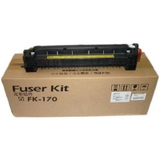
- Original OEM Fuser Unit Kyocera FK-170 (302LZ93040) – recommended when print defects point to fuser wear and you want to restore clean, durable output.
Thanks to a wide range of Original OEM and Compatible options, you can tailor your purchase to your print volume, budget, and preferred maintenance strategy. How to choose: original vs compatible toner for Kyocera FS-1030D When selecting a toner for printer Kyocera FS-1030D, start by checking the cartridge symbol used by your device (for example TK-1130 or TK-120) and confirm it matches your printer configuration. If you print frequently, consider page yield and total cost per page rather than only the upfront price. Many customers ask us about the real difference between OEM and compatible. Here’s the practical comparison: - Original OEM – produced by the printer manufacturer. Great if you want to stay strictly within OEM supplies and keep everything brand-unified.
- Compatible – made to match the required specifications and fit. Our compatible cartridges from DrTusz.pl are designed to deliver print quality and reliability comparable to OEM solutions, while often reducing printing costs significantly.
If you’re unsure which route to take, tell us how much you print and what you print most often—we’ll help you choose the best toner for Kyocera FS-1030D for your needs. Common Kyocera FS-1030D user issues and quick guidance Over time, normal wear and consumable depletion can cause noticeable changes in print quality. Users of the Kyocera FS-1030D most often report: - Faint print or uneven black – typically indicates low toner, an aging cartridge, or the need for a new, properly matched toner for Kyocera FS-1030D.
- Smudging or toner that rubs off – can point to fuser wear; consider replacing the fuser unit if the issue persists even after changing toner.
- Streaks or repeated marks – may come from a worn consumable or internal contamination; replacing the cartridge often resolves it, and a new fuser can help when defects repeat consistently.
- Paper jams near the exit – frequently linked to fuser or roller wear, especially in printers used for higher volumes.
Choosing a high-quality toner cartridge for Kyocera FS-1030D and replacing the fuser unit at the right time is the simplest way to keep printing stable, clean, and predictable. Choose your toner today – we’re here to help We encourage you to browse our selection of Original OEM and Compatible solutions in this category and pick the best toner for printer Kyocera FS-1030D for your daily work. If you need help matching TK-1130, TK-120, or diagnosing whether the FK-170 fuser unit is the right next step, contact us—our team will guide you quickly and clearly. CTA: Add the right toner or fuser unit to your cart and keep your Kyocera FS-1030D printing at full quality—if you have any questions, message us and we’ll recommend the best option. |