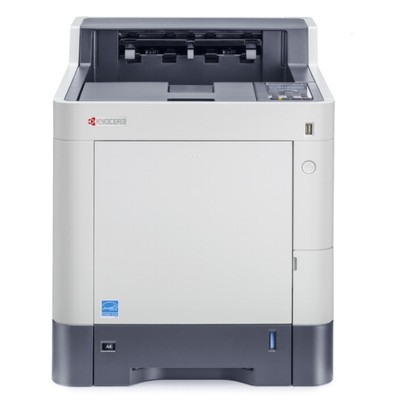
| Looking for reliable toner for Kyocera EcoSys P7040cd that keeps your color documents sharp and your printing predictable? The Kyocera EcoSys P7040cd (also searched as Kyocera P7040cd, P7040cd, P7040 CD or P7040CD) is a business-class color laser printer designed for fast, high-volume office work. To get the best out of it—clean text, consistent colors and trouble-free operation—you need the right Kyocera EcoSys P7040cd toner cartridge and a properly matched drum unit. In our store, we offer both Original OEM and Compatible solutions, so you can choose what fits your workflow and budget. Kyocera EcoSys P7040cd printing: what matters in toners and drum units The P7040cd is built for professional color printing—presentations, invoices, shipping labels, reports and marketing materials. That’s why a high-quality toner for printer Kyocera EcoSys P7040cd should deliver: - Consistent color coverage across cyan, magenta, yellow and black, so charts and graphics look uniform from the first page to the last.
- Crisp black text for contracts and office documents that must remain readable and professional.
- Stable performance at higher print volumes—fewer interruptions, fewer quality issues and smoother day-to-day printing.
- Compatibility with the imaging system, because in a laser printer the toner cartridge works closely with the drum unit to build the final image.
In this category you’ll find not only toner for Kyocera P7040cd (CMYK set) but also the dedicated drum unit for Kyocera EcoSys P7040cd, which is crucial when you want to keep print quality high over the long term. Our range: Original OEM and Compatible TK-5160 toners + DK-5160 drum unit We make it easy to match the right cartridge to your printer. The Kyocera EcoSys P7040cd uses the TK-5160 toner series in four colors, and the DK-5160 drum unit. Popular options in this category include: - Original OEM Toner Kyocera TK-5160K (1T02NT0NL0) (Black)
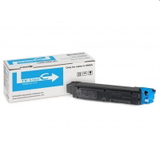
- Original OEM Toner Kyocera TK-5160C (1T02NTCNL0) (Cyan)
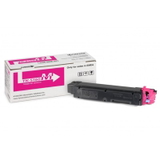
- Original OEM Toner Kyocera TK-5160M (1T02NTBNL0) (Magenta)
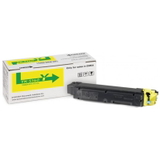
- Original OEM Toner Kyocera TK-5160Y (1T02NTANL0) (Yellow)
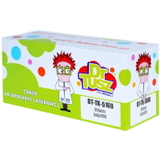
- Compatible Toner TK-5160K for Kyocera (1T02NT0NL0) (Black)
- Compatible Toner TK-5160C for Kyocera (1T02NTCNL0) (Cyan)
- Compatible Toner TK-5160M for Kyocera (1T02NTBNL0) (Magenta)
- Compatible Toner TK-5160Y for Kyocera (1T02NTANL0) (Yellow)
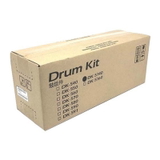
- Original OEM Drum Unit Kyocera DK-5160 (302NT93010)
Whether you print mainly black-and-white office paperwork or full-color materials every day, you can build a dependable supply plan here—from a single color replacement to a complete CMYK set, plus the drum unit when needed. How to choose the right toner for Kyocera EcoSys P7040cd When customers search for toner for Kyocera EcoSys P7040cd, they usually want two things: perfect fit and predictable results. Here’s how we recommend choosing: - Confirm the code, not just the printer name: for this model, look for TK-5160K/C/M/Y and (for the imaging component) DK-5160.
- Decide between Original OEM and Compatible: choose based on your printing priorities and budget.
- Think in sets if you print color often: replacing colors together can help keep output consistent, especially for brand colors and graphics.
- Don’t ignore the drum unit: if you see recurring quality defects, the toner may not be the only part to replace.
Original OEM vs Compatible: what’s the real difference? We offer both Original OEM and Compatible toner for Kyocera P7040cd so you can choose freely: - Original OEM (Kyocera): manufacturer-branded cartridges designed for the printer platform—often chosen in corporate environments with fixed procurement policies.
- Compatible (from our offer): a cost-effective alternative that is engineered to work perfectly with your printer. Our compatible cartridges are designed to deliver print quality and reliability that are as good as originals, while helping you lower total printing costs.
If you print a lot and want to optimize expenses without sacrificing results, a compatible toner for printer Kyocera EcoSys P7040cd is often the smartest everyday choice. Common P7040cd issues and how toners/drums can help Over time, even a well-maintained Kyocera EcoSys device may show typical laser-print symptoms. Many of them are directly related to toner or drum condition: - Faded prints or uneven color: often linked to low toner, an aging cartridge, or a color nearing end-of-life.
- Background shading, streaks or repeating marks: can indicate that the drum unit DK-5160 is wearing out or that internal components need attention.
- Color mismatch between prints: may happen when one color is replaced far earlier than others—consider aligning replacements for consistent output.
- Frequent cartridge messages: selecting the correct TK-5160 code (matching the color and part number) prevents installation confusion.
If you’re unsure whether you need a new toner cartridge for Kyocera EcoSys P7040cd or it’s time for the drum unit, we’re happy to help you identify the cause and pick the right product. Choose your TK-5160 and DK-5160 today We encourage you to explore our full selection of toner for Kyocera EcoSys P7040cd—both Original OEM and high-quality Compatible options—plus the DK-5160 drum unit for long-term print stability. Add the cartridges you need to your cart and keep your Kyocera P7040cd ready for every deadline. If you have any questions about compatibility, color selection or print-quality issues, contact us—we’ll guide you to the best choice and help you place your order with fast, convenient delivery. |