Haven't found what you were looking for? Click here! ▼
Describe below exactly what you are looking for and we will see how we can help. You will receive a reply to your e-mail address by 09:15 on monday (5 October 2026) at the latest
Toner cartridges for Kyocera EcoSys P6035cd - compatible and original OEM
Keep your Kyocera EcoSys P6035cd printing at its best with a complete range of Laser cartridges and maintenance supplies designed for this model. In this category you’ll find both Original OEM and compatible toner cartridges for the TK-5150 series, covering crisp Black plus vivid Cyan, Magenta, and Yellow—ideal for consistent office documents and colour output.
Choose Original OEM options like Kyocera TK-5150K/TK-5150C/TK-5150M/TK-5150Y for manufacturer-grade performance, or pick compatible alternatives for a budget-friendly way to keep running costs under control. You can also shop essential components beyond toner, including the DK-5140 drum unit, WT-5140 waste toner tank, and DV-5150 developers—everything needed to maintain reliability and print quality for Kyocera P6035cd devices.
Whether you search for Kyocera P6035cd, P6035CD, or Kyocera EcoSys, you’re in the right place for the correct match and dependable results. Stock up now and keep downtime to a minimum—choose your toner and maintenance items today, and explore the full selection to find the best fit for your printing needs.
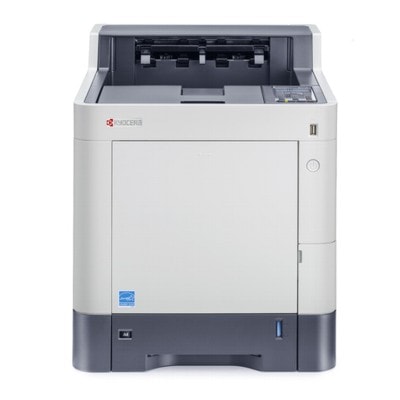
Kyocera ECOSYS P6035cd (also searched as Kyocera P6035cd, P6035cd, P6035 CD or P6035cd) is a fast, business-class color laser printer designed for offices that need crisp documents, stable performance and predictable running costs. To keep this model working at its best, it’s worth choosing the right toner for printer Kyocera EcoSys P6035cd and matching maintenance components—especially when you print a lot or rely on consistent color.
Toner for Kyocera P6035cd and key maintenance parts
In this category we offer not only toner for Kyocera EcoSys P6035cd (CMYK), but also the components that maintain print quality over time: drum unit, developer and waste toner tank. These elements work together—toner delivers color and text density, the drum transfers the image, developers stabilize color/coverage, and the waste toner tank collects excess powder. Choosing the correct set helps avoid common issues such as faded prints, background haze, streaks or uneven color areas.
Toners – everyday consumables for black and color printing (documents, graphics, presentations).
Drum Units – key for sharp lines and uniform color fills, especially at higher volumes.
Developers – important for accurate color reproduction and stable density.
Waste Toner Tanks – prevent error messages and keep the device clean inside.
Compatible vs Original OEM – choose what fits your needs
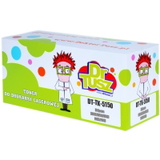
We know that customers compare options before buying toner for printer Kyocera P6035cd. That’s why we stock both Original OEM supplies and proven Compatible cartridges. OEM products come directly from the manufacturer and are a safe choice for users who want to keep everything strictly original. At the same time, our compatible cartridges from DrTusz.pl are designed to be just as good as the originals in day-to-day office printing—clear text, solid blacks and reliable color—while helping you control printing costs.
Original OEM: best for companies that require manufacturer-branded consumables and consistent, repeatable results in strict workflows.
Compatible: excellent value and performance; ideal when you print a lot and want to reduce the cost per page without sacrificing quality.
Popular products for Kyocera ECOSYS P6035cd (TK-5150 series and more)
To make shopping easy, we keep the most in-demand items for this model in one place. If you’re looking for toner for Kyocera P6035cd, the key family is TK-5150 in four colors:
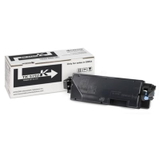
Original OEM Toner Kyocera TK-5150K (TK5150K) (Black) and Compatible Toner TK-5150K for Kyocera (TK5150K) (Black)
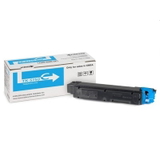
Original OEM Toner Kyocera TK-5150C (TK5150C) (Cyan) and Compatible Toner TK-5150C for Kyocera (TK5150C) (Cyan)
Original OEM Toner Kyocera TK-5150M (TK5150M) (Magenta) and Compatible Toner TK-5150M for Kyocera (TK5150M) (Magenta)
Original OEM Toner Kyocera TK-5150Y (TK5150Y) (Yellow) and Compatible Toner TK-5150Y for Kyocera (TK5150Y) (Yellow)
For users who maintain the printer for long-term performance, we also offer dedicated OEM maintenance components:
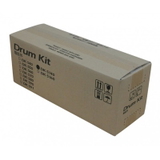
Original OEM Drum Unit Kyocera DK-5140 (302NR93012)
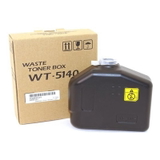
Original OEM Waste Toner Tank Kyocera WT-5140 (302NR93150)
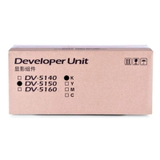
Original OEM Developer Kyocera DV-5150K (302NS93012) (Black)
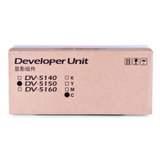
Original OEM Developer Kyocera DV-5150C (302NS93042) (Cyan)
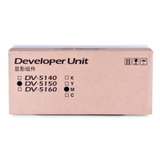
Original OEM Developer Kyocera DV-5150M (302NS93032) (Magenta)
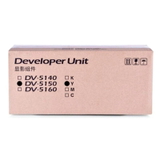
Original OEM Developer Kyocera DV-5150Y (302NS93022) (Yellow)
How to pick the right toner for Kyocera EcoSys P6035cd
When choosing toner for printer Kyocera EcoSys P6035cd, start with your printing habits. If you mainly print text documents, black toner usage will dominate—consider keeping an extra TK-5150K on hand. If you print presentations, charts or branded materials, it’s best to replace colors in a balanced way to keep tones consistent.
Common questions we help with for Kyocera ECOSYS P6035cd:
“Prints are pale or uneven” – check toner level, and if the issue persists, consider the drum unit condition.
“Streaks or background shading” – often linked to a worn drum or developer-related wear at higher volumes.
“Printer reports waste toner full” – the solution is replacing the WT-5140 waste toner tank.
“Colors don’t match like before” – replacing the relevant DV-5150 developer (color-specific) can restore stability.
If you’re unsure whether you need a toner, a drum unit, a developer, or a waste toner tank, we’re here to help you select the correct item for your exact P6035cd configuration.
Order today – and keep your P6035cd ready for work
We encourage you to explore our full range of compatible and Original OEM supplies for Kyocera EcoSys P6035cd. Add the right toner for Kyocera P6035cd to your cart, or stock up on maintenance parts to prevent downtime. If you have questions about compatibility, color selection, or recurring print quality problems, contact us—we’ll guide you to the best solution. We also provide fast delivery options, so your printer can get back to producing sharp, professional documents without delay.
CTA: Choose your toner for printer Kyocera EcoSys P6035cd now—compatible or Original OEM—and order in a few clicks or ask us for assistance with the perfect match.