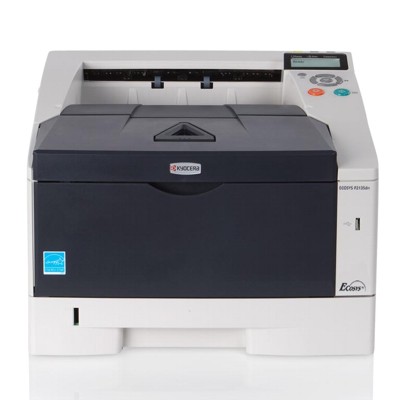
| The Kyocera EcoSys P2135dn (also searched as Kyocera P2135dn, P2135dn, P2135 DN or P2135DN) is a fast, durable monochrome laser printer designed for everyday office printing. It’s valued for sharp text, efficient operation and low running costs—provided you choose the right toner for Kyocera EcoSys P2135dn and keep key maintenance parts in good condition. In this category we’ve gathered everything you need: toner cartridges, plus essential components like the drum unit and fuser unit, available as Original OEM and carefully selected Compatible options. Reliable printing starts with the right toner for Kyocera P2135dn For the Kyocera EcoSys series, print quality and device reliability depend heavily on a properly matched cartridge. A good toner for printer Kyocera EcoSys P2135dn ensures consistent black density, crisp edges on documents, and predictable page yield—especially important when you print invoices, reports, shipping labels or everyday internal documentation. In our offer you’ll find consumables and parts created specifically for the P2135dn platform, so you can print with confidence whether you choose OEM or compatible solutions. Toners, drum units and fusers—what each part does This category is not only about toner. The Kyocera P2135dn printing system relies on several elements working together. Here’s what you can replace and why it matters: - Toner cartridge – the main consumable; responsible for the black print on paper. If you notice light prints, fading, or toner warnings, it’s usually time for a new toner for Kyocera EcoSys P2135dn.
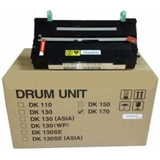
- Drum unit – transfers toner to the page with precision. A worn drum can cause repeating marks, streaks, background shading or spots.
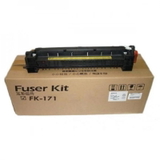
- Fuser unit – fixes the toner permanently onto the paper with heat and pressure. When it starts to wear, you may see smudging, poor adhesion, wrinkling, or paper-jam-related messages.
Original OEM vs Compatible—how to choose with peace of mind Many customers ask us whether it’s better to pick an Original OEM toner Kyocera TK-170 or a compatible toner TK-170 for Kyocera. Both routes can be a great choice—what matters is your printing habits and priorities. - Original OEM – ideal if you want to stay with manufacturer specifications and the exact performance parameters designed for your printer model.
- Compatible – a smart option when you want to lower printing costs without sacrificing quality. Our compatible cartridges from DrTusz.pl are designed to deliver print results that are as good as the originals, while offering excellent value for frequent printing.
If you print a lot, the compatible option is often the best balance between price, quality and efficiency. If your workflow is highly standardized or you simply prefer OEM consumables, we also keep reliable original parts ready for your Kyocera EcoSys P2135dn. Popular products for Kyocera EcoSys P2135dn in our range To help you choose quickly, here are some of the most frequently selected items in this category: - Original OEM Toner Kyocera TK-170 (1T02LZ0NL0) (Black) – consistent, manufacturer-grade performance for the Kyocera P2135dn.
- Compatible Toner TK-170 for Kyocera (1T02LZ0NL0) (Black) – cost-effective printing with quality comparable to OEM; an excellent everyday choice for offices and home offices.
- Original OEM Drum Unit Kyocera DK-170 (302LZ93060) (Black) – the right solution when print defects point to drum wear.
- Original OEM Fuser Unit Kyocera FK-171 (302PH93014) – a key maintenance part that helps restore clean, properly fixed prints and stable paper handling.
Common Kyocera P2135dn issues—and what usually fixes them If your Kyocera EcoSys P2135dn starts printing differently than before, the cause is often a consumable or maintenance part. Below are typical symptoms and the most common solutions: - Faded text or uneven black – replace the toner for Kyocera EcoSys P2135dn (TK-170) and check print settings.
- Repeating marks or vertical streaks – the drum unit may be nearing end of life; consider the DK-170.
- Smudging or toner rubbing off – may indicate fuser wear; the FK-171 can restore proper fixing.
- Frequent paper jams after long use – often linked to fuser/roller wear and paper quality; replacing the fuser can help.
If you’re unsure which component you need, tell us what you see on the printout (e.g., streaks, spots, fading) and we’ll help you match the right toner for Kyocera P2135dn or maintenance part. Choose your toner for Kyocera EcoSys P2135dn and print with confidence We encourage you to explore our selection of toner for printer Kyocera EcoSys P2135dn, along with dedicated drum and fuser units. Whether you choose Original OEM or a high-quality Compatible option from DrTusz.pl, you’ll get a solution tailored to the P2135dn—for clear documents, stable operation and predictable costs. CTA: Add the right cartridge or maintenance unit to your cart today, or contact us—our team will gladly help you choose the best toner for Kyocera P2135dn and make sure it fits your printer perfectly. We ship quickly and carefully packaged, so you can get back to printing without downtime. |