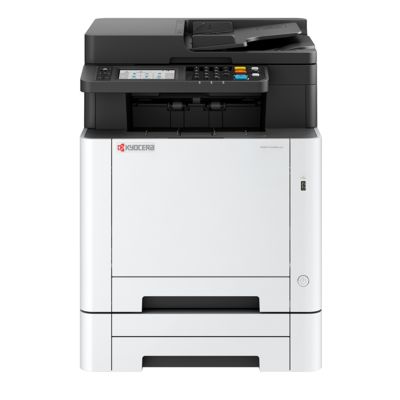
Kyocera EcoSys MA2600cwfx – a compact color laser built for everyday work The Kyocera EcoSys MA2600cwfx (also searched as Kyocera MA2600cwfx, MA2600 CWFX or MA2600cwfx) is a modern, efficient color laser device designed for fast, reliable printing in an office and home-office environment. It’s appreciated for sharp text, crisp graphics and predictable running costs—especially when you choose the right toner for printer Kyocera EcoSys MA2600cwfx and replace it on time. In this category we’ve gathered both Original OEM and Compatible toner cartridges dedicated to this model. Toner for Kyocera EcoSys MA2600cwfx – what you gain with the right cartridge A properly matched toner for Kyocera EcoSys MA2600cwfx ensures consistent color, deep blacks and clean lines from the first page to the last. Because this is a laser device, toner performance directly affects not only print quality, but also comfort of use: fewer interruptions, less risk of fading, and smoother workflow when you print invoices, presentations, labels, shipping documents or marketing materials. When you choose toner for Kyocera EcoSys MA series devices, it’s worth focusing on: - Color accuracy (Cyan, Magenta, Yellow) for charts, graphics and branding elements,
- Strong black density for readable text and professional documents,
- Reliable fit and smooth cartridge operation to avoid downtime,
- Cost efficiency—especially important when your MA2600cwfx prints regularly.
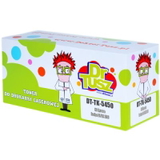
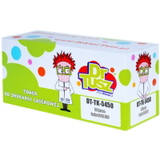
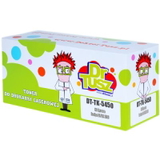
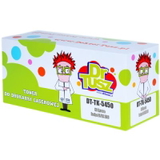
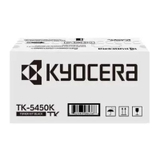
Compatible and Original OEM – a wide choice in one place We offer both Original OEM cartridges from Kyocera and proven, high-quality compatible toner cartridges for Kyocera EcoSys MA2600cwfx. This way you can pick exactly what matches your priorities—maximum OEM continuity or the best price-to-performance ratio. Popular choices in this category include: - Compatible Toner TK-5450K for Kyocera (DT-TK-5450K) (Black) and Original OEM Toner Kyocera TK-5450K (1T0C0D0NL0) (Black) – ideal for everyday text printing and office documents,
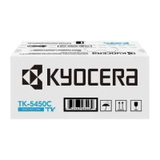
- Compatible Toner TK-5450C (DT-TK-5450C) (Cyan) / Original OEM Toner Kyocera TK-5450C (1T0C0DCNL0) (Cyan) – for clean blues and balanced color graphics,
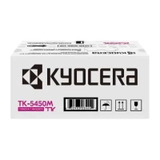
- Compatible Toner TK-5450M (DT-TK-5450M) (Magenta) / Original OEM Toner Kyocera TK-5450M (1T0C0DBNL0) (Magenta) – for vivid accents and natural tones,
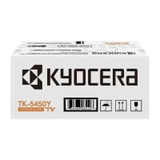
- Compatible Toner TK-5450Y (DT-TK-5450Y) (Yellow) / Original OEM Toner Kyocera TK-5450Y (1T0C0DANL0) (Yellow) – for bright, lively prints and eye-catching visuals.
If you’ve seen codes like 110C0D3NL0 or are searching by “MA2600 cwfx”, you’re in the right place—these are common ways customers identify the correct toner for this printer family. How to choose the right toner: TK-5450K/C/M/Y and practical tips To select the correct toner for printer Kyocera EcoSys MA2600cwfx, start with the cartridge symbol and color. This model uses the TK-5450 series: TK-5450K (Black), TK-5450C (Cyan), TK-5450M (Magenta) and TK-5450Y (Yellow). If you print mostly text, you’ll replace black most often; for frequent color materials, it’s worth keeping a spare set of CMY to avoid workflow interruptions. Original OEM vs compatible—what’s the difference? Original OEM toner Kyocera TK-5450 is the manufacturer’s cartridge line, chosen by customers who want strict OEM continuity. On the other hand, our compatible toner cartridges for Kyocera EcoSys MA2600cwfx from DrTusz.pl are designed to deliver print quality and reliability that is as good as the originals—while helping you significantly reduce printing costs. Many customers choose compatible toners as their everyday standard and keep OEM as a reference point for specific workflows. Common user issues with Kyocera MA2600cwfx – and how the right toner helps In daily use, customers most often report issues that are easy to avoid with correct cartridge choice and a few simple habits: - Faded prints or uneven color – often caused by a nearly empty cartridge or mixing very old cartridges with new ones; replacing the right color toner usually restores full quality.
- Streaks and spots – can appear when a cartridge is installed incorrectly or handled roughly; we recommend careful installation and storing toner in a dry, room-temperature place.
- Printer doesn’t recognize the cartridge – typically solved by reinserting the cartridge and checking whether you’ve selected the correct TK-5450 version for Kyocera EcoSys MA2600cwfx.
- Unexpected downtime – the simplest fix is keeping a spare toner for Kyocera MA2600cwfx, especially black if you print documents every day.
If you’re unsure which cartridge is best for your print volume, we’re here to help you choose between Original OEM and Compatible options quickly and safely. Choose your toner today – fast help and convenient delivery We encourage you to explore our full selection of toner cartridges for Kyocera EcoSys MA2600cwfx—both compatible and original OEM. Order the colors you need now, avoid printing interruptions, and keep your Kyocera producing clean, professional pages every day. CTA: Add the right toner for Kyocera EcoSys MA2600cwfx to your cart or contact us—our team will gladly help you match TK-5450K/C/M/Y to your exact needs, and we’ll make sure your order is packed securely and delivered as quickly as possible. |