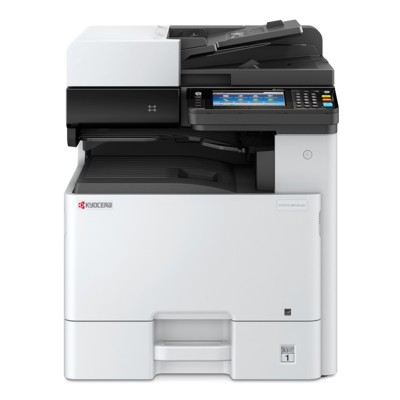
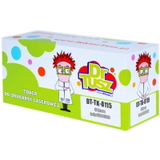
Kyocera EcoSys M8130cidn: reliable colour printing for busy offices The Kyocera EcoSys M8130cidn (also searched as Kyocera M8130cidn, M8130cidn, M8130 CIDN or M8130CIDN) is a robust A3 colour multifunction device designed for teams that print and copy a lot—reports, invoices, presentations and everyday office documents. It’s valued for its speed, sharp text, and consistent colour output, which is exactly why choosing the right toner for printer Kyocera EcoSys M8130cidn matters so much. In this category you’ll find both Original OEM and high-quality Compatible toner cartridges, so you can match your purchase to your budget and printing habits. Toner for Kyocera EcoSys M8130cidn – what it affects and why quality matters A good toner for Kyocera M8130cidn is not only about “having something to print with”. Toner quality influences everyday comfort and the final look of your documents: black density, colour saturation, smooth gradients, and clean lines. Whether you print mainly in black or rely on colour for charts and branding materials, the right cartridge helps you keep results predictable from the first page to the last. In this subpage we focus on the TK-8115 toner series, dedicated to the EcoSys M8130cidn family. You can choose each colour separately: - Black toner for Kyocera EcoSys M8130cidn – for crisp text and high-contrast office prints
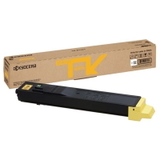
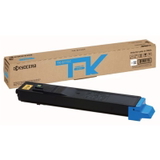
- Cyan, Magenta, Yellow toners – for clear graphics, colour tables, and presentation-ready pages
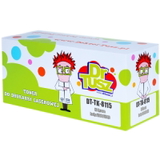
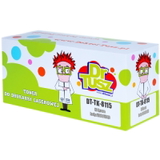
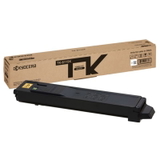
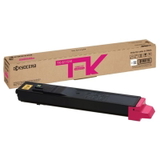
Original OEM and Compatible TK-8115 toners – wide choice in one place We make it easy to select the exact cartridge you need—by colour, by code, and by class (Original OEM or Compatible). Popular choices in this category include: - Original OEM Toner Kyocera TK-8115K (1T02P30NL0) (Black)
- Original OEM Toner Kyocera TK-8115C (1T02P3CNL0) (Cyan)
- Original OEM Toner Kyocera TK-8115M (1T02P3BNL0) (Magenta)
- Original OEM Toner Kyocera TK-8115Y (1T02P3ANL0) (Yellow)
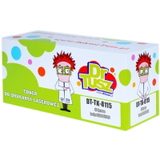
- Compatible Toner TK-8115K for Kyocera (1T02P30NL0) (Black)
- Compatible Toner TK-8115C for Kyocera (1T02P3CNL0) (Cyan)
- Compatible Toner TK-8115M for Kyocera (1T02P3BNL0) (Magenta)
- Compatible Toner TK-8115Y for Kyocera (1T02P3ANL0) (Yellow)
Thanks to this selection, you can build a full set or replace only the colour that has run out—without overpaying or stocking unnecessary supplies. How to choose the right toner for M8130cidn: practical tips When you choose toner for printer Kyocera EcoSys M8130cidn, we recommend checking three things: - Correct symbol: for this model, look for TK-8115 and match the colour (K/C/M/Y) plus the code (e.g. 1T02P30NL0 for black).
- Your printing profile: lots of text = black toner matters most; frequent presentations = invest in consistent colour toners (C/M/Y).
- Class choice: Original OEM for maximum manufacturer consistency, or Compatible for excellent value.
Wondering about the differences? Original OEM cartridges are produced by the printer manufacturer and are often chosen for strict corporate requirements. Our Compatible TK-8115 toners are a smart alternative: they’re designed to deliver results that are as good as the originals, while helping you control printing costs—especially important in departments with high page volumes. Common user issues with Kyocera EcoSys M8130cidn – and how toner choice helps In everyday use, customers most often look for support when they face issues such as uneven colour, faint prints, or sudden “low toner” messages. Very often, the solution is simple: matching the correct cartridge version (TK-8115), installing it carefully, and using a dependable toner source. A fresh, properly selected toner for Kyocera EcoSys M8130cidn helps maintain stable density, clean backgrounds and consistent colour output—especially when the machine is used by multiple people in an office. If you’re not sure which toner is currently installed (for example, you see the printer name as M8130 cidn on the panel, but you’re ordering online), just search within this category using the phrases: Kyocera EcoSys M8130cidn, Kyocera EcoSys, or M8130CIDN—we’ve prepared the assortment specifically for this device. Choose your TK-8115 toner set today Dear Customer, we encourage you to explore our full range of toner cartridges for Kyocera EcoSys M8130cidn—both Original OEM and our proven Compatible options. Add the right colour to your cart, complete your set, and keep your office running without downtime. If you need help choosing between TK-8115K, TK-8115C, TK-8115M or TK-8115Y, contact us—we’ll guide you to the best option and help you place a quick order with convenient delivery. CTA: Check the available TK-8115 toners above and choose the best toner for printer Kyocera M8130cidn for your needs—order now or ask us for support before you buy. |