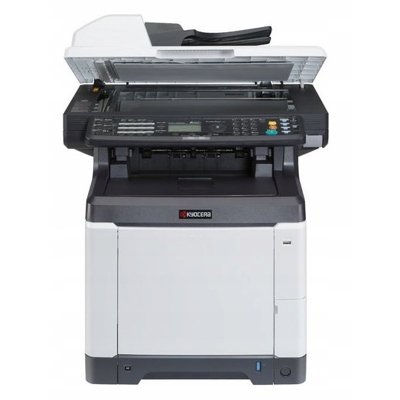
Kyocera EcoSys M6526cdn – a reliable colour MFP for busy offices Kyocera EcoSys M6526cdn (also searched as Kyocera M6526cdn, M6526cdn, M6526 cdn, M6526 CDN or M6526CDN) is a popular colour laser multifunction printer designed for everyday business printing, copying and scanning. It’s valued for solid print quality, good speed and Kyocera’s EcoSys concept focused on durability and lower running costs. To keep this device working at its best, you need the right toner for Kyocera EcoSys M6526cdn—and, when necessary, a matching drum unit and waste toner tank. What you’ll find in this category: toner, drum unit and waste toner tank This category is dedicated to laser cartridges for the Kyocera EcoSys M6526cdn, including both Compatible and Original OEM options. We’ve gathered everything you typically need for stable performance and predictable page yields: - Toners for Kyocera EcoSys M6526cdn – black and colour toners for crisp text and vivid graphics.
- Drum Unit – responsible for transferring toner to paper; crucial for clean, sharp output.
- Waste Toner Tank – collects excess toner during operation; when full, the printer may stop until it’s replaced.
Using the correct consumables helps you maintain consistent colour, avoid streaks and background shading, and protect the printer’s internal components—especially important in office environments where downtime is costly. Compatible vs Original OEM – how to choose the best option for your needs When selecting toner for printer Kyocera EcoSys M6526cdn, you’ll usually decide between Original OEM and Compatible cartridges. Both can be a smart choice—depending on what matters most to you. - Original OEM toner Kyocera is produced by the printer manufacturer and is often chosen by customers who want to keep everything strictly OEM across their fleet.
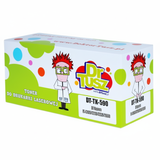
- Compatible toner for Kyocera M6526cdn is a cost-effective alternative. Our compatible cartridges from DrTusz.pl are designed to deliver print quality and reliability comparable to the original—so you can print confidently while optimising costs.
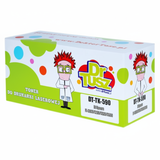
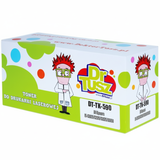
If you print a lot of documents (invoices, offers, internal reports, training materials) or frequently use colour, compatible cartridges can significantly reduce the cost per page without sacrificing professional-looking output. Popular products for Kyocera M6526cdn – the essentials in one place To make selection easy, we offer the most commonly used cartridges and maintenance items for this model. In this category you’ll find, among others: - Compatible Toner TK-590K for Kyocera (1T02KV0NL0) (Black)
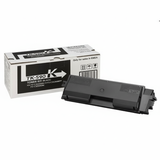
- Original OEM Toner Kyocera TK-590K (1T02KV0NL0) (Black)
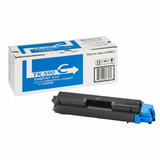
- Compatible Toner TK-590C for Kyocera (1T02KVCNL0) (Cyan) and Original OEM Toner Kyocera TK-590C (1T02KVCNL0) (Cyan)
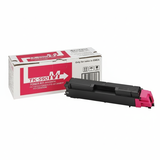
- Compatible Toner TK-590M for Kyocera (1T02KVBNL0) (Magenta) and Original OEM Toner Kyocera TK-590M (1T02KVBNL0) (Magenta)
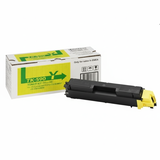
- Compatible Toner TK-590Y for Kyocera (1T02KVANL0) (Yellow) and Original OEM Toner Kyocera TK-590Y (1T02KVANL0) (Yellow)
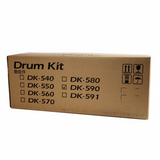
- Original OEM Drum Unit Kyocera DK-590 (302KV93017)
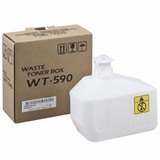
- Original OEM Waste Toner Tank Kyocera WT-590 (302KV93110)
Whether you need a single black cartridge for daily documents or a full CMYK set for colour printing, you can match your order to your workload and budget in minutes. Practical tips and common issues – keep your EcoSys printing smoothly Customers using Kyocera EcoSys printers often ask us how to prevent sudden interruptions. Here are the most useful pointers when buying toner for Kyocera EcoSys M6526cdn: - Check the symbol and code – for this model, the correct toner family is TK-590 (K/C/M/Y). Matching the code (e.g., 1T02KV0NL0) avoids ordering mistakes.
- Don’t ignore colour balance – even if you mostly print in black, low colour toner can affect colour documents and some printer maintenance routines. Keeping a spare set can prevent downtime.
- Know the role of the waste toner tank – when the WT-590 reaches its limit, the printer may display a warning or stop printing. Replacing it promptly restores normal operation.
- Watch for print defects – streaks, faded areas or repeating marks may indicate a consumable nearing end-of-life. In such cases, replacing the toner or checking the DK-590 drum unit can help restore clean output.
If you’re unsure which consumable is causing the problem, we encourage you to contact us—together we’ll quickly determine whether you need a new toner for printer Kyocera M6526cdn, a drum unit, or a waste toner tank. Order your toner for Kyocera EcoSys M6526cdn with confidence We make it easy to choose between Compatible and Original OEM supplies, and we keep the most important items for the Kyocera EcoSys M6526cdn together in one category—so you can order faster and print without interruptions. Choose the cartridge that matches your priorities: maximum OEM consistency or smart savings with our high-quality compatible toners. CTA: We encourage you to browse the available toner for Kyocera EcoSys M6526cdn, add the right toner/drum/waste tank to your cart, and place your order today. If you need help selecting the best option for your printing volume, we’re ready to assist—contact us and we’ll recommend the most cost-effective and reliable solution, plus guide you through delivery options. |