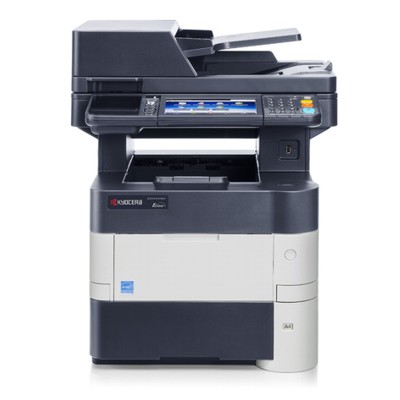
Kyocera EcoSys M3550idn – a reliable workhorse for busy offices The Kyocera EcoSys M3550idn (also searched as Kyocera M3550idn, M3550idn, M3550 IDN or M3550IDN) is a fast, economical mono laser multifunction printer designed for everyday business printing, copying and scanning. It’s valued for strong monthly performance, sharp black text and the EcoSys concept focused on long-life components. To keep this device running at its best, you need the right toner for printer Kyocera EcoSys M3550idn and—when the time comes—reliable service parts such as a drum unit, fuser unit or maintenance kit. What makes toner for Kyocera M3550idn so important? Choosing the right toner for Kyocera EcoSys M3550idn directly affects print quality, page yield and overall operating cost. A fresh, well-matched cartridge ensures: - clean, deep black text and crisp lines (perfect for invoices, reports and documents),
- stable performance during high-volume printing,
- fewer interruptions and fewer “light prints” or background haze issues,
- predictable costs per page—especially important in offices.
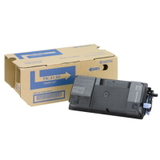
In this category you’ll find not only toner cartridges for Kyocera EcoSys M3550idn, but also essential long-life components: drum units, maintenance kits and fuser units. Thanks to this, you can stock everything needed for your Kyocera EcoSys device in one place and keep downtime to a minimum. Original OEM or Compatible – choose what fits your needs We offer both Original OEM supplies and carefully selected Compatible alternatives for the Kyocera EcoSys M3550idn. OEM products are made by the printer manufacturer and are a great choice if you want to follow factory recommendations component-by-component. At the same time, our compatible toner for Kyocera EcoSys M3550idn is designed to deliver results that are as good as originals—clear text, stable yield and smooth everyday operation—while helping you reduce printing costs. If you print a lot and want to optimize your budget without sacrificing quality, a compatible cartridge is often the most practical option. Popular products in this category (OEM and Compatible) To help you choose quickly, here are some of the most frequently selected items for ink/toner for Kyocera EcoSys M3550idn (mono laser): - Original OEM Toner Kyocera TK-3130 (1T02LV0NL0) (Black) – dependable OEM quality for everyday office printing.
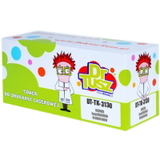
- Compatible Toner TK-3130 for Kyocera (1T02LV0NL0) (Black) – a cost-effective option with print quality comparable to OEM, ideal for higher volumes.
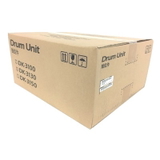
- Original OEM Drum Unit Kyocera DK-3130 (302LV93060) (Black) – when your device signals drum wear or print quality drops despite a new toner.
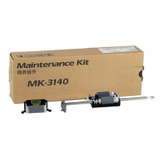
- Original OEM Maintenance Kit Kyocera MK-3140 (1702P60UN0) – preventive service parts to keep the printer in top condition.
- Original OEM Maintenance Kit Kyocera MK-3130 (1702MT8NL0) – another dedicated kit option for planned maintenance cycles.
- Original OEM Fuser Unit Kyocera FK-3130/3300 (302TA93040) – crucial if pages show poor toner fixing, smearing or fuser-related error messages.
Thanks to the range of options, you can select exactly what you need now—whether it’s a single toner cartridge for Kyocera M3550idn or a complete service component for scheduled maintenance. How to choose the right toner and parts for the M3550idn When shopping for toner for printer Kyocera EcoSys M3550idn, we recommend checking a few simple things: - Symbol compatibility: for toner, look for TK-3130 / 1T02LV0NL0. Matching the code is the safest way to avoid mistakes.
- Your printing volume: if you print a lot, compatible toner can significantly reduce running costs while maintaining excellent readability.
- Symptoms vs. component: light prints or fading may indicate low toner, but repeating marks, streaks or ghosting can point to the drum unit or fuser.
- Planned maintenance: if your Kyocera EcoSys M3550idn is used intensively, a maintenance kit can prevent unexpected stoppages.
Common issues reported by users of devices in this class include: pale prints despite replacing toner, vertical streaks, background shading, paper jams, or toner that rubs off the page. Often the solution is straightforward: replace the toner TK-3130 when it’s empty, and when print defects persist, consider the drum unit DK-3130 or the fuser unit FK-3130/3300. If you’re unsure, we encourage you to contact us—we’ll help you match the right consumable or maintenance part to the symptom. Order your toner for Kyocera EcoSys M3550idn with confidence We make it easy to choose between Original OEM and Compatible solutions, and we stock not only toner but also the service components that keep your device running smoothly. Browse the category, compare options and select the best toner for Kyocera M3550idn for your printing style. Call to Action: We encourage you to explore our full selection of toner cartridges for Kyocera EcoSys M3550idn—and if you want a quick recommendation, contact us. We’ll help you choose the right toner, drum unit, maintenance kit or fuser unit and get your Kyocera EcoSys back to perfect prints as fast as possible. |